The Stable channel has been updated to 152.0.7977.82/.83 for Windows and Mac and 152.0.7977.82 for Linux, which will roll out over the coming days/weeks. A full list of changes in this build is available in the Log
Security Fixes and Rewards
Note: Access to bug details and links may be kept restricted until a majority of users are updated with a fix. We will also retain restrictions if the bug exists in a third party library that other projects similarly depend on, but haven’t yet fixed.
This update includes 12 security fixes. Please see the Chrome Security Page for more information.
[$1,000][542403045] High CVE-2026-85046: Type confusion in V8. Reported by Salvatore Gulizia (nickname: Serotav) on 2026-08-04
[N/A][502304489] High CVE-2026-85052: Out of bounds read in CrashReporting. Reported by Google on 2026-04-13
[N/A][533502257] High CVE-2026-85043: Incomplete cleanup in Network. Reported by Google on 2026-07-10
[TBD][540357382] High CVE-2026-85048: Use after free in Compositing. Reported by Ngoc Hieu on 2026-07-29
[TBD][547819997] High CVE-2026-85045: Race condition in V8. Reported by Brendan Dolan-Gavitt, XBOW on 2026-08-17
[N/A][549350408] High CVE-2026-85050: Out of bounds write in WebGL. Reported by Google on 2026-08-20
[TBD][552689418] High CVE-2026-85053: Improper resource exposure in CacheStorage. Reported by Salvatore Gulizia (Serotav) on 2026-08-26
[N/A][553119925] High CVE-2026-85042: Use after free in DevTools. Reported by Google on 2026-08-26
[N/A][553345874] High CVE-2026-85049: Use after free in Skia. Reported by Google on 2026-08-27
[N/A][553449113] High CVE-2026-85051: Type confusion in Compositing. Reported by Google on 2026-08-27
[N/A][513790581] Medium CVE-2026-85047: Improper input validation in Transactions Platform. Reported by Google on 2026-05-16
[N/A][517482830] Medium CVE-2026-85044: Use of released resource in Mobile. Reported by Google on 2026-05-28
[N/A][549350408] High CVE-2026-85050: Out of bounds write in WebGL. Reported by Google on 2026-08-20
[TBD][552689418] High CVE-2026-85053: Improper resource exposure in CacheStorage. Reported by Salvatore Gulizia (Serotav) on 2026-08-26
[N/A][553119925] High CVE-2026-85042: Use after free in DevTools. Reported by Google on 2026-08-26
[N/A][553345874] High CVE-2026-85049: Use after free in Skia. Reported by Google on 2026-08-27
[N/A][553449113] High CVE-2026-85051: Type confusion in Compositing. Reported by Google on 2026-08-27
[N/A][513790581] Medium CVE-2026-85047: Improper input validation in Transactions Platform. Reported by Google on 2026-05-16
[N/A][517482830] Medium CVE-2026-85044: Use of released resource in Mobile. Reported by Google on 2026-05-28
Google is aware that an exploit for CVE-2026-85046 exists in the wild.
We would also like to thank all security researchers that worked with us during the development cycle to prevent security bugs from ever reaching the stable channel.
Many of our security bugs are detected using AddressSanitizer, MemorySanitizer, UndefinedBehaviorSanitizer, Control Flow Integrity, libFuzzer, or AFL.
Interested in switching release channels? Find out how here. If you find a new issue, please let us know by filing a bug. The community help forum is also a great place to reach out for help or learn about common issues.
Srinivas Sista
Google Chrome
 An overview of upcoming training sessions from the Google AI Educator Series (GES), and how teachers are putting these tools to work.
 Three new voice-activated features will change the way you use Google Workspace products.
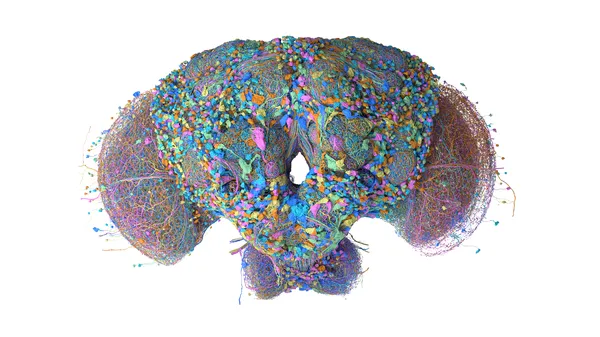 HHMI Janelia, Google and partners mapped the brain and central nervous system of a male fruit fly, a key model organism in science.
 WeatherNext 3, our most advanced global weather AI model, is now in Search, Gemini, Maps, Google Maps Platform, and Cloud.
 - Ben Karl, on behalf of the Google Ads API Team
%20devices,%20now%20in%20Early%20Preview%20-%207154.jpeg)


