Earlier this year, we announced the ability to generate quizzes for any subject using Canvas in the Gemini app by uploading relevant documents or simply entering a prompt like “Give me a practice quiz about the nervous system”. Now, this feature is also available to users under 18 years of age. This means that students will be able to create their own quizzes, which they could use to help prepare for exams. Also, their educator could create quizzes and share them with their class.
To improve security and clarity, the Manage Google Meet hardware and calendars privilege will no longer grant broad access to all calendars in your organization.
Currently: This privilege allows admins to assign calendars to Meet hardware devices AND grants full read/write access to all calendars in your organization.
Starting October 15, 2025: This privilege will no longer grant read/write access to your organization’s Google Calendars. You’ll still be able to use the privilege to manage Google Meet hardware devices and assign calendars to them.
Who’s impacted
Admins with the Manage Google Meet hardware and calendars privilege
Why it’s important
This update lets you grant calendar access independently of Google Meet hardware privileges. It ensures that administrators who only manage Meet hardware can no longer access sensitive calendar data across the organization, minimizing security risks.
Getting started
Admins: With this change, there are two potential actions for admins:
Option 1: Do nothing. If your Meet hardware admins do not need access to all of your organization’s Google Calendars, no action is required. On October 15, 2025, delegated admins will no longer be able to access user calendars using the “Manage Google Meet hardware and calendars” privilege. They will retain the ability to assign calendars to devices via the Meet hardware Admin console.
Option 2: Grant the ‘Manage Calendars’ privilege to Admins. If your admins need the same level of calendar control as they had before, you must grant them the Calendar application’s “Manage Calendars” privilege before October 15, 2025. This will give them full read/write access to all Google Calendars in your organization.
End users: No end user impact
Rollout pace
Available Now: You can assign the new "Manage Calendars" privilege to relevant admins.
Starting October 15, 2025: The "Manage Google Meet hardware and calendars" privilege will be automatically restricted, removing broad calendar access.
Availability
Available to all Google Workspace customers with Google Meet hardware devices
Today, we’re announcing a partnership with Vaulted Deep that targets two outcomes for the atmosphere: permanently removing CO2 and eliminating methane emissions from was…
Build once, deploy everywhere: multiplatform FHIR development on Android, iOS, and Web
by Jing Tang, Google Research
The mission of Google's Open Health Stack team is to accelerate digital health innovation by providing developers everywhere with critical building blocks for next-generation healthcare applications. Expanding its existing components, the team has released Kotlin FHIR (currently in alpha), a new open-source library now available on GitHub. It implements the HL7® FHIR® data model on Kotlin Multiplatform (KMP), enabling developers to build FHIR apps and tools for Android, iOS, and Web simultaneously.
Demo app launched as Android, iOS, and Web applications
Tools to support health data exchange using a modern standard
HL7® FHIR® (Fast Healthcare Interoperability Resources) is a global interoperability standard for healthcare data exchange. It enables healthcare systems to exchange data freely and securely, improving efficiency and transparency while reducing integration costs. Over the years, it has seen rapidly growing adoption, and its use has been mandated by health regulations in an increasing number of countries.
Since March 2023, the Open Health Stack team at Google has introduced a number of tools to support FHIR development. For example, the Android FHIR SDK helps developers to build offline capable FHIR-native apps that can help community health workers carry out data collection tasks in remote communities. With FHIR Data Pipes, developers can build analytics solutions more easily to generate critical insights for large healthcare programmes more easily. Today, apps powered by these tools are used by health workers covering over 75 million people across Sub-Saharan Africa, South and Southeast Asia.
A leap forward to multiplatform development
In low-resource settings, it is imperative to develop apps that can reach as many patients as possible at a low development cost. However, a lack of infrastructure and tooling often hinders this goal. For example, Kotlin Multiplatform (KMP) is a new and exciting technology rapidly gaining traction, but existing FHIR libraries are not suitable for KMP development due to their platform-specific dependencies. Consequently, developing FHIR apps on KMP has not been possible, causing developers to miss out on a significant opportunity to scale their solutions.
Introducing Kotlin FHIR. It is a modern and lightweight implementation of FHIR data models designed for use on KMP with no platform-specific dependencies. With Kotlin FHIR, developers can build FHIR apps once, and deploy them to Android, iOS, Web, and other platforms.
"Any library that helps implementers use FHIR is my favourite, but I'm particularly thrilled to see a new library from the awesome Open Health Stack team.
– Grahame Grieve, Creator of FHIR, Product Director at HL7
Modern, lightweight, and sustainable
Kotlin FHIR uses KotlinPoet to generate the FHIR data model directly from the specification. This ensures that the library is complete and maintainable. The data model classes it generates are minimalist to provide the best usability for developers: it has everything that you need, nothing less and nothing more. It uses modern language features in Kotlin such as sealed interfaces to ensure type-safety and to give developers the best coding experience. It supports all the FHIR versions: R4, R4B and R5, and will be updated when new FHIR versions are released.
The library is currently in alpha, but has received positive feedback from the developer community. To try FHIR multiplatform development using the library, head to the repository.
Beyond data models: more on multiplatform
Our mission is to empower the digital health community, and the Kotlin FHIR library is our latest step in that effort. But handling the FHIR data model on KMP is just the beginning. Rich features provided by the Android FHIR SDK libraries will also be needed on KMP. This is a collaborative effort, and we invite the FHIR community to join us in defining and building the cross-platform tools you need most. To learn more about how you can get involved, head to the Open Health Stack developer site.
Client-side encryption now has full General Availability support for Google Sheets. This includes import, export, and decryption, Office editing mode, export with Vault/Takeout, and client-side conversions to Microsoft Office Excel.
This helps our clients with compliance standards including ediscovery and data portability. For customers who work with Microsoft file formats, they now have full interoperability with their client-side encrypted Sheets.
 Google’s deep investments in American technical infrastructure, R&D and the workforce will help the U.S. continue to lead the world in AI.

 Today, we’re announcing a partnership with Vaulted Deep that targets two outcomes for the atmosphere: permanently removing CO2 and eliminating methane emissions from was…
 AI on Screen program premieres short film Sweetwater, exploring themes around AI and humanity


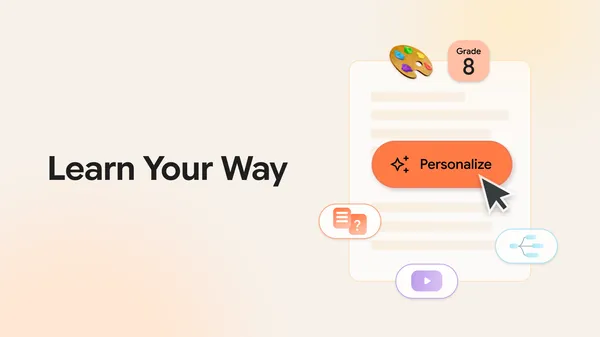 Learn Your Way uses AI to transform textbook materials into interactive guides.
 We’ve teamed up with Shaboozey to bring his favorite spots right to Google Maps.