The Stable channel has been updated to 149.0.7827.114/.115 for Windows andMac and 149.0.7827.114 for Linux, which will roll out over the coming days/weeks. A full list of changes in this build is available in the Log
Security changes will be updated shortly
Interested in switching release channels? Find out howhere. If you find a new issue, please let us know byfiling a bug. Thecommunity help forum is also a great place to reach out for help or learn about common issues.
We are pleased to share a research preview of OpenRL, a new open-source project coming out of GKE Labs. OpenRL is a self-hosted training API for fine-tuning LLMs on your own Kubernetes cluster.
Why we built it
If you look at agentic RL on LLMs, it is incredibly easy to get bogged down in system complexity. To run a single RL loop, you have to coordinate a dozen different things: selecting and cleaning datasets, choosing RL environments, debugging training loops, managing reward signals, handling inference mismatches, allocating hardware, and managing infrastructure. Picture looks something like this:
Figure shows an AI researcher and an infrastructure engineer staring at the hurdles in post training along the way to the summit.
Each of these is a hard problem. But what makes it more complex is how tightly AI research and infrastructure concerns are mixed together in today's tooling and frameworks.
We believe decoupling the infrastructure from AI research can make these problems more tractable so that infrastructure engineers and AI researchers can independently tackle them. We have seen this pattern with Kubernetes where Kubernetes abstracted out the infrastructure and made application developers and SREs life easier.
So, can you abstract out post training infrastructure? We believe so and drew huge inspiration/validation from Tinker (from Thinking Machines). The Tinker APIs for post training hit that Goldilocks zone where it hides all the post training infrastructure behind four key APIs:
Figure shows high level components and their interaction in a OpenRL based RL workflow
So the end result of this abstraction is that AI Researchers get full flexibility on their RL loop and infrastructure engineers can focus on scaling, orchestration, and reliability. OpenRL allows you to run the same training APIs but on your own infrastructure. And this decoupling has other interesting benefits.
Sharing GPUs
Traditional RL loops are strictly sequential. The trainer waits for the sampler to finish rollouts, the sampler waits for the environment to score rewards (which is often bound by slow CPU/network tasks), and the whole loop sits blocked. Your expensive GPUs spend a lot of time doing nothing. The abstraction allows running multiple RL jobs and allows infrastructure engineers to pack the training/sampling steps to utilize more of their GPUs. The graph below shows the GPU consumption in OpenRL for running one, two, and three RL jobs concurrently.
The figure shows the trainer/sampler duty cycle in OpenRL for scenarios with 1 RL job, 2RL jobs and 3 RL jobs respectively.
Better UX
Once you separate out the infrastructure behind the APIs, you start to see the gains in user experience of developing the RL loop because AI researchers no longer have to wrangle the complex python dependencies like cuda. When you are doing R&D, you do not have to run the RL loop directly on the machines with GPUs, you can simply run your RL loop on your Mac pointing to the training APIs running on a Kubernetes cluster/VMs.
Autoresearch
We believe that frontier AI research will get more and more automated in the future and abstracting out infrastructure as a building block is key to that. To demonstrate that, we added an autoresearch recipe inspired heavily by karpathy's work. The recipe demonstrates how to conduct parallel experiments to conduct parameter sweep, and improve the reward signal for our text-to-sql recipe for Gemma models.
Figure showing autoresearch UI with multiple AI researchers conducting experiments in parallel in OpenRL
What OpenRL is not
A managed service. OpenRL is self-hosted and not a managed service. We aim to make it easy for users to deploy and operate it on their Kubernetes clusters.
An RL framework. OpenRL gives AI researchers full control over their RL loop.
Get started
We have made it easy to run OpenRL on your Mac, Nvidia GPUs, or on GKE. This allows you to test your RL loop on Mac and when you are ready to scale, you can point the RL loop to the OpenRL endpoint running in the GKE cluster.
Try out our text-to-SQL example for teaching the latest Gemma model SQL here: guides.
One of the benefits of a Tinker compatible endpoint is that you can use Tinker-Cookbook with OpenRL. Tinker-cookbook is one of the best resources for post training infrastructure for RL.
Future steps
We have started with a simple architecture focussing on LoRA fine-tuning and plan to evolve the project in the coming months, so please give it a try and share your feedback. A few things we are very excited to work on:
Full parameter fine-tuning
Multitenancy (simultaneous RL on different types of base models)
Google Vault now supports retention rules and litigation holds for the Gemini app on web and mobile. Previously, administrators were able to use Vault to search Gemini app conversations and export those search results. With this update, administrators can now also create, update, and delete the following for the Gemini app:
Default retention rules: Set default retention rules for the Gemini app for a finite or indefinite retention period.
Custom retention rules: Create custom retention rules for the Gemini app by organizational unit (OU) or the entire domain for a finite or indefinite retention period.
Litigation holds: Place holds on the Gemini app data for a specific OU or a list of users.
Google Vault is an eDiscovery and information governance tool for Google Workspace that enables customers to retain, hold, search, and export users’ Google Workspace data. With this update, customers can expand their regulatory and legal eDiscovery management to include retention and holds for the Gemini app, making it easier to comply with data obligations from a central tool.
Additional details
Application scope: This update applies specifically to the Gemini app (on web and mobile) and is not applicable to Gemini in Google Workspace features integrated into other apps (such as "Help me write" in Gmail or Docs), as those specific interactions are not retained in the same manner.
Policy precedence: Vault retention rules and holds will always take precedence over Admin console settings, user deletion settings, or user activity settings.
Example: If a user deletes a conversation or turns off their activity setting, but an active Vault hold requires retention, the data is hidden from the user but remains fully retained and visible to Vault administrators.
API support: Support for Vault API users will be available in the coming weeks.
Automigration Delayed: The automatic upgrade of DSA campaigns to AI Max (or Search campaigns with broad match and Smart Bidding) has been postponed from September 2026 to February 2027.
Creation Restored: The ability to create new DSAs is being restored on June 15, 2026.
This change is designed to give advertisers additional time to manage their own transitions, perform thorough testing, and ensure a seamless migration to AI Max.
What is the DSA Migration?
Dynamic Search Ads (DSA) have long helped advertisers capture relevant searches by using website content to target ads. As part of our commitment to delivering the best performance through Google AI, we are transitioning legacy search features to more advanced, asset-based AI Max for Search campaigns.
Why is this changing?
By moving the automigration to February 2027 and restoring the ability to create new DSAs, we are providing additional flexibility to perform these migrations on your own schedule and terms.
How to Prepare
Although you now have additional time, we strongly recommend proactively managing your migration rather than waiting for the automatic upgrade in February 2027. Manual migration allows you to tailor your assets and maintain tighter control over your campaign structures.
Step 1: Audit Your Accounts
Identify all active DSAs and ad groups currently running in your accounts.
If you are using the Google Ads API, you can query the campaign resource to find campaigns with the advertising channel type set to SEARCH and targeting settings configured for dynamic search ads:
SELECT
  campaign.id,
  campaign.name,
  campaign.status,
  campaign.dynamic_search_ads_setting.domain_name
FROM
  campaign
WHERE
  campaign.status = 'ENABLED'
  AND campaign.dynamic_search_ads_setting.domain_name IS NOT NULL
Step 2: Begin Side-by-Side Testing
Use the restored DSA creation functionality to maintain your baseline while you test AI-powered alternatives. We recommend setting up Campaign Experiments to test AI Max for Search campaigns (with broad match and Smart Bidding) against your existing DSA campaigns to measure performance parity.
Step 3: Utilize Voluntary Upgrade Tools
When you are ready to transition, use the voluntary upgrade tools available in the Google Ads UI. These tools allow for a "one-click" transition that preserves historical reporting and minimizes learning-phase disruptions by mapping your DSA targets to their modern equivalents.
The Updated Transition Timeline
We encourage you to take advantage of this extension to complete your migrations. The updated timeline is as follows:
Immediate (June 2026): DSA campaign creation is fully restored. Advertisers can create and edit DSA campaigns as needed.
June 2026 – January 2027: Extended testing and voluntary migration period. Advertisers should actively transition campaigns.
January 2027: Ability to create DSAs is removed.
February 2027: Automigration begins. Any remaining active DSA campaigns will be automatically upgraded to Performance Max or AI-powered Search campaigns.
Hi everyone! We've just released Chrome Dev 151 (151.0.7885.0) for Android. It's now available on Google Play.
You can see a partial list of the changes in the Git log. For details on new features, check out the Chromium blog, and for details on web platform updates, check here.
If you find a new issue, please let us know by filing a bug.
Google Arts & Culture is utilizing its latest preservation technology, including Art Cameras and immersive Pocket Galleries, to make 50 new digital exhibitions from eigh…
DiffusionGemma is an experimental text-generation model built on the Gemma 4 architecture that uses diffusion-based parallel generation instead of token-by-token autoregression, enabling much faster inference, bidirectional context awareness, and real-time self-correction while remaining deployable on consumer GPUs. Its architecture generates and refines 256-token blocks in parallel through iterative denoising, allowing it to handle complex constraint-based tasks such as Sudoku more effectively than traditional language models and demonstrating strong gains from fine-tuning. The model integrates with vLLM and other popular inference frameworks, giving developers access to a new non-autoregressive approach that combines high performance, efficient long-context scaling, and straightforward customization and deployment.


 When buyers search for homes, they get critical property details — and they can contact an agent right from the ad.
 The new partnership will help brands reach high-intent shoppers through YouTube campaigns and measure their results.
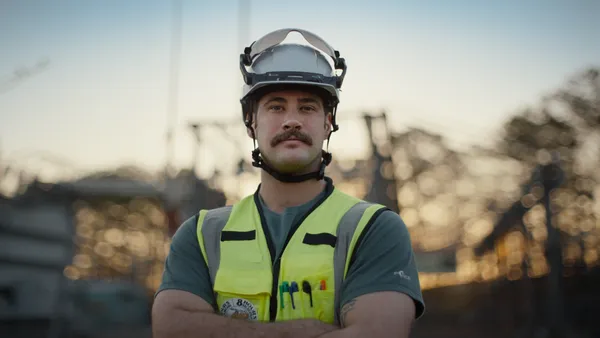 Google is expanding its total skilled trades support to $50 million to help prepare more than 300,000 American workers.
 Google Arts & Culture is utilizing its latest preservation technology, including Art Cameras and immersive Pocket Galleries, to make 50 new digital exhibitions from eigh…