 Read a transcript of Sundar Pichai’s commencement speech at Stanford University.
Read Sundar Pichai’s 2026 Commencement Address at Stanford University
Read a transcript of Sundar Pichai’s commencement speech at Stanford University.
Read a transcript of Sundar Pichai’s commencement speech at Stanford University.
A new LTS-144 version 144.0.7559.255(Platform Version: 16503.87.0), is being rolled out for most ChromeOS devices.
This version includes selected security fixes including:
500033878 High CVE-2026-8555: Use after free in GTK
496284584 High CVE-2026-7906: Use after free in SVG
502249087 High CVE-2026-7926: Use after free in PresentationAPI
495852034 High CVE-2026-7360: Insufficient validation of untrusted input in Compositing
498285711 Medium CVE-2026-7355: Use after free in Media
500387779 High CVE-2026-7335: Use after free in media
518043597 Critical CVE-2026-11644: Use after free in Views
497543810 High CVE-2026-7910: Use after free in Views
498782145 High CVE-2026-6314: Out of bounds write in GPU
499384399 High CVE-2026-6316: Use after free in Forms
498269651 High CVE-2026-6312: Insufficient policy enforcement in Passwords
500034684 High CVE-2026-7349: Use after free in Cast
500066234 High CVE-2026-6362: Use after free in Codecs
497436531 High CVE-2026-7908: Use after free in Fullscreen
493955227 High CVE-2026-7333: Use after free in GPU
514746176 High CVE-2026-10015: Integer overflow in WTF
500091052 High CVE-2026-6317: Use after free in Cast
516501794 Critical CVE-2026-11628: Use after free in Ozone
487338366 High CVE-2026-3924: Use after free in WindowDialog
504586599 High CVE-2026-7341: Use after free in WebRTC
502248774 High CVE-2026-7345: Insufficient validation of untrusted input in Feedback
504587882 Critical CVE-2026-7898: Use after free in Chromoting
518006379 Critical CVE-2026-11643: Use after free in Proxy
499005260 High CVE-2026-9906: Out of bounds write in GPU
516653777 Critical CVE-2026-10899: Use after free in Ozone
513006660 High CVE-2026-10972: Use after free in Ozone
517678820 Critical CVE-2026-11642: Use after free in Web Apps
503617302 Critical CVE-2026-10884: Use after free in Chromecast
517047197 Critical CVE-2026-11638: Use after free in Printing
517339758 Critical CVE-2026-11640: Integer overflow in libyuv
513231432 Critical CVE-2026-10893: Use after free in Chromoting
498765210 High CVE-2026-6313: Insufficient policy enforcement in CORS
516674532 Critical CVE-2026-11629: Use after free in Ozone
516707881 Critical CVE-2026-11632: Use after free in TabStrip
505096898 Critical CVE-2026-10886: Use after free in FileSystem
517046249 Critical CVE-2026-10902: Use after free in Ozone
513160681 Critical CVE-2026-10891: Use after free in GFX
513454018 Critical CVE-2026-10895: Use after free in Ozone
513946753 Critical CVE-2026-10898: Stack buffer overflow in GPU
500138014 High CVE-2026-99220: Uninitialized Use in GPU
Release notes for LTS-144 can be found here
Want to know more about Long-term Support? Click here
Andy Wu
Google Chrome OS

Access to Go metadata has been an everpresent need for the Go community. Since its launch, pkg.go.dev has served as a central hub for Go package documentation and discovery. While we initially prioritized providing this comprehensive access via a web interface, the need for streamlined programmatic access has become increasingly clear.
Structured API access has been one of the most highly requested features for pkg.go.dev for a while now. Developers building tools, IDE integrations, automated workflows, and other systems have had to rely on inconsistent and fragile scraping methods. By providing a formal API, we can provide fast and efficient access to required data. This foundation also sets Go up for the future of AI-assisted coding. Large language models and agents can access the context necessary to reason about the Go ecosystem with greater precision and accuracy.
Our goal with this API is to reduce the technical churn for builders and innovators. By offering structured JSON metadata, we address the following use cases:
Built for stability and efficient caching, the API uses a stateless, GET-only architecture. Primary endpoints are currently hosted under the v1beta path. Following a period of feedback from the Go community and confirmed stability, we intend to transition toward a formal v1 release.
For a complete interactive reference of all endpoints, query parameters, and response shapes, see pkg.go.dev/api. The machine-readable API contract is also published directly at pkg.go.dev/v1beta/openapi.yaml.
| Endpoint | Description |
/v1beta/imported-by/{path}
|
Paths of packages importing the package at {path}.
|
/v1beta/module/{path}
|
Information about the module at {path}.
|
/v1beta/package/{path}
|
Information about the package at {path}.
|
/v1beta/packages/{path}
|
Information about packages of the module at {path}.
|
/v1beta/search/search?q={query}
|
Search results for a given query. |
/v1beta/symbols/{path}
|
List of symbols declared by the package at {path}.
|
/v1beta/versions/{path}
|
Versions of the module at {path}.
|
/v1beta/vulns/{path}
|
Vulnerabilities of the module or package at {path}.
|
An example of retrieving package information is shown below:
curl https://pkg.go.dev/v1beta/package/github.com/google/go-cmp/cmp | jq
{
  "modulePath": "github.com/google/go-cmp",
  "version": "v0.7.0",
  "isLatest": true,
  "isStandardLibrary": false,
  "goos": "all",
  "goarch": "all",
  "path": "github.com/google/go-cmp/cmp",
  "name": "cmp",
  "synopsis": "Package cmp determines equality of values.",
  "isRedistributable": true
}
To demonstrate how to interact with our API, we are providing a reference CLI implementation: pkgsite-cli. This implementation serves as a practical example for developers looking to build their own integrations, showing how to handle the data directly from the terminal. Note, as the API continues to evolve, the interface and behavior of this CLI may change.
You can use it to search for packages or inspect symbols without leaving your shell:
go install golang.org/x/pkgsite/cmd/internal/pkgsite-cli@latest

pkgsite-cli search "uuid"
github.com/google/uuid
  Module:   github.com/google/[email protected]
  Synopsis: Package uuid generates and inspects UUIDs.
... more


pkgsite-cli package github.com/google/go-cmp/cmp
github.com/google/go-cmp/cmp
  Name:      cmp
  Module:    github.com/google/go-cmp
  Version:   v0.7.0 (latest)
  Synopsis:  Package cmp determines equality of values.

pkgsite-cli package --symbols github.com/google/go-cmp/cmp
github.com/google/go-cmp/cmp
  Name:     cmp
  Module:   github.com/google/go-cmp
  Version:  v0.7.0 (latest)
  Synopsis: Package cmp determines equality of values.

Symbols:
  type Indirect struct{}
  type MapIndex struct{}
  type Option interface{}
  ... more
While we prioritize stability for our new /v1beta endpoints, we are eager to hear how open source communities use these resources to solve real-world problems.
We look forward to your feedback via our issue tracker and to seeing the tools you’ll build next.
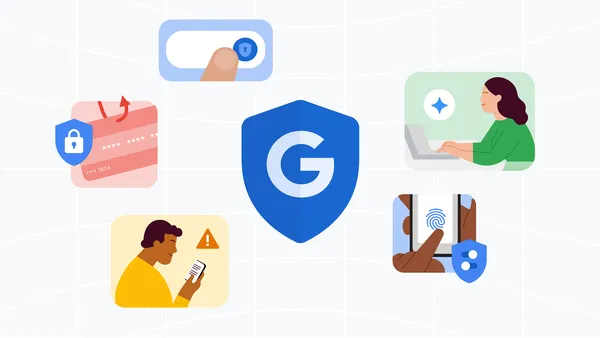 Learn how Google is fighting scammers on all fronts with industry-leading security, lawsuits and law enforcement and industry partners.
M-148, ChromeOS version 16640.61.0 (Browser version 148.0.7778.263) has rolled out to ChromeOS devices on the Stable channel.
If you find new issues, please let us know one of the following ways:
Visit our ChromeOS communities
General: Chromebook Help Community
Beta Specific: ChromeOS Beta Help Community
Interested in switching channels? Find out how.
Andy Wu
Google ChromeOS
Hi, everyone! We've just released Chrome 149 (149.0.7827.114) for Android. It'll become available on Google Play over the next few days.
This release includes stability and performance improvements. You can see a full list of the changes in the Git log. If you find a new issue, please let us know by filing a bug.
The ChromeOS Beta channel is being updated to OS version 16667.40.0 (Browser version 149.0.7827.136) for most ChromeOS devices.
Visit our ChromeOS communities
General: Chromebook Help Community
Beta Specific: ChromeOS Beta Help Community
Interested in switching channels? Find out how.
Luis Menezes
Google ChromeOS
 We’re helping build the state’s next-generation workforce and investing in energy programs.
The Extended Stable channel has been updated to 148.0.7778.265 for Windows and Mac which will roll out over the coming days/weeks.