 College students around the world can claim 12 months of a Google AI plan, free of charge.
Start the semester with one year of Gemini, on us
College students around the world can claim 12 months of a Google AI plan, free of charge.
College students around the world can claim 12 months of a Google AI plan, free of charge.
 How Google tools can help students and educators this back-to-school season.
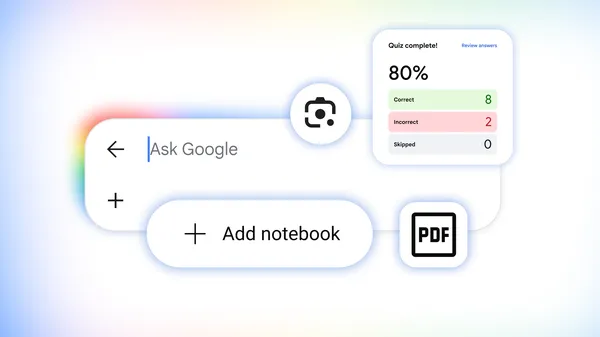 Here’s how you can use Google Search tools to study for classes and standardized tests.

A great user experience is central to Android's mission, and delivering on that promise requires keeping devices fast, responsive, and reliable. This is why memory optimization is more critical than ever. Across the ecosystem, new devices are maintaining or even decreasing their physical memory capacity in response to memory price increases, yet users continue to expect the same seamless, high-performance app experience.
In Android 17, we introduced per-app memory limits, starting with Pixel devices, to help protect the overall user experience from applications using excess memory and causing system-wide slowdowns. Over the coming year, an increasing number of manufacturers will leverage the Android per-app memory limits across their portfolio of device RAM configurations from 4GB to 16GB+ devices. If your app exceeds these limits, it will be slowed down and may be terminated. Optimizing your app's memory footprint is essential to preventing OS throttling and maintaining a seamless user experience.
In this post, we’ll explore how these limits work under the hood, how to measure your memory footprint using new Android vitals metrics, and actionable steps to optimize your app or game.
When your app exceeds its memory budget, Android takes progressive action to protect device responsiveness:
getDescription() within ApplicationExitInfo. If the system applied a limit, the exit reason is reported as REASON_OTHER and the description string will contain "MemoryLimiter:AnonSwap". You can also leverage trigger-based profiling using TRIGGER_TYPE_ANOMALY to automatically capture heap dumps when the memory limit is reached.To learn more about per-app memory limits and system enforcement, review the Android 17 App Memory Limits documentation. To test your application on different device configurations use the Memory Limiter adb commands.
You can't optimize what you can't measure. Identifying memory leaks, excessive heap allocations, and Out-Of-Memory (OOM) crashes across the Android ecosystem requires leveraging complementary monitoring tools:
ProfilingManager API introduced in Android 15 (API level 35) allows your app to programmatically request and collect detailed memory debug artifacts such as Java heap dumps and heap profiles directly from production devices. You can also trigger heap dump captures based on specific system signals, such as TRIGGER_TYPE_OOM and TRIGGER_TYPE_ANOMALY.Read our documentation to learn more about other memory monitoring techniques.
With Android broadening per-app memory limits across all RAM classes, now is the time to audit your memory footprint:
 Waymo is bringing Gemini to its custom-built Ojai vehicles to create a more helpful and personalized ride.
The Stable channel has been updated to 152.0.7977.54/.55 for Windows and Mac as part of our early stable release to a small percentage of users. A full list of changes in this build is available in the log.
You can find more details about early Stable releases here.
Interested in switching release channels? Find out how here. If you find a new issue, please let us know by filing a bug. The community help forum is also a great place to reach out for help or learn about common issues.
Daniel Yip
Google Chrome
Hi everyone! We've just released Chrome Stable 152 (152.0.7977.53) for iOS; it'll become available on App Store in the next few hours.
This release includes stability and performance improvements. You can see a full list of the changes in the Git log. If you find a new issue, please let us know by filing a bug.
Chrome Release Team
Google Chrome
The Beta channel has been updated to 152.0.7977.54 for Windows, Mac and Linux.
A partial list of changes is available in the Git log. Interested in switching release channels? Find out how. If you find a new issue, please let us know by filing a bug. The community help forum is also a great place to reach out for help or learn about common issues.
Chrome Release Team
Google Chrome
Hi everyone! We've just released Chrome Beta 152 (152.0.7977.54) for Android. It's now available on Google Play.
You can see a partial list of the changes in the Git log. For details on new features, check out the Chromium blog, and for details on web platform updates, check here.
If you find a new issue, please let us know by filing a bug.
Chrome Release Team
Google Chrome
 We asked three creatives to design campaigns for local businesses in Google Flow, an AI creative studio. Here’s what they made.
 Posted by Blair Harmon, Director of Product Management, Android Platform