 Learn more about Google for Startups Gemini Startup Forum and apply by August 28.
Apply now for the Google for Startups Gemini Startup Forum.
Learn more about Google for Startups Gemini Startup Forum and apply by August 28.
Learn more about Google for Startups Gemini Startup Forum and apply by August 28.
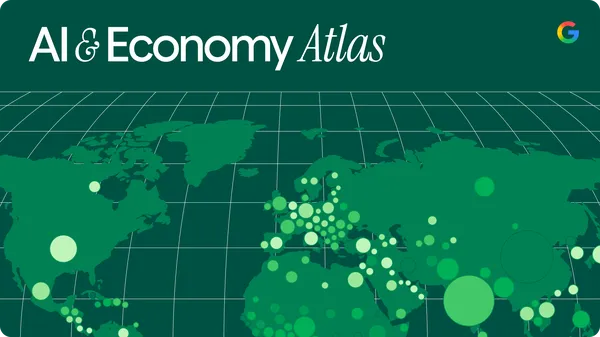 We’re releasing the first Activity, Task, Landscape, and Adoption Study (ATLAS) report, showing how people use Google’s AI tools.
 Selfie video gives you more options if you’re ever locked out or don’t have access to your usual phone or computer.
Today, we’re announcing the v25 release of the Google Ads API. This major release brings support for new reporting features and goals. To use these new capabilities, you must upgrade your client libraries and client code. All the updated client libraries and code examples have been published.
Come join us for a live walkthrough of this release in our "Google Ads API Release Highlights" event on Discord or our Ads Developers YouTube Live tomorrow (July 23rd at 10a ET). This will also be recorded and posted on YouTube for those who can’t make the live events. If you have any questions or want to discuss this post, reach out to us in the #ads-api channel on Discord.
Here are the highlights of what’s new in v25:
ad_sub_format_type segment. This segment must always be selected together with the ad_format_type field, and is selectable with AdGroup, AdGroupAd, Campaign, Customer, Video, and VideoEnhancement resources.
AdGroup, AdGroupAd, Asset, Campaign, Customer, and Video resources.
CustomerLifecycleGoal and CampaignLifecycleGoal resources and services are removed. You should now configure these goals via the Goal and CampaignGoalConfig resources.
To use the new capabilities in Google Ads API v25, download the latest version of your client library. For a full list of changes, please review the official release notes. For technical support issues, reach out to https://support.google.com/google-ads/contact/google_ads_api.

Hello Everyone! We've just released Chrome 151 (151.0.7922.47) for Android to a small percentage of users. It'll become available on Google Play over the next few days. You can find more details about early Stable releases here.
This release includes stability and performance improvements. You can see a full list of the changes in the Git log. If you find a new issue, please let us know by filing a bug.
Today at Galaxy Unpacked, Samsung unveiled its latest lineup of foldable and wearable devices. For developers, this means that the variety of form factors, screen sizes, and device postures your app needs to support is expanding once again.
With devices like the Galaxy Z Fold8, the ecosystem is expanding to include hardware with a landscape-first natural orientation and a wider aspect ratio in its main display state. Whether a user is unfolding a large display, flipping open a cover screen, or glancing at their wrist, users expect a flawless experience. To help you meet this moment, we’re sharing actionable guidance and new tooling updates to enable you to build adaptively proactively.
Building for the latest foldables means dropping assumptions about display orientation and size. This is especially true for the Galaxy Z Fold8, which adopts an ultra-wide display, adding to the variety of aspect ratios to account for. Devices with this landscape-first natural orientation show the limitations of hardcoded layout rules when users unfold the device. That’s why we’ve introduced dedicated guidance for building for landscape foldables and trifolds.

To build a responsive UI that handles these physics seamlessly, focus on the following core pillars:
2026.04.01).Take advantage of the new structural layout tools to manage complex architectures. The new Grid API allows you to define dynamic tracks and column spans without the performance overhead of a lazy list. Pair Grid with the new FlexBox layout API to easily handle multi-axis alignment and dynamic item wrapping. You can also use the new MediaQuery API to adapt your UI to its environment, using conditions to detect signals like device posture, window size, and keyboard types. 
We’re making it easier for users to find meeting notes, transcripts and recordings in Google Drive with the following improvements:
Previously, these files were only uploaded to the host’s My Drive, not the attendees’, and the files weren’t organized by meeting.
Note: Shortly after we roll out this change, we’ll automatically move the existing “Meet Recordings” folder into the new “Google Meet” folder and rename it “Legacy Meet Recordings.” Users may see both “Meet Recordings” and “Google Meet” in their Google Drive for a brief period during this transition.

We’re updating the name of the Gemini Alpha program to "Gemini Beta." This new name more accurately reflects both the scale and the quality of the features that enter this launch stage. Please note that this is solely a branding change. This update does not alter any customer configurations, data privacy constraints, or pricing tiers. All existing admin controls and customer opt-ins are fully preserved. Your current Terms of Service continue to apply, and customers do not need to re-sign any agreements.
As a reminder, we’ll continue to announce new Gemini Beta features in the Google Developer Program (GDP) forum and the Gemini Beta Help Center. You must be an active Workspace customer and register to access GDP content; follow these instructions to sign up.
The Stable channel has been updated to 151.0.7922.47/.48 for Windows and Mac as part of our early stable release to a small percentage of users. A full list of changes in this build is available in the log.
You can find more details about early Stable releases here.
Interested in switching release channels? Find out how here. If you find a new issue, please let us know by filing a bug. The community help forum is also a great place to reach out for help or learn about common issues.
Daniel Yip
Google Chrome
.png)