Build Cross-Language Multi-Agent Team with Google’s Agent Development Kit and A2A
How a Python agent and a Go agent collaborate on contract compliance using the Agent2Agent protocolY...
 To celebrate America’s 250th birthday, a new digital hub showcases colonial life in 18th-century Virginia.
When you think of "innovation" in open source, your mind probably jumps to the latest AI model or a revolutionary new framework. You might not immediately think of manual pages. Even Alejandro "Alex" Colomar, who spends his days maintaining Linux Kernel documentation, jokingly admits that some might find the work "boring" because it focuses on fixing existing issues and documenting new features rather than flashy inventions.
But as any developer knows, the most powerful code is only as good as the documentation behind it. At Google, we believe that investing in the success of projects we don't own is a core part of being a good open source citizen. That is why we are proud to sponsor Alejandro's work on the Linux Kernel man-pages project—supporting the critical infrastructure that many of our own systems rely on every day.
Documentation is the gift you give to your future self and your whole community.
Alejandro's journey into the world of essential documentation started at university. He was working with robotic arms that used a proprietary scripting language. Wanting more control, he decided to write a C library to communicate with the robots over the network by sniffing packets with Wireshark. It worked, but it was slow—he had to wait seconds between commands to ensure the robot had finished moving.
To make the movements smooth, he needed to understand the messages the robot was sending back in real-time. This required high-precision timing. He found SO_TIMESTAMP, which provided microsecond precision, but he noticed a macro called SO_TIMESTAMPNS in the header files that promised nanosecond resolution. The problem? It wasn't documented in the manual page.
After figuring out how to use the undocumented feature by looking at the kernel source code, Alejandro decided to ensure the next person wouldn't have to struggle. He cloned the man-pages repository, wrote a new paragraph based on existing features, and figured out how to send a plain-text patch via email.
"As it was my first patch, I was a bit intimidated by the procedure," Alejandro recalls. That intimidation led to a commit message he is still proud of today: roughly 120 lines of explanation for just 25 lines of new documentation. He wanted to prove that he had done his homework. The welcoming response from the maintainer encouraged him to keep going, leading to more patches and, eventually, a career-long dedication to clarity in open source communities.
Google understands that open source is a "small community built on trust." By supporting maintainers like Alejandro, we help ensure that critical infrastructure—like the documentation that powers the Linux ecosystem—remains accurate and accessible for everyone. We believe that using open source comes with a responsibility to contribute and sustain it, which is why we partner with developers to maintain and grow critical projects.
Alejandro's work doesn't just help himself; it helps thousands of other programmers who rely on correct documentation to build the next generation of technology. As he puts it: "I couldn't program without correct documentation, so whenever I find an issue in documentation, I try to fix it."
We often say that a community is a garden, not a building—it requires constant tending, not just initial construction. By sponsoring Alejandro, we are helping to tend that garden, ensuring the "manual" remains a living, breathing resource for the global developer ecosystem. Whether it is fixing a typo or documenting a high-precision networking macro, every contribution makes the "eyes" on the code that much sharper.
 Google’s Interactions API is a unified interface for interacting with Gemini models and agents.

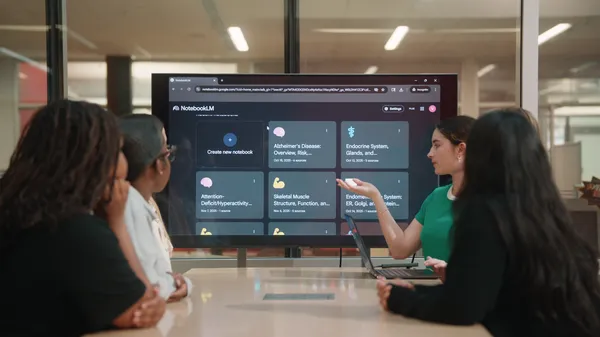 See how Florida State University is putting NotebookLM into the hands of students.
 Today, Google DeepMind and A24 are announcing a first-of-its-kind partnership focused on research. The collaboration pairs a world-leading research lab with the industry…
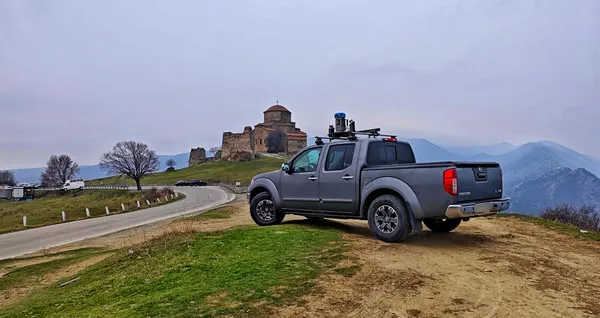 Georgia Street View imagery is now available on Google Maps.