 Googlebook pre-orders begin September 21, and they'll be on shelves October 4.
Googlebook: The laptop your Android phone has been waiting for
Googlebook pre-orders begin September 21, and they'll be on shelves October 4.
Googlebook pre-orders begin September 21, and they'll be on shelves October 4.
We’re introducing a new capability that allows Google Workspace administrators to configure audience sharing and sensitivity-based data conditions in a single, unified rule. This unified rule flow helps organizations elevate their security posture to proactively mitigate insider risks, prevent data exfiltration, and safely unblock collaboration for high-sensitivity environments. | Learn more.
Starting today, we are expanding access to AI Overviews in Gmail search to global users (with paid plans) who have their Gmail language set as English. Previously, this was only available to users in the US with their language set as English. | Learn more.
Users will now be able to use Gemini in Workspace to directly interact with Asana, Atlassian Rovo, HubSpot, Intuit Mailchimp, Intuit QuickBooks, Monday, and Salesforce through Model Context Protocol (MCP) integrations. This will enable them to access information directly without needing to switch tabs, download files, or interrupt workflows across our Google Workspace apps including Sheets, Gmail, Drive, Docs, Chat, and more. | Learn more.
Google Meet users can now connect to nearby conference room hardware by entering a 5-character room code on their personal device. Building on the recent Connect Room launch that uses proximity-based detection to identify nearby hardware, this update provides a reliable manual fallback when ultrasound is unavailable or disabled. | Learn more.
Data regions are critical for helping organizations meet internal compliance, legal, regulatory, and data sovereignty obligations by controlling the geographic location of covered data at rest and through data processing. Expanding these controls to Apps Script allows organizations—including those in highly regulated industries and the public sector—to build, deploy, and automate enterprise workflows with confidence that their script data and executions remain within designated geographic boundaries. | Learn more.
Starting today, we’re enhancing the Meet homepage experience by displaying conference room and physical meeting locations directly on upcoming meeting cards. For in-office users this update allows them to see where they need to go directly on their Meet landing page, streamlining their workflow before and between meetings. | Learn more.
We’re introducing Expert Intelligence, a cross Google initiative that helps users engage with trusted sources through Google AI products, starting with Gemini Notebook. Featuring more than 100,000 books from major publishers, employees and students can now incorporate insights from leading authors, publications, and domain experts directly into Gemini Notebook. | Learn more.
To expand the capabilities of Workspace Studio and help teams build powerful, custom automations, we are introducing four new features for flows in Workspace Studio: custom starters, custom steps, third-party (3P) integrations, and webhooks. These new capabilities empower users to seamlessly connect custom Google Apps Script functions, integrate third-party services, and trigger external webhooks directly within flows in Workspace Studio. | Learn more.
In April, we announced notebooks in Gemini as a dedicated, focused space for individual users to organize their projects and conversations. Now, students of all ages, educators, and professionals can access notebooks to keep conversations about a topic organized in one place. | Learn more.
We’re introducing several updates to Gemini Notebook that give users a more personalized and powerful learning experience. | Learn more.
The announcements above were published on the Workspace Updates blog over the last week. Please refer to the original blog posts for complete details.
Hi everyone! We've just released Chrome Dev 156 (156.0.8063.0) for Android. It's now available on Google Play.
You can see a partial list of the changes in the Git log. For details on new features, check out the Chromium blog, and for details on web platform updates, check here.
If you find a new issue, please let us know by filing a bug.
Chrome Release Team
Google Chrome
The Dev channel has been updated to 156.0.8063.3 for Windows, Mac and Linux.
A partial list of changes is available in the Git log. Interested in switching release channels? Find out how. If you find a new issue, please let us know by filing a bug. The community help forum is also a great place to reach out for help or learn about common issues.
Chrome Release Team
Google Chrome
 Earn college or continuing education credits by taking the Google AI Educator Series courses.
We’re introducing several updates to Gemini Notebook that give users a more personalized and powerful learning experience.
 |
 |


 We are expanding our AI & Economy team with world-class academic advisors, fellows, and core internal researchers.
 Google worked side-by-side with designers Jane Wade and Sergio Hudson to custom-design Google Flow tools to prep for NYFW.
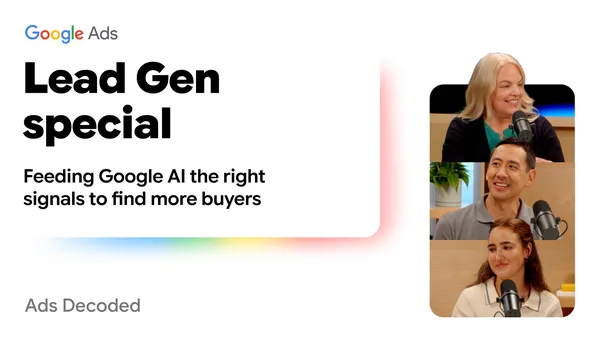 In this Ads Decoded episode, we break down data strength: What is it? How can you build it? And why do lead gen campaigns need it?