At Google I/O 2026, we shared how we’re making AI more helpful for everyone. See everything we announced.
I/O 2026
At Google I/O 2026, we shared how we’re making AI more helpful for everyone. See everything we announced.
Announcing new voice capabilities in Gmail, Docs and Keep, a new design tool called Google Pics and updates to AI Inbox.
At Google I/O we released Gemini 3.5, our latest series of models combining frontier intelligence with action.
Introducing a $100 AI Ultra plan — plus, new features and benefits for Google AI Plus, Pro and Ultra subscribers.
One year after launch, see how AI Mode’s users are shifting from keywords to natural language queries.
The latest from Google I/O: See how we’re helping you get more done with Gemini.
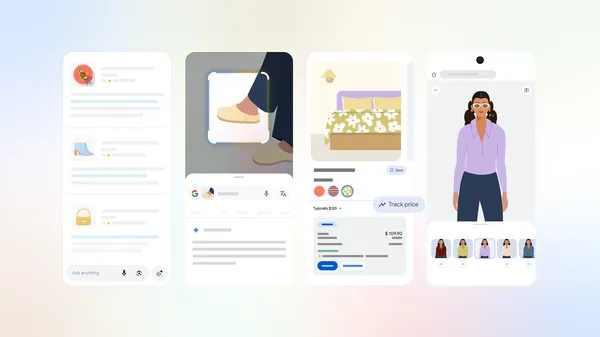
We shared the next step in our journey to bring together the best of a search engine with the best of AI.
Today, we are excited to introduce Wear OS 7, a major update that brings a new era of power efficiency and intelligence to users and developers alike.
We recognize that watches are essential, all-day companions to your users. That’s why we're continuing to invest in power optimizations so your users can do more with their favorite apps. For watches upgrading from Wear OS 6 to Wear OS 7, average users can expect up to 10% improvement in battery life.
As part of a broader rollout to the Android ecosystem, select watches arriving later this year will come with Gemini Intelligence, providing proactive and personalized help to our users so they can focus on what matters.
With Wear OS 7, we’re introducing new system capabilities and enhanced developer tools. New user-facing features like Live Updates, and enhanced media controls deliver a smarter, more intuitive personalized experience on the wrist. And with enhancements to our developer toolkit such as Wear Compose 1.6 and AppFunctions, developers will be able to streamline their apps for efficient, intuitive experiences on the wrist.
Let's dive right in!
You can now try out the next version of Google’s smartwatch platform, Wear OS 7 Canary Emulator, based on Android 17 that's arriving later this year.
The new emulator allows you to get hands-on with the developer features and tools mentioned above while testing your app for compatibility with the upcoming platform.
Check out what’s changed and start testing your app today.

Today, we’re excited to introduce the next step in the evolution of Tiles: flexible and dynamic Wear Widgets.
Powered by Jetpack Glance and the new RemoteCompose framework, Wear Widgets offer greater expressiveness and consistency with Compose than the Tiles ProtoLayout libraries. Wear Widgets support two new card layouts—small and large, that align perfectly with the 2x1 and 2x2 formats on mobile, ensuring your designs feel cohesive across devices, while still allowing you to optimize your designs for the wrist.
It’s easy to adapt the UI from the mainSlot of your full-screen tile to a 2x2 Widget. Take a look!

Check out the Widgets I/O Talk later this week for full details on the new features, and try out our Widgets Getting Started Guide to add a Widget to your Wear OS experience.

Wear OS 7 brings Live Updates to watches!
You can use Live Updates to surface real-time, important information from your watch or mobile app, providing your users with timely updates at a glance.
In your watch app, use Live Updates instead of the Ongoing Activities API to provide local update publishing on all Wear 7 devices. For supporting OEMs, Live Updates published by your phone app will also be bridged to users' watches.
Check out how Just Eat provides updates to their users, above!
For more information, check out Notifications on Wear OS.

The AppFunctions API allows developers to integrate their apps with agents and assistants, like Google Gemini, enabling users to complete tasks using voice, often replacing the need for step-by-step, manual navigation with your UI.
For example, to start a run with the Samsung Health app, users are able to tell Gemini: “Start tracking my run.”
We’re currently running an Early Access Program for any developers who are interested. Sign up in our form to express your interest.

Also coming soon, without any development effort at all, users will be able to invoke and track automated app tasks, for selected phone apps, directly from their watch, like placing an order with DoorDash!
Keep an eye out for these flexible options on how to prepare and connect your app to the Android intelligence system on our developer blog.
Wear OS 7 enhances the System Media Controls, giving users more control and seamless experiences for their media.

Users can now personalize their media auto-launch experience per-app directly from the System Media Controls on the watch.
For any app where the user has ‘Auto-launch Settings’ toggled on, media controls will automatically appear on the watch when media is started on the phone.
Developers with an existing implementation of media apps that extend on the watch can benefit from this feature without additional effort.

Managing audio output is now easier than ever with the new Remote Output Switcher integrated into the System Media Controls.
When listening to media on a paired phone, users can effortlessly switch the device the media is played back on directly from their wrist.
To go along with all these new features for users, we’re introducing some powerful enhancements to our developer toolkits to help developers prepare for the future of Wear OS!
As the foundation for Wear OS development, Compose for Wear OS 1.6 has arrived.
It includes powerful updates including:
Developers can Integrate with Navigation 3 to provide a more flexible and Compose-idiomatic way to handle navigation on Wear OS.
@Composable
fun WearApp() {
val backStack = rememberNavBackStack(MenuScreen)
WearAppTheme {
AppScaffold {
val entryProvider = remember {
entryProvider<NavKey> {
entry<MenuScreen> { GreetingScreen() }
entry<ListNavScreen> { ListScreen() }
}
}
val swipeDismissableSceneStrategy = rememberSwipeDismissableSceneStrategy<NavKey>()
NavDisplay(
backStack = backStack,
entryProvider = entryProvider,
sceneStrategies = listOf(swipeDismissableSceneStrategy)
)
}
}
}
Significant improvements are here for advanced list management with TransformingLazyColumn, including enhanced padding support via the new minimumVerticalContentPadding modifier, and other new features like snapping and reverse layout.
val listState = rememberTransformingLazyColumnState()
val transformationSpec = rememberTransformationSpec()
/*
* TransformingLazyColumn takes care of the horizontal and vertical
* padding for the list and handles scrolling.
*/
ScreenScaffold(scrollState = listState) { contentPadding ->
TransformingLazyColumn(
state = listState,
contentPadding = contentPadding
) {
item {
ListHeader(
modifier = Modifier
.fillMaxWidth()
.transformedHeight(this, transformationSpec)
.minimumVerticalContentPadding(
ListHeaderDefaults.minimumTopListContentPadding
),
transformation = SurfaceTransformation(transformationSpec)
) { Text(text = "Header") }
}
}
}
The all new LocalAmbientModeManager is optimized for handling ambient flows, giving developers greater control over how their ambient experiences are presented to users.
override fun onCreate(savedInstanceState: Bundle?) {
setContent {
val ambientModeManager = rememberAmbientModeManager()
CompositionLocalProvider(LocalAmbientModeManager provides ambientModeManager) {
val localAmbientModeManager = LocalAmbientModeManager.current
val ambientMode = localAmbientModeManager?.currentAmbientMode
Column(
verticalArrangement = Arrangement.Center,
horizontalAlignment = Alignment.CenterHorizontally,
modifier = Modifier.fillMaxSize(),
) {
val ambientModeName =
when (ambientMode) {
is AmbientMode.Interactive -> "Interactive"
is AmbientMode.Ambient -> "Ambient"
else -> "Unknown"
}
val color = if (ambientMode is AmbientMode.Ambient) Color.Gray
else Color.Yellow
Text(text = "$ambientModeName Mode", color = color)
}
}
}
}
While we encourage developers to adopt the new Wear Widgets, we will continue to support our Protolayout and Tiles libraries for some time, and we’ve got new stable versions of both.
Protolayout 1.4 and Tiles 1.6 work together to provide several notable new features including:
ImageResource can now be directly inlined within a layout, and Tiles now support automatic resource collection through ProtoLayoutScope,removing the need for manual resource mapping and splitting into separate methods. In addition to better code quality, this improves Tiles loading latency via consolidation into a single binder call from system to the provider service.Material3TileService – an all-encompassing suspend function which returns both tile layout and resources, while automatically managing the MaterialScope and ProtoLayoutScope to simplify the development experience.TileService instances can now be grouped in the manifest to enable dynamic switching between different services that represent the same tile.Check out the new Tiles sample here.
Watch Face Format version 5 (WFF5) is now available with a host of new features to make it easier to build watch faces, including:
TextCircular have additional alignment options, including verticalAlign on the same baseline for multiple text elements.isAutoSize can now be used on TextCircular,and a new attribute, minSize, has been added to the Font element to limit the minimum size when autosizing is enabled.Group and ComplicationSlot elements now support blend mode, in addition to existing support on Part* elements.Stroke and WeightedStroke elements now include a join attribute.childSettingIds and complicationSlotIds on User Style Options.Check out our new developer guidance to learn more about WFF 5.
With these updates, there’s never been a better time to develop an app on Wear OS. These technical resources are a great place to learn more about how to get started:
We’re looking forward to seeing the experiences that you build on Wear OS!
Explore this announcement and all Google I/O 2026 updates on io.google.
This year at Google I/O we are going beyond iterative changes, towards a fundamental shift in how apps are built. Our newest tools are built for the agentic era with features that boost productivity for you as an Android developer AND supercharge the AI agents you deploy in your codebase. So, whether you are building exclusively with AI or you prefer being the architect of every line of code, our tools will keep you ahead of the curve.
As we move from "AI-assisted" to "Agentic" development, we’re making it easier than ever to turn a spark of an idea into a high-quality production app with significantly less developer effort.
So what’s new with Android developer tools? We will cover 3 main areas in this blog:
Let your agent handle it: Whatever development task you are working on, the Android Studio agent can help: from planning the app architecture and design, to writing code, to unit testing and bug fixing.
Any AI provider, anywhere you build: In Android Studio, you can use any model and we even help guide you to the best performing ones. Choose any of the top remote models from Google, Anthropic, OpenAI, or if you need to run locally - Gemma 4 is our most capable and efficient local model! And with Android CLI, you can build Android apps faster and easier using the agents and developer environments of your choice.
As always, performance and quality remain top priorities: We continue to invest in the Android developer tools you love: from the Emulator, to Profilers, performance analyzers, and more!
Android Studio now supports Agent Skills, modular instruction sets that ground LLMs in specialized workflows and domain-specific knowledge. By adding skills to your project, you can teach the agent to follow specific best practices, architecture patterns, or library workflows. This enables more accurate, context-aware code generation and automated skill activation for an appropriate task, ensuring the agent acts as an expert. We’ve bundled many of the top Android and Firebase agent skills in the latest Android Studio Canary build, so you can skip straight to building!
Skills in Agent ModeYou can create your own skill, or use Android CLI to install our official skills - a repository that covers some of the most common workflows that some Android developers and LLMs may struggle with. They help models better understand and execute specific patterns that follow our best practices and guidance on Android development, such as XML to Compose migration, Edge-to-edge, Navigation 3, and more. You can even build for Android XR, starting with a beautiful Display Glasses app with Jetpack Compose Glimmer. Official Android skills are automatically bundled with the latest Android Studio so the Agent is ready to build!
Firebase services like Auth and Firestore databases can now be enabled directly within Agent Mode in Android Studio using the Agent Skills for Firebase. Your agent will be able to complete Firebase integration and configure backend services. This integration empowers you to build robust, full-stack Android applications without ever leaving your IDE!

You can now run multiple conversations with Agent Mode in parallel. In one conversation, run tests and while you are waiting, you can kick off planning mode for a new feature in your app while using a third conversation thread to write documentation for your app. These improvements will save you time and improve your productivity.

Android Studio's New Project Agent has evolved into a powerful full-stack development tool, utilizing a multi-step execution plan and an autonomous "generation loop" that self-corrects build errors and configures dependencies across multiple files. This advanced capability is significantly amplified by its new integration with Firebase Agent Skills, allowing developers to seamlessly build, debug, and deploy complete full-stack applications directly from a single prompt to final production.

Additionally, it now offers support for large screens. You can scaffold your project with layouts, navigation, and components optimized for tablets, foldables, and laptop devices from the get-go. It has additional logic to test your app on large-screen emulators if you have one enabled. Simply configure the required device in the Android Emulator and the Agent can test it out!

Google AI Studio now features full Android app development capabilities. Users can generate new applications, preview them instantly via an embedded Android Emulator, and deploy them directly to physical devices using ADB over USB. Additionally, developers can publish straight to Google Play; AI Studio handles the app record creation, bundles the package, and uploads it to an internal testing track. For advanced development and production readiness, projects can be exported as a ZIP file and opened seamlessly in Android Studio. To get started, visit Google AI Studio today and start building!
Google AI Studio build mode with Android frameworkAndroid CLI enables you to build apps using any agent, LLM, and tool of your choice. Android CLI is designed to help AI agents build faster, and use less tokens when compared to only using generic LLM tools. By grounding agents with Android Knowledge Base and Android skills, you can now have your agent of choice follow the latest best practices across any coding environment.
Additionally, when using the latest Canary version of Android Studio Quail, Android CLI enables your agent to leverage powerful capabilities of the IDE, such as analyzing files for issues or finding symbol declarations. Google Antigravity 2.0 now offers official support for Android development with Android CLI.


ADB Wi-Fi 2.0 offers significantly more reliable wireless debugging. With the latest ADB command line tool from Android Platform Tools v37 and an Android 17 device, you can now change networks, shut down your machine, and go about your typical day and your devices will stay connected. Additionally, devices with wireless debugging enabled will automatically show in Android Studio’s Device Manager, streaming the pairing process and making it easier than ever to connect Android phones, watches, and more.


Upload App Bundle to Google Play


Android Performance Analyzer (APA) is the next generation of performance profiler for Android and provides a cohesive analysis of CPU, GPU, memory, and power usage for your apps and games running on Android 12+ devices. APA is engineered for reliability and performance with trace rendering speeds which are up to 26x faster from previous tooling.

APA integrates natively with AI agents and offers two new skills: Perfetto SQL skill and the Perfetto Analysis skill, which helps with questions like "Why is my app startup slow?"


Explore this announcement and all Google I/O 2026 updates on io.google.
android.widget package) to be in maintenance mode. We have no plans to deprecate or remove View components and will continue to support them with critical bug fixes, but they will receive no new features.