We are introducing the ability to use Gemini Notebook as a context source in Google Docs. Building on our Workspace Intelligence foundation, this feature bridges the gap between deep research and content creation by grounding your drafts in a curated knowledge base – all without the need to switch tabs or copy-paste between tools.
If you’ve organized research in Gemini Notebook, you can now seamlessly tap into that library right where you write in Google Docs. Whether you're drafting a project proposal or a technical whitepaper, simply type "@" in the side panel or bottom bar to reference an existing Notebook. Gemini will ground its output in your sources and provide inline citations, making it easy to verify facts while staying in the flow of your work.
Getting started
- Admins: These features are available by default if Gemini for Workspace in Drive is enabled. Visit the Help Center to learn more about managing access to Gemini features in Google Workspace.
- End users: You must have Workspace smart features enabled to use these features. Visit the Help Center to learn more about creating personalized documents with Gemini in Google Docs.
Rollout pace
- Rapid Release and Scheduled Release domains: Available now
Availability
- Business: Business Standard and Plus
- Enterprise: Enterprise Standard and Plus
- Education: Education Plus
- Consumer: Google AI Pro and Ultra
- Education Add-ons: Google AI Pro for Education, Teaching and Learning
- Other Add-ons: AI Expanded Access
Resources
- Google Workspace Admin Help: Manage Gemini for Google Workspace
- Google Help: Respond to & manage comments with Gemini in Google Docs
- Google Docs Editors Help: Learn how Gemini in Gmail, Calendar, Chat, Docs, Drive, Sheets, Slides, Meet & Vids protects your data

 We’re expanding Google Beam to five new countries, and partnering with Industrious for an extended network.
 The latest updates from Android Enterprise are designed to help IT teams safeguard corporate data while giving workers room to innovate.
 Explore 6 new tools in Google Flow built by creatives, for creatives.
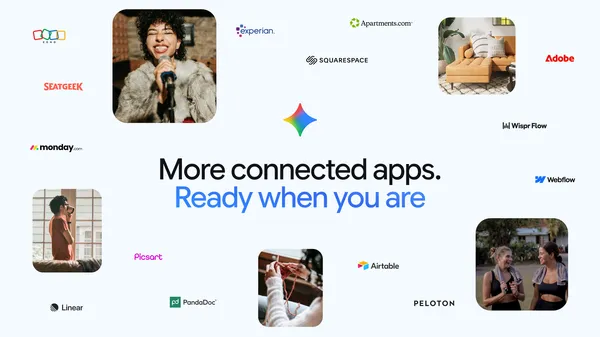 Gemini is adding new Connected Apps, including Adobe, Airtable, Linear, Peloton and more to help you easily tackle your to-do list.
 Healthcare organizations are using Google’s tech to build tools that address unique local healthcare needs.