 Posted by Laura Nechita – Product Manager, Google Play and Rejane França – Group Product Manager, Google Play

Starting today, Google Play is revamping the way developers can manage one time products, providing greater flexibility and new ways to sell. Play has continually enhanced the ways developers can reach buyers by helping you to diversify the way you can sell products.
Starting in 2022, we created more flexibility for subscriptions and a new Console interface. And now, we are bringing the same flexibility to one-time products, aligning the taxonomy for our one-time products. Previously known as in-app products, one-time product purchases are a vital way for developers to monetize on Google Play. As this business model continues to evolve, we've heard from many of you that you need more flexibility and less complexity in how you offer these digital products.
To address these needs, we're launching new capabilities and a new way of thinking about your products that can help you grow your business. At its core, we've separated what the product is from how you sell it. For each one-time product, you can now configure multiple purchase options and offers. This allows you to sell the same product in multiple ways, reducing operational costs by removing the need to create and manage an ever-increasing number of catalog items.
You might have already noticed some changes as we introduce this new model, which provides a more structured way to define and manage your one-time product offerings.
Introducing the new model
We're introducing a new three-level hierarchy for defining and managing one-time products. This new structure builds upon concepts already familiar from our subscription model and aligns the taxonomy for all of your in-app product offerings on Play.
- One-time product: This object defines what the user is buying. Think of it as the core item in your catalog, such as a "Diamond sword", “Coins” or “No ads”.
- Purchase option: This defines how the entitlement is granted to the user, its price, and where the product will be available. A single one-time product can have multiple purchase options representing different ways to acquire it, such as buying it or renting it for a set period of time. Purchase options now have two distinct types: buy and rent.
- Offer: Offers further modify a purchase option and can be used to model discounts or pre-orders. A single purchase option can have multiple offers associated with it.
This allows for a more organized and efficient way to manage your catalog. For instance, you can have one "Diamond sword" product and offer it with a "Buy" purchase option in the US for $10 and a "Rent" purchase option in the UK for £5. This new taxonomy will also allow Play to better understand what the catalogue means, helping developers to further amplify their impact in Play surfaces.
More flexibility to reach more users
The new model unlocks significant flexibility to help you reach a wider audience and cater to different user preferences.
- Sell in multiple ways: Once you've migrated to PBL 8, you can set up different ways of selling the same product. This reduces the complexity of managing numerous individual products for slightly different scenarios.
- Introducing rentals: We're introducing the ability to configure items that are sold as rentals. Users have access to the item for a set duration of time. You can define the rental period, which is the amount of time a user has the entitlement after completing the purchase, and an optional expiration period, which is the time after starting consumption before the entitlement is revoked.
- Pre-order capabilities: You can now set up one-time products to be bought before their release through pre-order offers. You can configure the start date, end date, and the release date for these offers, and even include a discount. Users who pre-order agree to pay on the release date unless they cancel beforehand.
- No default price: we will remove the concept of default price for a product. Now you can set and manage the prices in bulk or individually for each region.
- Regional pricing and availability: Price changes can now be applied to purchase options and offers, allowing you to set different prices in different regions. Furthermore, you can also configure the regional availability for both purchase options and offers. This functionality is available for paid apps in addition to one-time products.
- Offers for promotions: Leverage offers to create various promotions, such as discounts on your base purchase price or special conditions for early access through pre-orders.
To use these new features you first need to upgrade to PBL 8.0. Then, you'll need to utilize the new monetization.onetimeproducts service of the Play Developer API or use the Play Developer Console. You'll also need to integrate with the queryProductDetailsAsync API to take advantage of these new capabilities. And while querySkuDetailsAsync and inappproducts service are not supported with the new model, they will continue to be supported as long as PBL 7 is supported.
Important considerations
- With this change, we will offer a backwards compatible way to port your existing SKUs into this new model. The migration will happen differently depending on how you decide to interact with your catalogue the first time you change the metadata for one or more products.
- New products created through Play Console UI are normalized. And products created or managed with the existing inappproducts service won't support these new features. To access them, you'll need to convert existing ones in the Play Developer Console UI. Once converted, a product can only be managed through the new Play Developer API or Play Developer Console. Products created through the new monetization.onetimeproducts service or through the Play Developer Console are already converted.
- Buy purchase options marked as ‘Backwards compatible’ will be returned as response for calls through querySkuDetailsAsync API. At launch, all existing products have a backwards compatible purchase option.
- At the time of this post, the pre-orders capability is available through the Early Access Program (EAP) only. If you are interested, please sign-up.
- One-time products will be reflected in the earnings reports at launch (Base plan ID and Offer ID columns will be populated for newly configured one-time products). To minimise the potential for breaking changes, we will be updating these column names in the earnings reports later this year.
We encourage you to explore the new Play Developer API and the updated Play Console interface to see how this enhanced flexibility can help you better manage your catalog and grow your business.
We're excited to see how you leverage these new tools to connect with your users in innovative ways.
 Ruth Porat joined government and business leaders at the Pennsylvania Energy & Innovation Summit in Pittsburgh.

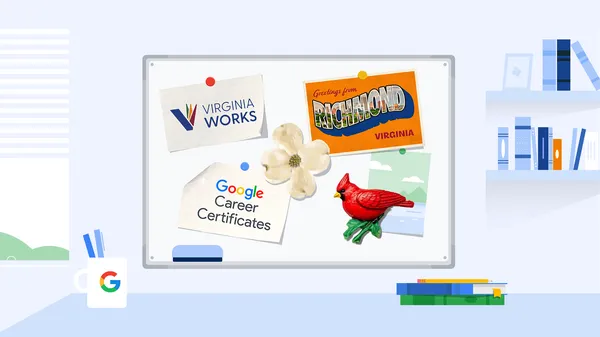 We’ve partnered with Virginia Works to offer Google Career Certificates and AI course scholarships to Virginians.These scholarships cover enrollment in:Google AI and Pro…
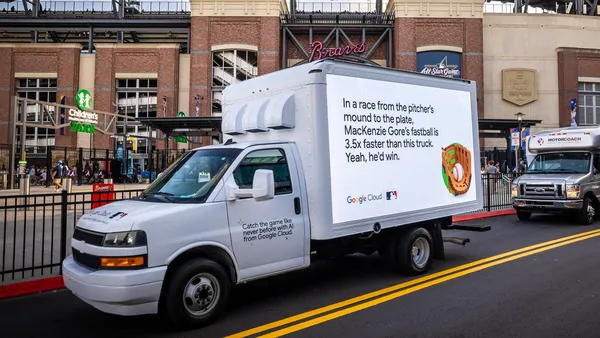 Google Cloud will use AI to predict where home runs may land in the stands, based on historic stats of players.


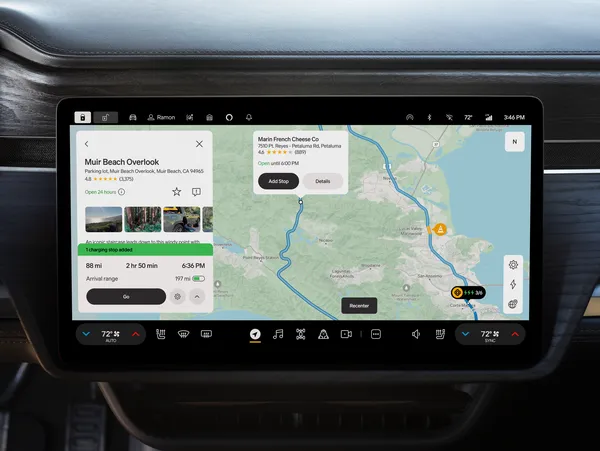 In collaboration with Rivian, we're excited to announce Rivian Navigation with Google Maps, a brand new navigation system for Rivian drivers that uses Google Maps Auto S…