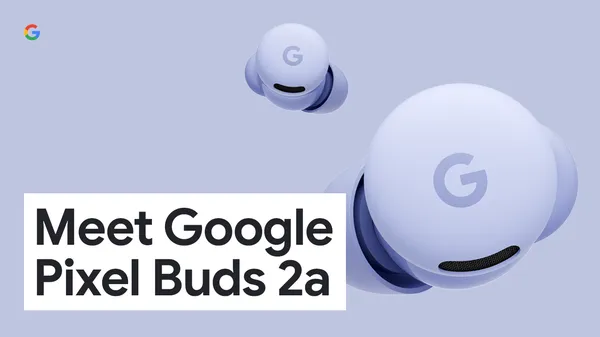
 Pixel Buds 2a is our new A-series buds offering a premium experience at an exceptional value.
Meet Pixel Buds 2a
Pixel Buds 2a is our new A-series buds offering a premium experience at an exceptional value.
Pixel Buds 2a is our new A-series buds offering a premium experience at an exceptional value.
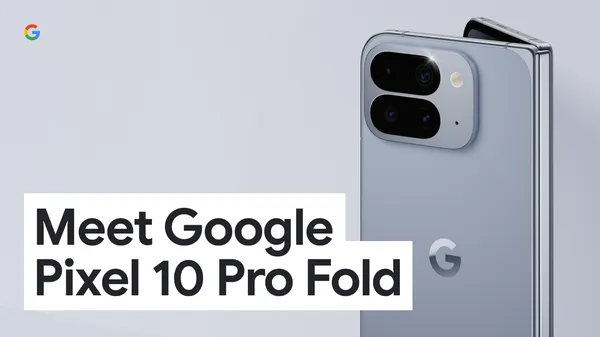 Our new Pixel 10 Pro Fold has a gearless hinge design, a larger display, a bigger and better battery and impressive AI features.
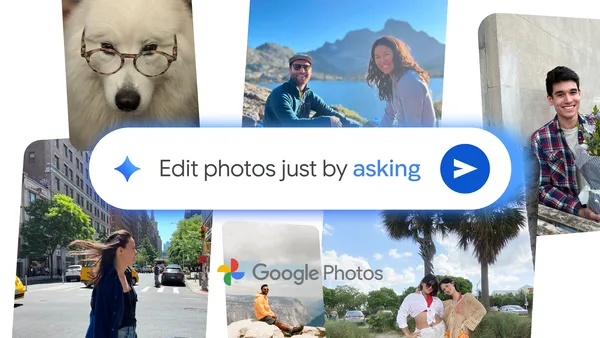 You can now ask Google Photos to make edits to your images, using your voice or text.
 From smart organization to helpful reminders across apps, here are ways to try AI on Pixel 10 phones.
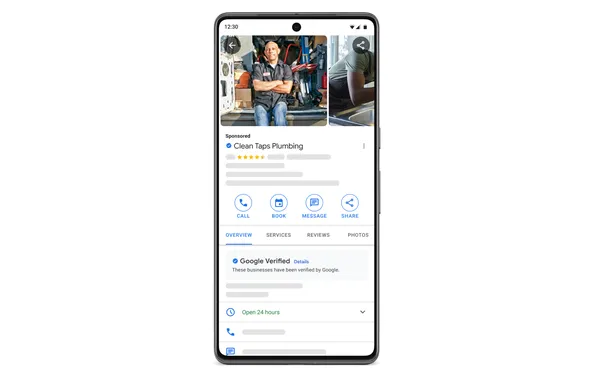 Starting in October, we'll be unifying all Local Services Ads (LSA) badges to create a single, clear signal of a business’ credibility. Moving forward, you'll see a Goog…
In today's data-driven world, the performance of your ad campaigns increasingly depends on the richness of the conversion data you import. When it comes to machine learning, the more signals you provide, the better the models can understand user behavior, predict outcomes, and deliver value. For conversion imports specifically, richer data can mean increased observed conversions, and better modelled conversions.
For this reason it’s important to make sure that your application is set up to gather, and import, as much conversion data as possible to the Google Ads API. To do that, you may need to make improvements to your existing conversion import pipeline.
Why upgrade?
We recommend that you upgrade your conversion import pipeline by gathering and importing more than just GCLIDs.
Steps to upgrade your conversion import pipeline
session_attributes_encoded), or by capturing the sub-fields individually as key-value pairs (setting session_attributes_key_value_pairs). We recommend using the JavaScript helper function to provide an encoded token; use of key-value pairs is available for users who cannot generate an encoded token in the browser. User's IP address is also available as a new field, though reporting and bidding benefits will become available in the future. gbraid & wbraid): gclid and gbraid can be imported together for a single conversion starting on Oct. 3, 2025.order_id field with a unique identifier. This helps reference conversions when adjustments or retractions are needed.
conversion_environment field to specify whether the conversion source is APP or WEB. consent field on all imported conversions.Reach out to the Google Ads API support channel if you have any questions.
 - Ben Karl, on behalf of the Google Ads API Team
 Learn more about Google’s partnership with NBA player Stephen Curry.
Hi everyone! We've just released Chrome Beta 140 (140.0.7339.26) for iOS; it'll become available on App Store in the next few days.
You can see a partial list of the changes in the Git log. If you find a new issue, please let us know by filing a bug.
Chrome Release Team
Google Chrome
Hi everyone! We've just released Chrome Beta 140 (140.0.7339.25) for Android. It's now available on Google Play.
You can see a partial list of the changes in the Git log. For details on new features, check out the Chromium blog, and for details on web platform updates, check here.
If you find a new issue, please let us know by filing a bug.
Chrome Release Team
Google Chrome
 Click your heels three times for a magical drive! Waze is bringing the wonderful world of ‘The Wizard of Oz’ to your drive ahead of the fully immersive experience — ‘The…