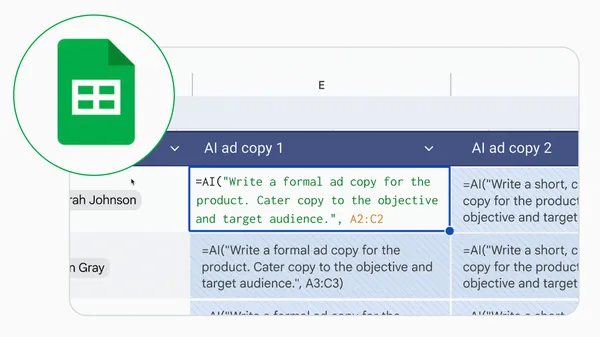
 Learn how to get AI insights in one easy step in Google Sheets.
Get Gemini’s help in Google Sheets with one simple step.
Learn how to get AI insights in one easy step in Google Sheets.
Learn how to get AI insights in one easy step in Google Sheets.


In a world where digital security is becoming increasingly critical, passwords have become a notorious weak link – they're cumbersome, often insecure, and a source of frustration for users and developers. But there's good news: passkeys are gaining popularity as the most user-friendly, phishing-resistant, and secure authentication mechanism available. For Android developers, the Credential Manager API helps you guide your users towards using passkeys while ensuring continued support for traditional sign-in mechanisms, such as passwords.
In this blog, we discuss some of the best practices you should follow while encouraging users to transition to passkeys.
Before diving into the recommendations for encouraging the transition to passkeys, here’s an overview of the fundamentals of authentication with passkeys:
There are several tangible benefits that users experience in apps that allow them to use passkeys to sign in. The highlights of using passkey for users are as follows:
Underscoring the improved experience with passkeys, we heard from several prominent apps. X observed that login rates improved 2x after adding passkeys to their authentication flows. KAYAK, a travel search engine, observed that the average time it takes their users to sign up and sign in reduced by 50% after they incorporated passkeys into their authentication flows. Zoho, a comprehensive cloud-based software suite focused on security and seamless experiences, achieved 6x faster logins by adopting passkeys in their OneAuth Android app.
When you migrate your app to use passkeys, you’ll be leveraging the Credential Manager API which is the recommended standard for identity and authentication on Android.
Apart from passkeys, the Credential Manager API supports traditional sign-in mechanisms, simplifying the development and maintenance of your authentication flows!
For all of these sign-in mechanisms, Credential Manager offers an integrated bottom-sheet UI, saving you development efforts while offering users a consistent experience.
Now that we’ve established the benefits of passkeys, let’s discuss how you should encourage your users to migrate to passkeys.
The following are a list of UX flows in which you can promote passkeys:


Encouraging users to transition from passwords to passkeys requires a clear strategy. A few recommended best practices are as follows:


Real-world developer experiences often highlight how small design choices—like when and where to surface a passkey prompt—can significantly influence adoption and user trust. To see this in action, let’s explore how top apps have strategically surfaced passkey prompts at key moments in their apps to drive stronger adoption :
To accelerate passkeys adoption, Uber is proactively promoting passkeys in various user journeys, alongside marketing strategies.
Uber has shared : "90+% of passkey enrollments come from promoting passkey creation at key moments inside the app as compared to onboarding and authentication CUJs", underscoring the effectiveness of their proactive strategy.
Here’s what Uber has to say:
At Uber, we’ve seen users who adopt passkeys enjoy a faster, more seamless, and more secure login experience. To help more users benefit from passkeys, we’ve added nudges to create a passkey at key moments in the user experience: account settings, signup, and login. These proactive outreaches have significantly accelerated our passkey adoption. Ryan O’Laughlin Senior Software Engineer, Uber
Economic Times, part of the Times Internet ecosystem, used a seamless user experience as the primary motivation for users to transition to passkeys.
After introducing targeted nudges, Economic Times observed ~10% improvements in passkey creation completion rate within the initial rollout period.
Key learnings and strategies from their implementation:

Integrating passkeys with Android's Credential Manager isn't just about adopting new technology; it's about building a fundamentally more secure, convenient, and delightful experience for your users. By focusing on intelligent passkey introduction, you're not just securing accounts–you're building trust and future-proofing your application's authentication strategy.
To provide your users the best, optimized and seamless experience, follow the UX guidelines while implementing passkeys authentication with Credential Manager. Check out the docs today!
In a world where digital security is becoming increasingly critical, passwords have become a notorious weak link – they're cumbersome, often insecure, and a source of frustration for users and developers. But there's good news: passkeys are gaining popularity as the most user-friendly, phishing-resistant, and secure authentication mechanism available. For Android developers, the Credential Manager API helps you guide your users towards using passkeys while ensuring continued support for traditional sign-in mechanisms, such as passwords.
In this blog, we discuss some of the best practices you should follow while encouraging users to transition to passkeys.
Before diving into the recommendations for encouraging the transition to passkeys, here’s an overview of the fundamentals of authentication with passkeys:
There are several tangible benefits that users experience in apps that allow them to use passkeys to sign in. The highlights of using passkey for users are as follows:
Underscoring the improved experience with passkeys, we heard from several prominent apps. X observed that login rates improved 2x after adding passkeys to their authentication flows. KAYAK, a travel search engine, observed that the average time it takes their users to sign up and sign in reduced by 50% after they incorporated passkeys into their authentication flows. Zoho, a comprehensive cloud-based software suite focused on security and seamless experiences, achieved 6x faster logins by adopting passkeys in their OneAuth Android app.
When you migrate your app to use passkeys, you’ll be leveraging the Credential Manager API which is the recommended standard for identity and authentication on Android.
Apart from passkeys, the Credential Manager API supports traditional sign-in mechanisms, simplifying the development and maintenance of your authentication flows!
For all of these sign-in mechanisms, Credential Manager offers an integrated bottom-sheet UI, saving you development efforts while offering users a consistent experience.
Now that we’ve established the benefits of passkeys, let’s discuss how you should encourage your users to migrate to passkeys.
The following are a list of UX flows in which you can promote passkeys:
Encouraging users to transition from passwords to passkeys requires a clear strategy. A few recommended best practices are as follows:
Real-world developer experiences often highlight how small design choices—like when and where to surface a passkey prompt—can significantly influence adoption and user trust. To see this in action, let’s explore how top apps have strategically surfaced passkey prompts at key moments in their apps to drive stronger adoption :
To accelerate passkeys adoption, Uber is proactively promoting passkeys in various user journeys, alongside marketing strategies.
Uber has shared : "90+% of passkey enrollments come from promoting passkey creation at key moments inside the app as compared to onboarding and authentication CUJs", underscoring the effectiveness of their proactive strategy.
Here’s what Uber has to say:
At Uber, we’ve seen users who adopt passkeys enjoy a faster, more seamless, and more secure login experience. To help more users benefit from passkeys, we’ve added nudges to create a passkey at key moments in the user experience: account settings, signup, and login. These proactive outreaches have significantly accelerated our passkey adoption. Ryan O’Laughlin Senior Software Engineer, Uber
Economic Times, part of the Times Internet ecosystem, used a seamless user experience as the primary motivation for users to transition to passkeys.
After introducing targeted nudges, Economic Times observed ~10% improvements in passkey creation completion rate within the initial rollout period.
Key learnings and strategies from their implementation:
Integrating passkeys with Android's Credential Manager isn't just about adopting new technology; it's about building a fundamentally more secure, convenient, and delightful experience for your users. By focusing on intelligent passkey introduction, you're not just securing accounts–you're building trust and future-proofing your application's authentication strategy.
To provide your users the best, optimized and seamless experience, follow the UX guidelines while implementing passkeys authentication with Credential Manager. Check out the docs today!
The Chrome team is excited to announce the promotion of Chrome 141 to the Beta channel for Windows, Mac and Linux. Chrome 141.0.7390.7 contains our usual under-the-hood performance and stability tweaks, but there are also some cool new features to explore - please head to the Chromium blog to learn more!
A partial list of changes is available in the Git log. Interested in switching release channels? Find out how. If you find a new issue, please let us know by filing a bug. The community help forum is also a great place to reach out for help or learn about common issues.
Chrome Release Team
Google Chrome
We’ve heard your requests for faster API access to Ads features available in the Google Ads UI. We will accelerate our launch timeline to have Google Ads API monthly releases, except for during the end of year holiday period.
We will increase the number of major releases from 3 per year to 4 per year. The remaining releases will be minor releases, only adding incremental new non-breaking features. We have also adjusted the sunset schedules to avoid extra version migrations that will burden the API developers. Each major release will now be available for one year after the release.
Release schedule for 2026
With the new timeline, the tentative release schedule for 2026 will be as shown in the following table. Please keep in mind that these dates are only estimates and may be adjusted going forward. Additionally, releases may be added, removed, or switched between major and minor versions.
| Version | Planned Release Type* | Projected launch* | Projected sunset* |
| V23 | Major | January 2026 | February 2027 |
| V23_1 | Minor | February 2026 | February 2027 |
| V23_2 | Minor | March 25, 2026 | February 2027 |
| V24 | Major | April 2026 | May 2027 |
| V24_1 | Minor | May 2026 | May 2027 |
| V24_2 | Minor | June 2026 | May 2027 |
| V25 | Major | July 2026 | August 2027 |
| V25_1 | Minor | August 2026 | August 2027 |
| V25_2 | Minor | September 2026 | August 2027 |
| V26 | Major | October 2026 | November 2027 |
| V26_1 ** | Minor | November 2026 | November 2027 |
* Estimated and subject to change.
** This is designated as an optional release due to overlap with the holiday season.
Sunset schedule for 2026
The following is the tentative sunset schedule for 2026. As with releases, these dates are only estimates and may be adjusted going forward.
| Version | Projected sunset* |
| V19 | February 2026 |
| V20 | June 2026 |
| V21 | August 2026 |
| V22 | October 2026 |
* Estimated and subject to change.
How to get help
As always, you can find the details of individual releases at the following pages.
If you have any questions or want to discuss this post, please reach out to us on our “Google Advertising and Measurement Community” Discord server.

M-141, ChromeOS version 16404.4.0 (Browser version 141.0.7390.6), has rolled out to ChromeOS devices on the Dev channel
Visit our ChromeOS communities
General: Chromebook Help Community
Beta Specific: ChromeOS Beta Help Community
 In the latest Made by Google podcast episode, host Rachid Finge dives deep into our newest wearable, Pixel Watch 4, with product lead Francis Hoe. Rachid and Francis wal…
 Posted by Niharika Arora (