Previous announcements
The announcements below were published on the Workspace Updates blog earlier this week. Please refer to the original blog posts for complete details.
Get real-time push notifications for reactions on your messages in Google ChatChat users can now receive real-time push notifications for reactions on their messages. This can help users stay on top of reactions on their messages and avoid missing potentially important updates. | Learn more about
notifications for reactions in Chat.
Public notebooks in partnership with OpenStaxWe've partnered with OpenStax, the leading provider of free, peer-reviewed textbooks, to transform some of their most popular academic titles into interactive Notebooks. These ready-to-use Notebooks are designed to help high school and college students turn passive reading into active learning. With content curated from subjects like Biology, Psychology, and Business, you can instantly engage with complex material and accelerate your understanding. | Learn more about
the new interactive Notebooks.
Available in closed beta: enhancing security outcomes with the Shared Signals FrameworkThe Shared Signals Framework (SSF) is a community supported initiative of the OpenID Foundation, focused on developing and maintaining a standardized protocol for cross-system communication between security platforms to share security insights and events. To support the SSF initiative, Google Workspace is implementing a SSF Receiver to ingest Continuous Access Evaluation Profile (CAEP) signals. | Learn more about
the beta for shared signals framework.
Understand changes more quickly with condensed version history in SheetsWe are introducing a new condensed view for version history in Google Sheets. By default, Sheets will now only show rows with cells that had changes in the selected version. The condensed version history will help users identify relevant edits to the sheet more quickly and efficiently. | Learn more about
the new condensed version history here.
Educators and students can now create Flashcards, Quizzes and new Reports in NotebookLM
NotebookLM can now turn your documents into interactive flashcards and quizzes, creating a personalized study session, generated in seconds and grounded only in your source materials. Prep for exams, master a new skill, and share it with anyone with a simple link. | Learn more about
the Flashcards, Quizzes, and Reports.
See file summaries on the Home page in Google Drive
You can now see Gemini summaries directly within the suggested files surfaced on the Home page in Google Drive. These summaries will show on select Docs, Sheets, Slides, and PDFs in your suggested file list. You can click the “See more” button that appears on hover to view a more in-depth analysis, or ask Gemini follow up questions about the file in the Gemini side panel. | Learn more about
the new sumaries in Google Drive here.
 38 million farmers in India received accurate AI-powered forecasts of the start of the monsoon season.
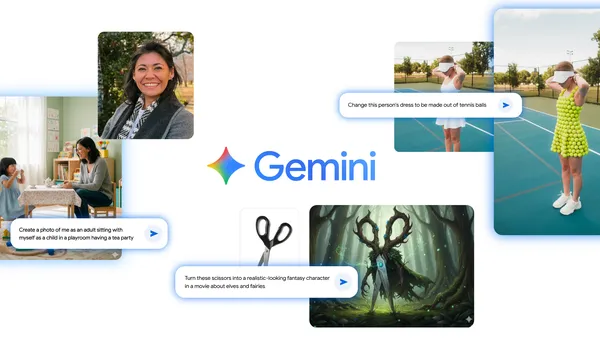 A new Google DeepMind image editing model, fondly known as Nano Banana, is now in the Gemini app, giving you more creative control to blend and edit photos. Here are 10 …
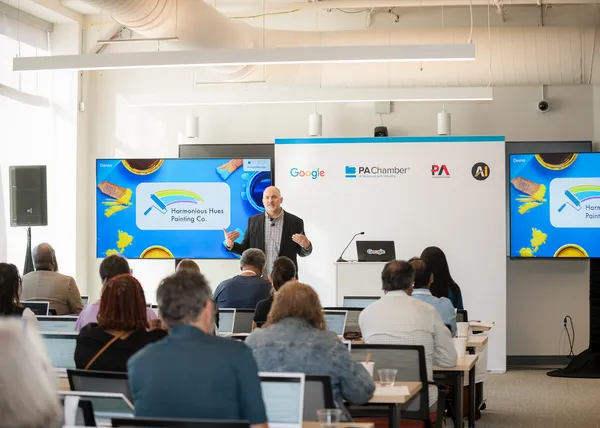 At the AI Horizons Summit in Pittsburgh, Google kicked off the Pennsylvania AI Accelerator for small businesses.
 London-based designer Paul Cocksedge has taken over the iconic Trafalgar Square working closely with Google Arts & Culture Lab.
 New Google UK lead on partnering with British businesses to use AI-powered technologies to drive economic growth across the UK
