A summary of announcements from this week:
The announcements below were published on the Workspace Updates blog earlier this week. Please refer to the original blog posts for complete details.
Changes to membership roles in Google Chat spaces to enable more flexible permissions
We’re introducing an owner role in Google Chat spaces in addition to managers and members. By increasing the number of roles, it will be easier to share the tasks associated with managing spaces with the right colleagues. | Learn more about the new membership roles in Chat spaces.
Use Nano Banana to edit images in Google Slides and Vids
We’re upgrading Slides and Vids to the latest image editing model, Nano Banana. As recently detailed in this blog post, Nano Banana brings improved quality to image editing to make it easier to bring your ideas to life. | Learn more about the updates to image editing in Slides and Vids.
Collaborate with Gemini in Google Drive now available on mobile
We have previously launched the ability for users on the web to collaborate with Gemini in Google Drive. Now, we're excited to extend Gemini’s capabilities to users on mobile in the Drive apps for Android and iOS. | Learn more about interacting with Gemini on Drive mobile.
Improve Chat apps with display carousels and richer text formatting
Developers can use two new features to create more engaging Chat apps. Specifically, we are adding
a carousel widget, Markdown support, and lists and code blocks. | Learn more about the new options for Chat apps.
Meet eCDN custom rules improvements for new and existing configurations
In order to improve the experience of admins managing Google Meet’s Enterprise Content Delivery Network (Meet eCDN) rules, we’re updating how the “Custom Rules” peering policy works in some cases, and how assigned networks are surfaced in the MQT eCDN network table. | Learn more about the changes to Meet eCDN configurations.
Ransomware detection and file restoration for Google Drive available in beta
We’re adding two new features to help organizations minimize the impact of ransomware attacks on personal computers. Specifically, we are adding these features in beta: Ransomware detection and File restoration. | Learn more about the new protection features for Drive.
Microsoft Teams Interoperability with Pexip Connect
For more than seven years, Pexip has been a trusted interoperability partner for Google Meet, ensuring that participants can use their legacy meeting room systems to join Google Meet calls. We are excited to expand our relationship with Pexip Connect for Google Meet hardware – which will enable Google Meet hardware to seamlessly join Microsoft Teams from both Android and ChromeOS hardware. | Learn more about Teams interop with Pexip.
Enable 'take notes for me' in Calendar, ahead of your meeting
Taking notes during meetings is crucial for tracking action items and key decisions. With our Gemini-powered “Take notes for me”, you can stay fully engaged in the conversation while ensuring nothing gets missed. Event organizers can now enable Take notes for me when scheduling the event or preparing their meeting in Calendar. | Learn more about the easier set up for take notes for me.
Quickly find and use Google Chat apps and Workspace actions with the redesigned integrations menu
We're making it quicker and easier to find and use your favorite apps and actions in Google Chat with a redesigned integrations menu that lets you search for apps and execute commands with fewer clicks. The menu is accessible through the "+" button next to the compose bar or by typing "/". | Learn more about the new integrations menu in Chat.
Create custom, AI-generated meeting backgrounds on Mobile devices
You can now create custom background images with Gemini from your Android or iOS device. Meeting backgrounds can help obscure your surroundings during a meeting or they can enhance the meeting itself. | Learn more about using AI backgrounds on mobile.
Gemini app data now included in Access Transparency, Access Management, and Access Approvals
Access Transparency, Access Management, and Access Approvals now cover Gemini App data. These features provide admins full transparency into when Gemini App data is viewed for support purposes, control over which Google support staff can view this data, and control over when this data can be viewed by Google for support purposes. | Learn more about the additional visibility and controls for Gemini app data.
Express yourself with stickers in Google Chat
Users can now send expressive stickers in their conversations in Google Chat on the web. Stickers can provide users with more options to express themselves in their Chat conversations, alongside emojis, GIFs, and other media-based messages. | Learn more about sending stickers in Chat.
Send Gmail end-to-end encrypted emails to anyone
Generally available today, Gmail client-side encryption (CSE) users can send end-to-end encrypted (E2EE) emails to anyone, even if the recipient uses a different email provider. Recipients will receive a notification and can easily access the encrypted message via a guest account, ensuring secure communication without the hassle of exchanging keys or using custom software. | Learn more about encrypted emails in Gmail.
Use the Gemini in Chrome AI browsing assistant, now generally available
Starting today, Gemini in Chrome is available to Google Workspace users with access to the Gemini app. Gemini in Chrome is an AI browsing assistant to help you get things done on Mac, Windows and iOS devices. | Learn more about using Gemini in Chrome.
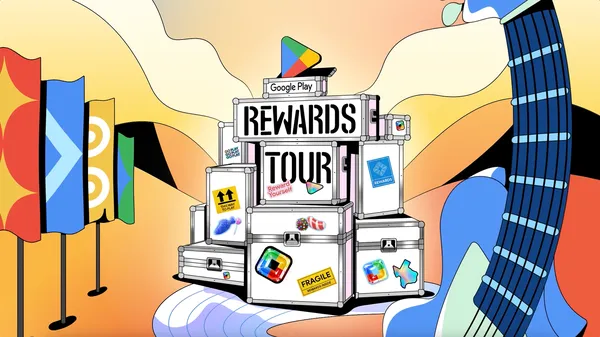 Google Play is offering exclusive rewards and an in-person experience at Austin City Limits Music Festival.
