 Here are Google’s latest AI updates from August 2026
The latest AI news we announced in August 2026
Here are Google’s latest AI updates from August 2026
Here are Google’s latest AI updates from August 2026
%20(1).jpg "Rachel Hack Merlo") |
| The GFiber team helped the United Way of the Midlands surpass the goal of 5,000 hygiene kits alongside hundreds of community volunteers at this four-day event. |

 Keep track of important items, reduce motion sickness during your ride, create and edit notes right from your chat, and more.
 We’re launching agentic video understanding across our latest Gemini models for improved accuracy and lower costs and token usage.
We are thrilled to announce that Google Pics is generally available starting today, bringing advanced AI image generation and precise, object-based image editing directly into your Workspace creative workflow. To get started, open Pics and simply type in a prompt to generate any image using Google’s best AI imaging models, or import an image from your computer, Google Drive, or Google Photos to edit with AI.
 |
With Pics, you can also edit visuals in the tools you’re already using. Simply select an image in Google Docs or Slides, and a single click lets you edit it using Pics' full suite of precision AI tools without having to switch apps or tabs. Pics also provides the collaboration features you know from other Workspace apps: you can invite teammates to collaborate, share images via a link, and create or open Pics images in Google Drive. And, in the coming weeks, you’ll also be able to use Pics to open and edit nearly any image you’ve saved in Drive with a single click.
Usage of generative AI features in Google Pics is subject to usage limits. At least through February 28, 2027, your users will have higher access to generative AI features in Google Pics. Access to these generative AI features may be limited afterward. We’ll notify you of any changes before they take effect.
Usage of Google Pics from other Workspace surfaces (such as Google Slides) is subject to existing image generation limits.
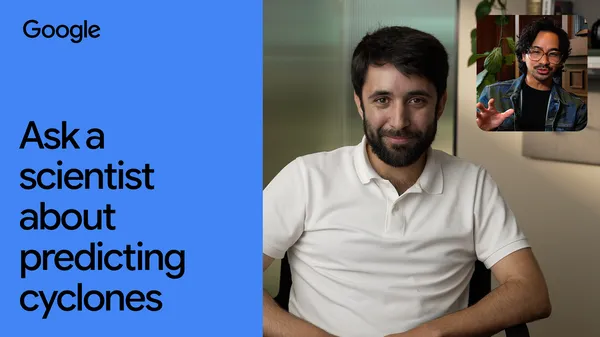 A Google DeepMind scientist explains how AI weather prediction works and how it can help warn communities earlier than ever.
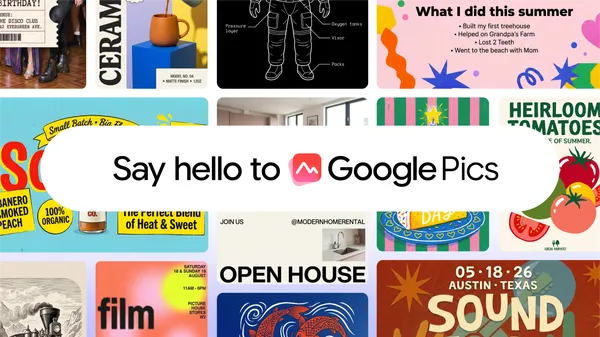 Built on our latest Nano Banana model, Google Pics — our image creation and editing tool — is now available.
We're transitioning our Google Meet hardware portfolio from ChromeOS to Android to deliver features faster, broaden device choices, and increase flexibility. We're working closely with hardware partners, including Logitech, Neat, and HP Poly, to offer Google Meet-certified devices for spaces of any size, with several exciting Android devices intended for large-format spaces planned for 2027.
Support and transition timeline for ChromeOS
Existing investments in ChromeOS devices are protected. The support timelines for these devices have not changed and will continue to be fully supported through a multi-year transition period, extending up to September 2030 for recent models. We will continue delivering security patches, stability updates, and ChromeOS releases for all Google Meet hardware running ChromeOS.
To help you plan room refresh cycles, hardware partners will gradually end manufacturing and sales for ChromeOS-based hardware according to the following timelines:
For customers looking to purchase ChromeOS devices to complement their existing fleet, particularly for large event spaces, we encourage you to purchase devices as soon as possible.
Benefits of Android in meeting rooms
Adopting Android as the foundation for Google Meet hardware provides several benefits:
The portfolio of supported hardware is growing as we actively work with partners to certify additional next-generation devices and qualified peripherals.
Partner collaboration
Our partners already offer Google Meet-certified AOSP options. Together, we're simplifying deployment, accelerating AI features like Take notes for me, and making meeting rooms more collaborative. Explore devices options and find contact information for our partners on the links below.
Previously, adding a co-presenter in Google Meet required multiple manual steps. Now, Gemini will intelligently suggest a co-presenter in the Ask Gemini in Meet panel, and with just one click, a user can allow another user to co-present their Google Slides presentation.

Note that this “nudge” will only appear for the main presenter of a Google Slides presentation in Meet if they’re on a Chrome or Edge browser and if another participant uses a trigger phrase like, “Can you please add me as a co-presenter?” or “Next slide please.”
Hi everyone! We've just released Chrome Stable 153 (153.0.8010.24) for iOS; it'll become available on App Store in the next few hours.
This release includes stability and performance improvements. You can see a full list of the changes in the Git log. If you find a new issue, please let us know by filing a bug.
Chrome Release Team
Google Chrome
