Made by Google expands what's possible across the Android ecosystem. With the introduction of the Pixel 11 Pro Fold, Pixel Watch 5, and the entire Pixel family, users are moving seamlessly across diverse screen sizes, unique postures, and intelligent experiences. For you, the developer, this represents a massive opportunity: foldable users spend about 14x more than standard phone users. To help you elevate your existing experience without starting from scratch, we’re sharing our latest platform guidance alongside real-world examples from developers already putting these features into production.
Deliver adaptive experiences across foldables and expanded displays
The Pixel 11 Pro Fold gives your app a chance to flex its capabilities with an expanded inner display and a standard size outer screen. Building for the foldable form factor requires dropping hardcoded layout rules and designing around available window space. Leveraging Jetpack Compose APIs like
Navigation 3 with
Scene strategies or our newest layout APIs like
Grid and
FlexBox allows your layout containers to automatically wrap, span, and reflow. You can also use the experimental
MediaQuery API to dynamically adapt your UI to environmental signals like foldable posture, and keyboard states.
Building adaptively requires tracking actual app dimensions rather than physical device size, especially during split-screen and multitasking flows. Using Window Size Classes from the WindowManager library allows your layout to respect folds and hinges as natural content separators.
For instance, Notability leveraged Material 3 Window Size Classes to create a responsive two-pane layout that transitions smoothly between folded and expanded screens. As Ryan Shea, Android Engineering Manager at Notability, shared, tracking the window itself allows their layout and canvas zoom to ensure notes stay fit to the page through every fold, rotation, or split-screen resize, noting that they wanted the app "to feel native at every size, not just stretched to fit."
Notability’s quiz UI adapted for expanded screens
Ensuring these transitions feel seamless also requires state preservation across configuration changes. Using ViewModel retains UI state so interactions like scroll position, form inputs, and open dialogs remain uninterrupted when transitioning between inner and outer screens.
Taking this approach, Flo Health used Jetpack Compose state primitives, ViewModel, and Window Size Classes to make their highest-traffic user journeys resilient to rotation, fold/unfold and resizing transitions. As Aleksandr Kolodiazhnyi, Senior Android Engineer at Flo Health, shared, “Android's adaptive guidance turned what looked like a major refactor into a templated rollout," allowing them to adopt Compose primitives without a rewrite, "cutting [their] state-preservation code by roughly 30% while fixing lifecycle and analytics correctness issues that improved the app on every form factor."
To take full advantage of the foldable form factor, leverage FoldingFeature updates to trigger posture-specific layouts. When a user partially folds their device into tabletop posture, you can split your UI automatically by placing primary controls on the lower display and main content or viewfinders on the upper display.
Handling camera previews across foldable state changes, requires managing orientation shifts carefully. Migrating to the CameraX library ensures automatic handling of sensor rotation and display scaling across screens, while existing Camera2 codebases can also achieve stability using the CameraViewfinder library. These camera and display capabilities allow you to power dual-screen previewing and high-resolution rear camera selfies with minimal custom logic.
Prepare your app for these form factors today by exploring our complete adaptive development guidance at Build adaptive apps.
Bring delightful, gesture-driven experiences to the wrist
The new Pixel Watch 5 is here, and we’ve optimized it to take advantage of the intelligent, power-efficient, touch-free convenience of
Wear OS 7. Thanks to system-wide performance optimizations and a collection of new features built to help users complete tasks efficiently, you can provide rich experiences that require only a single user action to complete.
The one-handed gestures framework provides a convenient way for users to interact with their watches without needing to touch the screen with their opposite hand. Starting with the 1.7 beta release of Compose for Wear OS 7, you can seamlessly integrate one-handed gesture control into your Wear Compose apps with simple physical inputs on the watch-wearing arm, like a double-pinch or wrist turn.
Spotify is adopting this framework to make controlling media more effortless. By mapping Wear OS gesture events directly to the media player state, users will be able to pause or resume playback using a simple double-pinch, keeping music controls accessible even when their hands are full.
Pause Spotify media with a pinch gesture
Wear OS 7 also brings Live Updates directly to the wrist to surface real-time information like live sports scores, workout progress, and delivery status, which can also appear in the At-a-Glance surface on Pixel Watch 5. For example, Just Eat uses Live Updates to keep users informed on order arrival times at a glance. You can publish updates locally from your watch app or leverage phone notification bridging on supported devices to deliver real-time tracking across screens.

Live Updates from Just Eat delivering real-time status and delivery ETAs at a glance
You can also extend glanceable interactions across watch surfaces on Wear OS 7 by using Wear Widgets, powered by Jetpack Glance and RemoteCompose. Wear Widgets with Compose offer greater expressiveness and consistency than the old Tiles framework, and the two available widget layouts—small and large– align perfectly with the 2x1 and 2x2 formats on mobile, ensuring your designs feel cohesive across devices.
On top of all these great new features, Wear OS 7 delivers up to a 10 percent improvement in battery life over Wear OS 6, making the Pixel Watch 5 a truly indispensable all-day companion for your users.
To get started developing for Wear OS 7, use the new emulator, and check out all of our Wear OS resources and guidance at Build apps for the wrist with Wear OS.
Unlock on-device intelligence with Gemini Nano 4
Pixel 11 devices are built to run Gemini Nano 4, bringing fast, responsive, on-device intelligence to the hardware. By running AI workflows directly on device, you can offer low-latency, real-time interactions that feel instant and integrated without needing round trips to the cloud.
Through the ML Kit GenAI Prompt API, you can send natural language requests directly to Gemini Nano on device. The model supports over 140 languages, better multimodal understanding, and much more. Build intelligent on-device features using advanced capabilities like structured output and thinking mode.
Build smart capabilities into your app using our self-service tools and Gemini models.
Shape the next generation of experiences for the Pixel ecosystem today
Made by Google showcases what's possible when hardware and software evolve together, and you are at the center of that innovation. You can begin optimizing your apps today by exploring our updated adaptive guidance, creating glanceable experiences for Wear OS 7, and integrating on-device AI with ML Kit.
To help you implement these updates even faster, you can now leverage Android skills, which provide AI-optimized instructions for agents and tools. Whether you are using Gemini in Android Studio or running the Android CLI through other agents, Android skills give your AI tools the context needed to execute complex workflows automatically. For instance, you can prompt your agent with the CameraX skill to handle camera display scaling across foldables, or use the Adaptive skill to set up dynamic Compose layouts without additional manual work.
Take advantage of these new surfaces, accelerate your workflow with agentic tools, and share your latest builds with the Android community! Head over to developer.android.com to access full documentation, explore the Android skills GitHub repository, and start building today.
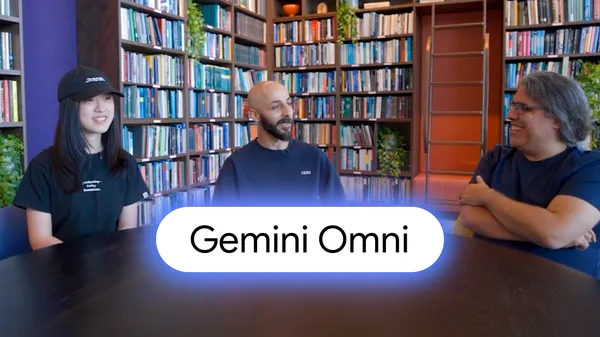 We interviewed some of the experts behind Gemini Omni to hear what excites them most about the model.
.jpg)
.png)


 .
.