AI Conformant Clusters in GKE
We are excited to announce that Google Kubernetes Engine (GKE) is now a CNCF-certified Kubernetes AI conformant platform, designed to provide a stable and optimized environment for your AI/ML applications. This initiative, culminating in a major announcement of the Kubernetes AI Conformance program by CNCF's CTO Chris Aniszczyk, at KubeCon NA 2025, is set to simplify AI/ML on Kubernetes for everyone. You can check out the Opening Keynote here.
During the keynote, Janet Kuo, author of this blog and Staff Software Engineer at Google, performed a live Demo, demonstrating the practical power of an AI Conformant cluster. If you are interested in the technical specifics, you can learn more about the demo here.
Why AI Conformance Matters
The primary goal of the Kubernetes AI Conformance program is to simplify AI/ML on Kubernetes, guarantee interoperability and portability for AI workloads, and enable a growing ecosystem of AI tools on a standard foundation.
Setting up a Kubernetes cluster for AI/ML can be a complex undertaking. An AI-conformant platform like GKE handles these underlying complexities for you, ensuring that your environment is optimized for scalability, performance, portability, and interoperability.
For a detailed look at all the requirements and step-by-step instructions on how to create an AI-conformant GKE cluster, we encourage you to read the GKE AI Conformance user guide.
What Makes GKE an AI-Conformant Platform?
A Kubernetes AI-conformant platform like GKE handles the underlying complexities for you, providing a verified set of capabilities to run AI/ML workloads reliably and efficiently. Here are some of the key requirements that GKE manages for you:
- Dynamic Resource Allocation (DRA): GKE enables more flexible and fine-grained resource requests for accelerators, going beyond simple counts. This is crucial for workloads that need specific hardware configurations.
- Intelligent Autoscaling for Accelerators: GKE implements autoscaling at both the cluster and pod level to ensure your AI workloads are both cost-effective and performant.
- Cluster Autoscaling works at the infrastructure level. It automatically resizes node pools with accelerators, adding nodes when it detects pending Pods that require them and removing nodes to save costs when they are underutilized.
- Horizontal Pod Autoscaling (HPA) works at the workload level. HPA can automatically scale the number of your pods up or down based on real-time demand. For AI workloads, this is especially powerful, as you can configure it to make scaling decisions based on custom metrics like GPU/TPU utilization.
- Rich Accelerator Performance Metrics: GKE exposes detailed, fine-grained performance metrics for accelerators. This allows for deep insights into workload performance and is essential for effective monitoring and autoscaling.
- Robust AI Operator Support: GKE ensures that complex AI operators, such as Kubeflow or Ray, can be installed and function reliably, enabling you to build and manage sophisticated ML platforms with CRDs.
- All-or-Nothing Scheduling for Distributed Workloads: GKE supports gang scheduling solutions like Kueue, which ensure that distributed AI jobs only start when all of their required resources are available, preventing deadlocks and resource wastage.
A Unified and Evolving Standard
The Kubernetes AI Conformance program is designed as a single, unified standard for a platform to support all AI/ML workloads. This reflects the reality that modern AI processes, from training to inference, increasingly rely on the same underlying high-performance infrastructure.
What's Next?
We invite you to explore the benefits of running your AI/ML workloads on an AI-conformant GKE cluster.
- Learn more about the program: check out the CNCF Kubernetes AI Conformance repository.
- Dive deeper into AI/ML on GKE: read the Introduction to AI/ML workloads on GKE.
The launch of the AI Conformance program is a significant milestone, but it is only the first step. We are eager to continue this conversation and work alongside the community to evolve and improve this industry standard as we head into 2026.

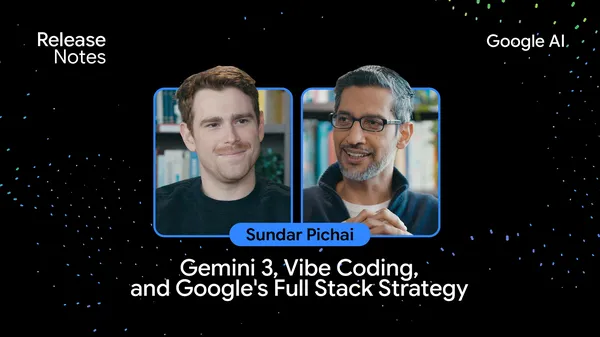 Sundar Pichai sits down with Logan Kilpatrick to discuss Gemini 3 on the Google AI: Release Notes podcast.
 Learn more about using Google products like Gemini, Search, Shopping, Pixel and more over the holidays.
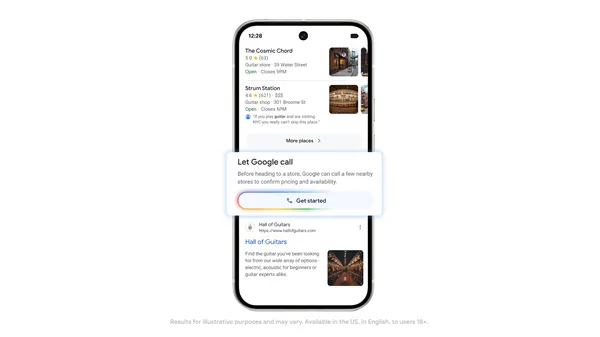 We recently released a new agentic calling feature in the U.S. where you can ask Google to call local businesses for you to gather information about what’s available nea…
 You’ll now get more creative control in Flow with new refinement and editing capabilities.