 Google’s 2025 Our Life with AI survey found people are using AI tools to learn new things.
Learners and educators are AI’s new “super users”
Google’s 2025 Our Life with AI survey found people are using AI tools to learn new things.
Google’s 2025 Our Life with AI survey found people are using AI tools to learn new things.

The promise of the Open Data Lakehouse is simple: your data should not be locked into a single engine. It should be accessible, interoperable, and built on open standards. Today, we are taking a major step forward in making that promise a reality for developers, data engineers, and researchers everywhere.
We are thrilled to announce the availability of high-quality Public Datasets served via the Apache Iceberg REST Catalog. Hosted on Google Cloud's BigLake, these datasets are available for read-only access to anyone with a Google Cloud account.
Whether you are using Apache Spark, Trino, Flink, or BigQuery, you can now connect to a live, production-grade Iceberg Catalog and start querying data immediately. No copying files, no managing storage bucket. Just configure your catalog and query.
This initiative is designed to be engine-agnostic. We provide the storage and the catalog and you bring the compute. This allows you to benchmark different engines, test new Iceberg features, or simply explore interesting data without setting up infrastructure or finding data to ingest.
You can connect to the public dataset using any standard Spark environment (local, Google Cloud Dataproc, or other vendors). You only need to point your Iceberg catalog configuration to our public REST endpoint.
Prerequisites:
Spark Configuration:
Use the following configuration flags when starting your Spark Shell or SQL session. This configures a catalog named bqms (BigQuery Metastore) pointing to our public REST endpoint.
PROJECT_ID=<YOUR_PROJECT_ID>

  spark-sql \
    --packages org.apache.iceberg:iceberg-spark-runtime-3.5_2.12:1.10.0,org.apache.iceberg:iceberg-gcp-bundle:1.10.0 \
    --conf spark.hadoop.hive.cli.print.header=true \
    --conf spark.sql.catalog.bqms=org.apache.iceberg.spark.SparkCatalog \
    --conf spark.sql.catalog.bqms.type=rest \
    --conf spark.sql.catalog.bqms.uri=https://biglake.googleapis.com/iceberg/v1/restcatalog \
    --conf spark.sql.catalog.bqms.warehouse=gs://biglake-public-nyc-taxi-iceberg \
    --conf spark.sql.catalog.bqms.header.x-goog-user-project=$PROJECT_ID \
    --conf spark.sql.catalog.bqms.rest.auth.type=google \
    --conf spark.sql.catalog.bqms.io-impl=org.apache.iceberg.gcp.gcs.GCSFileIO \
    --conf spark.sql.catalog.bqms.header.X-Iceberg-Access-Delegation=vended-credentials \
    --conf spark.sql.defaultCatalog=bqms
Note: Replace <YOUR_PROJECT_ID> with your actual Google Cloud Project ID. This is required for the REST Catalog to authenticate your quota usage, even for free public access.
Once connected, you have full SQL access to the datasets. We are launching with the classic NYC Taxi dataset, modeled as an Iceberg table to showcase partitioning and metadata capabilities.
This query aggregates millions of records to find the average fare and trip distance by passenger count. It demonstrates how Iceberg efficiently scans data files without needing to list directories.
SELECT
    passenger_count,
    COUNT(1) AS num_trips,
    ROUND(AVG(total_amount), 2) AS avg_fare,
    ROUND(AVG(trip_distance), 2) AS avg_distance
FROM
    bqms.public_data.nyc_taxicab
WHERE
    data_file_year = 2021
    AND passenger_count > 0
GROUP BY
    passenger_count
ORDER BY
    num_trips DESC;
What this demonstrates:
One of Iceberg's most powerful features is Time Travel. You can query the table as it existed at a specific point in the past.
-- Compare the row count of the current version vs. a specific snapshot
SELECT
    'Current State' AS version,
    COUNT(*) AS count
FROM bqms.public_data.nyc_taxicab
UNION ALL
SELECT
    'Past State' AS version,
    COUNT(*) AS count
FROM bqms.public_data.nyc_taxicab VERSION AS OF 2943559336503196801;
Description:
This query allows you to audit changes. By querying the history metadata table (e.g., SELECT * FROM bqms.public_data.nyc_taxicab.history), you can find snapshot IDs and "travel back" to see how the dataset grew over time.
We are not just hosting static data; we are building a playground for the future of Apache Iceberg. We plan to release new datasets specifically designed to help you test Iceberg V3 Spec features.
The goal of these public datasets is to lower the barrier to entry. You don't need to manage infrastructure to learn Iceberg; you just need to connect. Whether you are a data analyst, data scientist, data engineer or a data enthusiast, today you can:
Start building an open, managed and high-performance Iceberg lakehouse to enable advanced analytics and data science with https://cloud.google.com/biglake today!
Happy Querying!
The ChromeOS Stable channel is being updated to OS version 16463.79.0 (Browser version 143.0.7499.203) for most ChromeOS devices.
Visit our ChromeOS communities
General: Chromebook Help Community
Beta Specific: ChromeOS Beta Help Community
Interested in switching channels? Find out how.
Luis Menezes
Google ChromeOS
The Chrome team is excited to announce the promotion of Chrome 145 to the Beta channel for Windows, Mac and Linux. Chrome 145.0.7632.5 contains our usual under-the-hood performance and stability tweaks, but there are also some cool new features to explore - please head to the Chromium blog to learn more!
A partial list of changes is available in the Git log. Interested in switching release channels? Find out how. If you find a new issue, please let us know by filing a bug. The community help forum is also a great place to reach out for help or learn about common issues.
Chrome Release Team
Google Chrome
 Google and YouTube are celebrating America's 250th anniversary.
Hi, everyone! We've just released Chrome 144 (144.0.7559.76) for Android. It'll become available on Google Play over the next few days.
This release includes stability and performance improvements. You can see a full list of the changes in the Git log. If you find a new issue, please let us know by filing a bug.
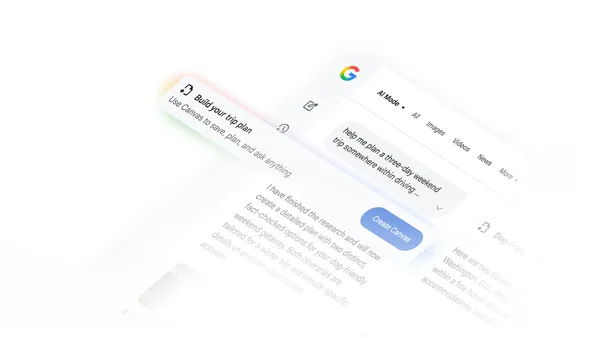 Learn more about how to use AI Mode in Google Search for travel planning, including AI Mode’s Canvas tool.
 Google Trends is redesigning its Explore page, using Gemini to find and understand trending searches.
Hi everyone! We’ve just released Chrome Beta 144 (144.0.7559.76) for Android. It’s now available on Google Play.
You can see a partial list of the changes in the Git log. For details on new features, check out the Chromium blog, and for details on web platform updates, check here.
If you find a new issue, please let us know by filing a bug.
Chrome Release Team
Google Chrome

| A user opening a password protected Microsoft Office file in Google Drive |