Hi everyone! We've just released Chrome Stable 145 (145.0.7632.108) for iOS; it'll become available on App Store in the next few hours.
This release includes stability and performance improvements. You can see a full list of the changes in the Git log. If you find a new issue, please let us know by filing a bug.
Using text-based or image prompting, you can now generate custom 30 second soundtracks in Gemini. This new capability is powered by Lyria 3, Google’s most advanced music generation model yet.
The Gemini app facilitates new forms of musical expression by transforming prompts and images into custom soundtracks. A user might, for instance, turn a “welcome to the team” email into a track. Or, a student or educator could generate custom instrumentals for class presentations or projects. From funny jingles to lo-fi beats, just describe what you want to hear and let Gemini handle the rest.
Note: Lyria 3 music generation in Gemini is currently available globally in English, Japanese, Korean, Hindi, Spanish, Portuguese, German, and French for users over the age of 18.
Getting started
Admins: The Gemini app and related in-app tools are controlled by the Generative AI settings in the Workspace Admin console. Music generation in Gemini is subject to these existing controls. Visit the Help Center for more information on turning the Gemini app on or off.
End users: End users who have access to the Gemini app will receive access to Lyria 3 automatically. To get started, select “Create music” from the tools menu.
Google Workspace customers, Workspace Individual subscribers, and users with personal Google accounts who are 18 years or older and signed in to the Gemini app
Hi everyone! We've just released Chrome Beta 146 (146.0.7680.14) for Android. It's now available on Google Play.
You can see a partial list of the changes in the Git log. For details on new features, check out the Chromium blog, and for details on web platform updates, check here.
If you find a new issue, please let us know by filing a bug.
Pixel 10a is here! Our newest, most durable A-series phone has our best-in-class camera system and many of our most advanced AI tools, powered by our custom-built Google…
Waze is once again teaming up with World of Warcraft, this time bringing a darker presence to your turn-by-turn directions: the Harbinger of the Void, Xal’atath.After th…
Waze is once again teaming up with World of Warcraft, this time bringing a darker presence to your turn-by-turn directions: the Harbinger of the Void, Xal’atath.After th…
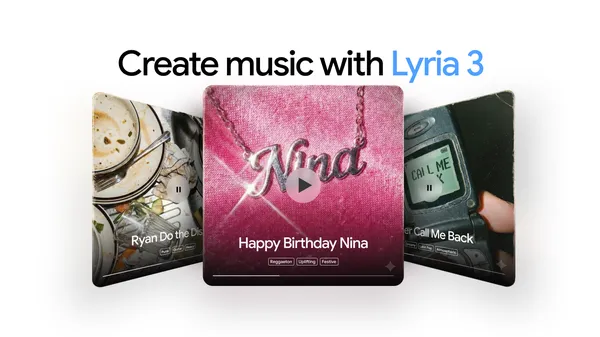 Lyria 3 is now available in the Gemini app. Create custom, high-quality 30-second tracks from text and images.
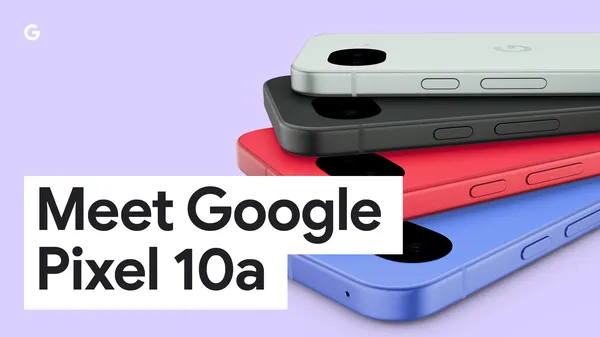 Learn more about Google’s new Pixel 10a, its latest A-series Pixel phone.
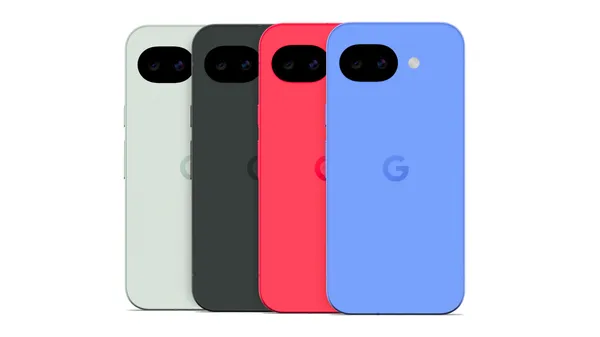 Pixel 10a is here! Our newest, most durable A-series phone has our best-in-class camera system and many of our most advanced AI tools, powered by our custom-built Google…
 Waze is once again teaming up with World of Warcraft, this time bringing a darker presence to your turn-by-turn directions: the Harbinger of the Void, Xal’atath.After th…