Posted by Vijaya Kaza, VP and GM, App & Ecosystem Trust
The Android ecosystem is a thriving global community built on trust, giving billions of users the confidence to download the latest apps. In order to maintain that trust, we’re focused on ensuring that apps do not cause real-world harm, such as malware, financial fraud, hidden subscriptions, and privacy invasions. As bad actors leverage AI to change their tactics and launch increasingly sophisticated attacks, we’ve deepened our investments in AI and real-time defenses over the last year to maintain the upper hand and stop these threats before they reach users.
Upgrading Google Play’s AI-powered, multi-layered user protections
We’ve seen a clear impact from these safety efforts on Google Play. In 2025, we prevented over 1.75 million policy-violating apps from being published on Google Play and banned more than 80,000 bad developer accounts that attempted to publish harmful apps. These figures demonstrate how our proactive protections and push for a more accountable ecosystem are discouraging bad actors from publishing malicious apps, while our new tools help honest developers build compliant apps more easily. Initiatives like developer verification, mandatory pre-review checks, and testing requirements have raised the bar for the Google Play ecosystem, significantly reducing the paths for bad actors to enter.

User safety is at the core of everything we build. Over the years, we’ve continually introduced ways to help users stay safe and make informed app choices — from parental controls to data safety transparency and app badges. We’re constantly improving our policies and protections to encourage safe, high-quality apps on Google Play and stop bad actors before they cause harm.
Apps on Google Play undergo rigorous reviews for safety and compliance with our policies. Last year, we shared that Google Play runs over 10,000 safety checks on every app we publish, and we continue to check and recheck apps after they’ve been published. In 2025, we continued scaling our defenses even further by:
- Boosting AI-enhanced app detection: We integrated Google’s latest generative AI models into our review process, helping our human review team continue to find complex malicious patterns faster.
- Preventing unnecessary access to sensitive data: We prevented over 255,000 apps from getting excessive access to sensitive user data and continued to strengthen our privacy policies. Our commitment to privacy-forward app development, supported by tools like Play Policy Insights in Android Studio and Data safety section, has empowered developers to continue to: minimize privacy-sensitive permission requests, and prioritize the user in their design choices.
- Blocking spam ratings and reviews: Whether they lead to review inflation or deflation, spam ratings and reviews can negatively impact our users’ trust and our developers’ growth. We’re continually evolving our detection models to help ensure app reviews are accurate. Our anti-spam protections blocked 160 million spam ratings and reviews last year, including inflated and deflated reviews. We also prevented an average 0.5-star rating drop for apps targeted by review bombing, protecting our users and developers from unhelpful reviews.
- Safeguarding kids and families: Our approach to kids and families is built on the core belief that children deserve a safe, enriching digital environment. Our commitment is to empower parents with robust tools while providing children with access to high-quality, age-appropriate content. Last year, we announced new layers of protection, in addition to our existing safeguards, to prevent younger audiences from discovering or downloading apps involving activities like gambling or dating.
Enhancing Google Play Protect to help keep the entire Android ecosystem safe
We also continued to improve our protections for the broader Android ecosystem, by expanding Google Play Protect and real-time security measures like in-call scam protections to help keep users safe from scams, fraud, and other threats.
As Android’s built-in defense against malware and unwanted software, Google Play Protect now scans over 350 billion Android apps daily. This proactive protection constantly checks both Play apps and those from other sources to ensure they are not potentially harmful. And, last year, its real-time scanning capability identified more than 27 million new malicious apps from outside Google Play, warning users or blocking the app to neutralize the threat. To benefit from these protections, we recommend that users always keep Google Play Protect on.
While fraudsters are constantly evolving their tactics, Google Play Protect is evolving faster. Last year, we expanded:
- Enhanced fraud protection: Google Play Protect’s enhanced fraud protection analyzes and automatically blocks the installation of apps that may abuse sensitive permissions to commit financial fraud. This protection is triggered when a user attempts to install an app from an "Internet-sideloading source" — such as a web browser or messaging app — that requests a sensitive permission. Building on the success of our initial pilot in Singapore, we expanded enhanced fraud protection to 185 markets, now covering more than 2.8 billion Android devices. In 2025, we blocked 266 million risky installation attempts and helped protect users from 872,000 unique, high-risk applications.
- In-call scam protection: We also introduced new protections to combat social engineering attacks during phone calls. This feature preemptively disables the ability to turn off Google Play Protect during phone calls, stopping bad actors from being able to trick users into disabling their device's built-in defenses to download a malicious app while on a call.
Partnering with developers for a more secure, privacy-friendly future
Keeping Android and Google Play safe requires deep collaboration. We want to thank our global developer community for their partnership and for sharing their feedback on the tools and support they need to succeed.
In 2025, we focused on reducing friction for developers and providing them with tools to safeguard their businesses:
- Building safer apps more easily: We’re helping developers streamline their work by bringing insights directly into their natural workflows. It starts with Play Policy Insights in Android Studio, which gives developers real-time feedback as they code. We focused first on permissions and APIs that grant deeper system access or handle personal data, like location or photos. This gives developers a head start on policy requirements, including prominent disclosures or usage declarations, while they’re still building. When developers move to Play Console to prepare their apps for submission, our expanded pre-review checks help catch common reasons for rejection, like improper usage of credentials or permissions and broken privacy policy links, ensuring smoother, faster reviews.
- Stronger threat detection with Play Integrity API: Every day, apps and games make over 20 billion checks with Play Integrity API to protect against abuse and unauthorized access. In 2025, we added hardware-backed signals to make it even harder for bad actors to spoof devices and introduced new in-app prompts that let users fix common issues like network errors without leaving the app. We also launched device recall in beta to help developers identify repeat bad actors even after a device has been reset, all while protecting user privacy.
- Building trust through developer verification: We’ve seen how effective developer verification is on Google Play, and now we’re applying those lessons to the broader Android ecosystem. By ensuring there is a real, accountable identity behind every app, verification helps legitimize authentic developers and prevents bad actors from hiding behind anonymity to repeatedly cause harm. After gathering feedback during our early access period, we’ll open up verification to all developers this year. We’ve also added a dedicated account type for students and hobbyists, which will allow them to distribute these apps to a limited number of devices without the full verification requirements.
- Greater security with every Android release: In Android 16, developers can protect users’ most private information, like bank logins, with just one line of code. We’ve integrated this feature automatically to certain apps for an instant security boost against “tapjacking,” a trick where bad apps use hidden layers to steal clicks for ad fraud.
Looking ahead
Our top priority remains making Google Play and Android the most trusted app ecosystems for everyone. This year, we’ll continue to invest in AI-driven defenses to stay ahead of emerging threats and equip Android developers with the tools they need to build apps safely. To empower developers who distribute their apps on Google Play, we’ll maintain our focus on embedding checks to help build apps that are compliant by design, while providing guidance to help proactively avoid policy violations before an app is published. We’ll also roll out Android developer verifications to hold bad actors accountable and prevent them from hiding behind anonymity to cause repeated harm.
Thank you for being part of the Google Play and Android community as we work together to build a safer app ecosystem.


 - Jason Chiu, Mobile Ads Developer Relations


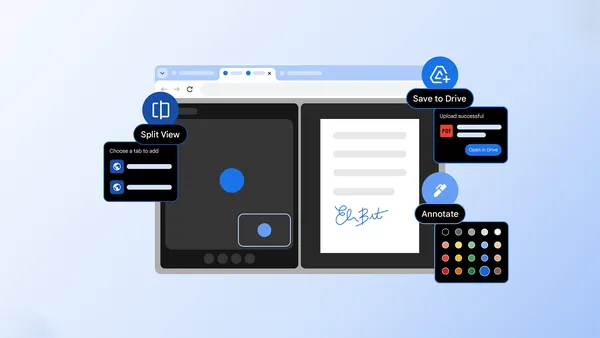 Three new Chrome features designed to give you a productivity boost: Split view, Save to Google Drive and PDF annotations.
 Introducing Pomelli Photoshoot, turn product photos into professional studio shots instantly using Nano Banana.
 In 2025, we significantly enhanced the Google Play and Android app ecosystems.
 3.1 Pro is designed for tasks where a simple answer isn’t enough.