A fiber network can be the lifeline of a community, giving people access to the kind of high-speed internet that keeps up with work, life, and play. While installing new fiber requires construction in the public right-of-way, we use specific methods to keep community disruption to a minimum. Our approach is all about moving fast, minimizing community disruption, staying in sync with local leaders, and leaving every neighborhood better connected.
GFiber works with local government to get it right for your city
Before a single foot of fiber optics goes in the ground, we work closely with city management to plan a process that meets community standards and local regulations. This means we're on the same page about permitting, traffic management, and safety before construction even starts.
Every city has its own regulations and requirements, along with climate and road conditions. We plan our construction work with these details in mind so we can finish safely and as quickly as possible with minimal disruptions for residents.
Installing fiber: Every neighborhood is special
We use a few different ways to get fiber to you, depending on what your area needs. These methods include:
Microtrenching: Our most used construction type—low-impact way of cutting narrow, shallow trenches.
Horizontal directional drilling: Creating a path under the ground without disturbing the surface.
Conventional open trenching: A standard trench open from the surface.
Aerial installation: Using existing utility poles.
How we get to you depends on local infrastructure, soil conditions, and existing utilities. We work with your local government to decide which approach is best for the community.
What is microtrenching and why does GFiber use it so often?
Microtrenching is a minimally invasive fiber construction technique that cuts a narrow, shallow channel along the edge of the road. We tuck a protective hollow tube inside the channel, pull the fiber through, and seal it up with specialized filler material.
Compared to conventional trenching, which can be at least eight inches wide and up to four feet deep, a microtrench is usually no wider than two inches and no deeper than two feet.* This means a street that might have taken days to finish can often be done in just hours.**
The benefits of microtrenching for residents
According to the Fiber Broadband Association, microtrenching can cut construction time by about a third compared to traditional methods—and costs about 80% less per linear foot.***
Minimal Disruption: You’ll still have easy access to your home, car, and driveway during construction.
Speed of Work: We can often mark, cut, and seal a street within a single day.
Safety: Research shows microtrenching has a tiny utility strike rate of 0.03 strikes per mile, compared to 13.97 strikes per mile for conventional trenching.****
24/7 Support: GFiber runs a 24/7 hotline during construction to answer any questions you have.
In fact, one community member told us they left for work in the morning with a marked street, and came home to find the job totally finished—trench cut, tube laid, and pavement sealed—all in one day.
What does fiber internet mean for a community?
Independent research from Ookla shows that when GFiber comes to town, internet speeds go up and prices tend to go down across providers. For example, when we expanded into Mesa, Arizona, in 2023, median download speeds for all wired internet service providers in the city jumped by 50% in just one year.*****
In Salt Lake City, GFiber customers saw 38% higher download speeds, 1,200% faster upload speeds, and 26% lower latency than the top local competitor.******
Our internet products provide symmetrical speeds, which means uploads are just as fast as downloads. This infrastructure investment supports reliable service, with transparent pricing and no data caps. For our premium plans, GFiber is the only provider that backs its 99.9% reliability with an automatic credit guarantee.*******
The impact of fiber expansion in your city
As GFiber expands our network, we focus on the places where better infrastructure is needed most. By using low-impact tools like microtrenching, we deliver high-speed connectivity with minimal fuss. Our goal is to provide a connection that actually handles the demands of modern life through symmetrical speeds and great reliability.
--------------- Start building real apps for the modern web with the Antigravity coding agent and Firebase integration now in Google AI Studio.
 Google is publishing its Recycled Materials Guide, which shares engineering, design, and operations insights.
 Google is working with the UK’s CMA to ensure new digital market rules promote fairness and choice while protecting user experience.
%20(1).jpg)

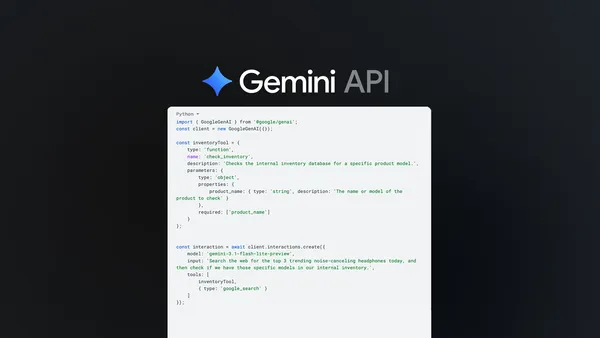 Developers can now combine function calling with built-in tools such as Google Search in a single Gemini API call to build agentic and complex tool-use applications.
 Google DeepMind proposes a cognitive framework to evaluate AGI and launches a Kaggle hackathon to build capability benchmarks