Posted by Eric Lynch, Product Manager, Android and Dom Elliot, Group Product Manager, Google Play
Modern digital security is at a turning point. We are on the threshold of using quantum computers to solve "impossible" problems in drug discovery, materials science, and energy—tasks that even the most powerful classical supercomputers cannot handle. However, the same unique ability to consider different options simultaneously also allows these machines to bypass our current digital locks. This puts the public-key cryptography we’ve relied on for decades at risk, potentially compromising everything from bank transfers to trade secrets. To secure our future, it is vital to adopt the new Post-Quantum Cryptography (PQC) standards National Institute of Standards and Technology (NIST) is urging before large-scale, fault-tolerant quantum computers become a reality.
To stay ahead of the curve, the technology industry must undertake a proactive, multi-year migration to Post-Quantum Cryptography (PQC). We have been preparing for a post-quantum world since 2016, conducting pioneering experiments with post-quantum cryptography, rolling out post-quantum capabilities in our products, and sharing our expertise through threat models and technical papers. For Android, the objective extends beyond patching individual applications or transport protocols. The imperative is to ensure that the entire platform architecture is resilient for the decades to come.
We are beginning tests of PQC enhancements starting in the next Android 17 beta, followed by general availability in the Android 17 production release. This deployment introduces a comprehensive architectural upgrade that is being rolled out across the operating system. By integrating the recently finalized NIST PQC standards deep into the platform, we’re establishing a new, quantum-resistant chain of trust. This chain of trust secures the platform continuously—from the moment the OS powers on, to the execution of applications distributed globally. Android is swapping today’s digital locks for advanced encryption to help enhance the security of every app you download—no matter how powerful future supercomputers get.
Securing the foundation: Verified boot and hardware trust
Security on any computing device begins when the hardware starts; if the underlying operating system is compromised, all subsequent software protections fail. As quantum computing advances, adversaries could potentially forge digital signatures to bypass these foundational integrity checks. To secure the platform against this looming threat, Android 17 introduces two major post-quantum cryptographic (PQC) upgrades:
- Upgrading Android Verified Boot (AVB): The AVB library is integrating the Module-Lattice-Based Digital Signature Algorithm (ML-DSA). This provides quantum-resistant digital signatures, ensuring the software loaded during the boot sequence remains highly resistant to unauthorized modification.
- Migrating Remote Attestation: Android 17 begins the transition of Remote Attestation to a fully PQC-compliant architecture under the current standards. By updating KeyMint's certificate chains to support quantum-resistant algorithms, devices can securely prove their state to relying parties, maintaining trust in a post-quantum environment.
Empowering developers: Android Keystore updates
Protecting the underlying operating system is only the first layer of defense; developers must be equipped with the cryptographic primitives necessary to leverage PQC keys and establish robust identity verification.
Implementing lattice-based cryptography, which requires significantly larger key sizes and memory footprints than classical elliptic curve cryptography, within the severely resource-constrained Trusted Execution Environment (TEE), represents a major engineering achievement. This capability is designed to support the hardware roots of trust and can now generate and verify post-quantum signatures.
Building on this hardware foundation, Android 17 updates Android Keystore to natively support ML-DSA. This allows applications to leverage quantum-safe signatures entirely within the device’s secure hardware, isolating sensitive key material from the main operating system. The SDK exposes both ML-DSA-65, and ML-DSA-87, enabling developers to seamlessly integrate these using the standard KeyPairGenerator API. This establishes a new era of identity and authentication for the app ecosystem without requiring developers to engineer proprietary cryptographic implementations.
Ecosystem scale: Bringing hybrid signing to Google Play apps and games
Android is committed to ensuring the platform is PQC resistant and extending the chain of PQC resistance to application signatures. The mechanisms used to verify the authenticity of applications are being upgraded to ensure that app installations and subsequent updates are strictly tamper-proof against quantum-enabled signature forgery. The platform will verify PQC signatures over APKs to enable this chain of trust.
To bring these critical protections to the wider developer community with minimal friction, the transition will be supported through Play App Signing. This approach provides an immediate bridge to quantum safety for the majority of active installs. Google Play will let developers automatically generate 'hybrid' signature blocks that combine classical and PQC keys.
Updating keys across billions of active devices is a complex operational endeavor. Play App Signing leverages Google Cloud KMS, which helps ensure industry-leading compliance standards, to secure signing keys. By managing signing keys securely in the cloud, Google Play enables developers to seamlessly upgrade their app security to PQC standards without the burden of complex, manual key management.
During the Android 17 release cycle, Google Play will handle the generation of quantum-safe ML-DSA signing keys for new apps and existing apps that opt-in, independent of the applications target API . Later, developers will be able to choose their own classical and ML-DSA signing keys and delegate them to Google Play for their hybrid key upgrade. To promote security best practices, Google Play will also start prompting developers to upgrade their signing keys at least every two years.
The cryptographic roadmap: From authenticity to privacy
Google’s post-quantum transition began in 2016, and Android 17 marks the first phase of Android’s post-quantum transition:
- Securing the foundation: We are upholding the integrity of our attestation and Chain of Trust by incorporating ML-DSA into Android Verified Boot.
- Empower Developers: The inclusion of ML-DSA support within Android Keystore and Play App Signing allows developers to safeguard their users and application.
- Ecosystem Scale: By using hybrid signatures for APKs, developers can create a protected transition that preserves current trust while adding post-quantum defenses to block unauthorized updates.
Our roadmap further integrates post-quantum key encapsulation into KeyMint, Key Attestation and Remote Key Provisioning. This evolution is intended to bolster the security of the entire identity lifecycle—from hardware-level DICE measurements to our remote attestation servers—ensuring the Android ecosystem remains resilient and private against the quantum threats of tomorrow.
 Lyria 3 is now available in paid preview through the Gemini API and for testing in Google AI Studio.
 We are bringing Lyria 3 to the tools where professionals work and create every day.

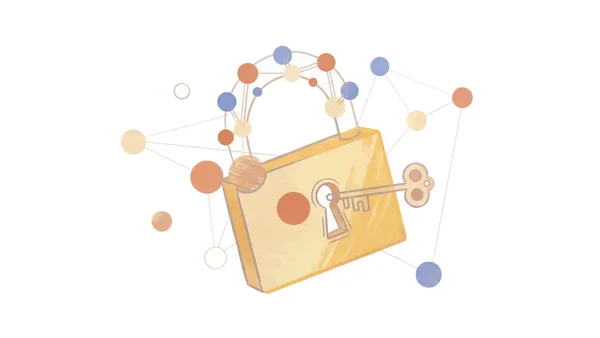 An overview of how Google is accelerating its timeline for post-quantum cryptography migration.
 We’re breaking down the steps — from lead scoring to data hygiene — to enable your campaigns to deliver high quality lead volume.


