
Gemma 4: Expanding the Gemmaverse with Apache 2.0
For over 20 years, Google has maintained an unwavering commitment to the open-source community. Our belief has been simple: open technology is good for our company, good for our users, and good for our world. This commitment to fostering collaborative learning and rigorous testing has consistently proven more effective than pursuing isolated improvements. It's been our approach ever since the 2005 launch of Google Summer of Code, and through our open-sourcing of Kubernetes, Android, and Go, and it remains central to our ongoing, daily work alongside maintainers and organizations.
Today, we are taking a significant step forward in that journey. Since first launch, the community has downloaded Gemma models over 400 million times and built a vibrant universe of over 100,000 inspiring variants, known in the community as the Gemmaverse.
The release of Gemma 4 under the Apache 2.0 license — our most capable open models ranging from edge devices to 31B parameters — provides cutting-edge AI models for this community of developers. The industry-standard Apache license broadens the horizon for Gemma 4's applicability and usefulness, providing well-understood terms for modification, reuse, and further development.
A long legacy of open research
We are committed to making helpful, accessible AI technology and research so that everyone can innovate and grow. That's why many of our innovations are freely available, easy to deploy, and useful to developers across the globe. We have a long history of making our foundational machine-learning research, including word2vec, Jax, and the seminal Transformers paper, publicly available for anyone to use and study.
We accelerated this commitment last year. By sharing models that interpret complex genomic data and identify tumor variants, we contributed to the "magic cycle" of research breakthroughs that translate into real-world impact. This week, however, marks a pivotal moment — Gemma 4 models are the first in the Gemmaverse to be released under the OSI-approved Apache 2.0 license.
Empowering developers and researchers to deliver breakthrough innovations
Since we first launched Gemma in 2024, the community of early adopters has grown into a vast ecosystem of builders, researchers, and problem solvers. Gemma is already supporting sovereign digital infrastructure, from automating state licensing in Ukraine to scaling Project Navarasa across India's 22 official languages. And we know that developers need autonomy, control, and clarity in licensing for further AI innovation to reach its full potential.
Gemma 4 brings three essential elements of free and open-source software directly to the community:
- Autonomy: By letting people build on and modify the Gemma 4 models, we are empowering researchers and developers with the freedom to advance their own breakthrough innovations however they see fit.
- Control: We understand that many developers require precise control over their development and deployment environments. Gemma 4 allows for local, private execution that doesn't rely on cloud-only infrastructure.
- Clarity: By applying the industry-standard Apache 2.0 license terms, we are providing clarity about developers' rights and responsibilities so that they can build freely and confidently from the ground up without the need to navigate prescriptive terms of service.
Building together to drive real-world impact
Gemma 4, as a release, is an invitation. Whether you are a scientific researcher exploring the language of dolphins, an industry developer building the next generation of open AI agents, or a public institution looking to provide more effective, efficient, and localized services to your citizens, Google is excited to continue building with you. The Gemmaverse is your playground, and with Apache 2.0, the possibilities are more boundless than ever.
We can't wait to see what you build.
 Gemma 4: our most intelligent open models to date, purpose-built for advanced reasoning and agentic workflows.
 Google is introducing two new inference tiers to the Gemini API, Flex and Priority,
to balance cost and latency.
Google is introducing two new inference tiers to the Gemini API, Flex and Priority,
to balance cost and latency.
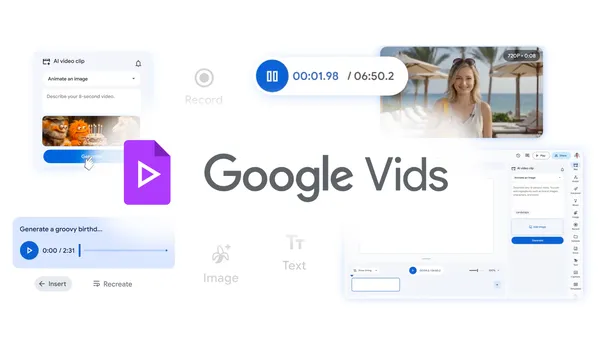 New AI capabilities are coming to Google Vids, powered by Lyria 3 and Veo 3.1, like high-quality video generation at no cost and more.


 Watch Coachella 2026 live on YouTube starting April 10. Stream stages in 4K, shop exclusive merch and join global watch parties.


