We are introducing the ability to loop over a list of items in Google Workspace Studio flows, bringing more power and flexibility to your everyday workflows. As part of this, the Ask Gemini step has a new configuration section called Response format where you can decide if the output of the step should be in text or list format. When list format is selected, the new step Repeat for each can be used so that the flow can loop over the items of that list.
Select List in Response format to be able to loop over a list in the flow
The Repeat for each step can also be used to loop over Google Sheet data row by row and run substeps.
Looping over data from a Sheet to draft an email for each person in the file
This improvement unlocks new possibilities for many use cases, including:
Create a task for each action item based on meeting notes.
Draft an email for each sales lead based on your sales tracker Google Sheet.
Posted by Ataul Munim, Android Developer Relations Engineer
A truly differentiated Android experience is about delivering premium delight wherever your users are. At Google I/O ‘26, we showcased how the latest advancements in the Android ecosystem can help you elevate your app's quality while maximizing development efficiency.
To help you build apps that stand out, we're diving into the key tools and libraries designed to optimize your core performance, extend the surfaces of your app to other devices, and streamline how your app handles high-quality media.
Here is a recap of the essential updates and sessions you need to know to deliver a next-level experience across form factors!
Maximize app performance and ROI with the R8 Configuration Analyzer
A premium experience is only as good as its foundation, and a performant foundation is what allows your app to scale across the Android ecosystem. This is especially true with the release of Android 17, which introduces conservative, device RAM-based app memory limits to target extreme memory leaks and outliers before they cause system-wide instability. To stay below these new system thresholds and prevent your app from being terminated, having a lean footprint is no longer optional: it’s a critical requirement.
This year, we’re making it easier to build highly optimized, fast apps by introducing the R8 Configuration Analyzer in Android Studio. R8 is your most powerful tool for improving app performance, but its effectiveness is often limited by overly broad "keep rules" that prevent the compiler from stripping away unused code. The new Configuration Analyzer provides optimization, obfuscation, and shrinking scores, allowing you to identify specific rules that are preventing the benefits of R8 optimization.
By optimizing their R8 configurations, developers at Monzo achieved a 30% improvement in cold starts and a 35% reduction in ANRs. Smaller, faster code isn't just about efficiency; it's about ensuring your app has the memory headroom to deliver delight on every form factor, from the phone to the car.
Extend your reach with a unified approach to Widgets on Phones, Watches and Cars
User interaction is shifting toward quick, glanceable moments—short bursts of information that keep users connected without needing to open the full app. To help you increase the reach of your app content, we are unifying the development experience across the Android ecosystem with Jetpack Glance. By using a consistent, Compose-based model, you can elevate the content most important to your users straight to the phone’s home screen, Wear Widgets (previously Tiles!), and cars with a familiar workflow.
In order to help users engage with your content and features, even outside your app, we are making widgets more expressive and adaptive with RemoteCompose. On Wear OS, RemoteCompose allows you to use the Compose tools you’re already comfortable with to define UI logic that renders natively on remote surfaces, ensuring that your glanceable experiences remain highly performant and responsive even on resource-constrained hardware. On mobile and cars, RemoteCompose is used as a new framework giving Widgets new expressive capabilities.
You can use Jetpack Glance (together with RemoteCompose on Wear) to deliver a cohesive user journey. Whether it’s viewing flight status on the car dashboard, checking a gate change on a watch, or managing a boarding pass from a phone widget, this shared approach maximizes your app’s presence while keeping your development effort focused and efficient.
Supercharge your media pipeline with a complete, production-ready toolkit
Android has become a world-class home for the entire media lifecycle, and we are simplifying the journey from the first capture to the final playback. By leveraging Jetpack CameraX and Media3, you can build professional-grade experiences that feel native across the entire ecosystem.
It starts with high-fidelity capture using the CameraXViewfinder Composable, which ensures your preview remains perfectly scaled and responsive on any form factor, including foldables and tablets. Use this to build adaptive capture experiences like a picture-in-picture view for multi-tasking, or that take advantage of modern features like high-frame-rate or slow-motion capture with CameraX v1.5.
The new Media3 AI Effects library will provide a unified interface for premium features like Image & Video Enhance, Magic Eraser, and Studio Sound. This allows you to focus on the creative intent while Media3 handles the heavy lifting of choosing the most efficient and reliable path for the device. Then, use the latest improvements in multi-asset editing with Media3 Transformer to composite your edited videos together!
Complete the pipeline with tools designed for professional-grade export and viewing, including:
CodecDB, which offers data-driven encoding recommendations tailored to specific chipsets, ensuring your exported videos maintain high visual quality with minimal noise or blurriness
Scrubbing Mode in ExoPlayer to provide the buttery-smooth seeking experience users expect from premium media apps
Enhanced Cast support with the new CastPlayer API in Media3
By unifying these technical pillars, you can build a cohesive, high-performance media journey that delivers both delight for your users and high ROI for your development team.
For more details, check out the premium Android experience YouTube playlist.
Today, we broke ground on a new data center in Horndal, Sweden, to help meet the growing demand for the Google services people and businesses use every day, including Se…
This June, we’re celebrating LGBTQ+ stories, voices and joy across our products.Our homepage will feature a new Doodle that celebrates disco. The artwork — created by Oh…
The Dev channel has been updated to 150.0.7865.2 for Windows, Mac and Linux.
A partial list of changes is available in the Git log. Interested in switching release channels? Find out how. If you find a new issue, please let us know by filing a bug. The community help forum is also a great place to reach out for help or learn about common issues.
In October 2025, we launched a beta for Organize My Files in Drive. This feature is now generally available and has started rolling out to eligible Google Workspace and Google AI plans.
It can be overwhelming to see loose files in your Drive and moving them into the right folder can be manual, tedious, and repetitive. Gemini can help you organize your Drive by providing suggestions of where to move loose files based on your organizing structure and strategies.
Users can access this view through a dedicated entry point titled “Suggest File Moves” within My Drive and parent folders. The dedicated interface displays recommendations divided into two sections: moving files to existing folders, and creating new folders for related file groupings. End users can review these recommendations before any files are relocated.
The interface supports several interactive adjustments:
Reviewing files and folders through hovercards or opening them in a new tab.
Selecting or deselecting specific file suggestions using checkboxes.
Customizing target destinations or renaming proposed new folders directly inline.
Once the user approves the selection, the system performs a batch move and prompts the user to confirm any resulting permission changes. This feature helps users in reducing digital clutter and maintaining organized file structures with minimal manual effort.
Note that this feature is available globally in English.
Note: Through July 15, 2026, Workspace customers will get promotional access to higher limits for Organize My Files, allowing users to experiment with this feature. Users will see a notification when they use this feature to inform them of the limited higher promotional access period. Per-user usage limits will apply after that date; we’ll provide more information in the Help Center in advance of updated usage limits going into effect.
Introducing a fresh visual identity for Google Workspace app icons
We’re updating icons across Google Workspace to introduce a modern visual design that gives every app a more distinct identity. Over the next several weeks, users will see new icons for Gmail, Calendar, Chat, Meet, Drive, Docs, Slides, Sheets, Vids, Keep, Forms, Voice, Sites, and Tasks. | Learn more about the new fresh visual identity for Google Workspace app icons.
Simplify decision-making with Polly, now available for Google Chat
Making decisions in a fast-paced environment often leads to long, messy threads and lost consensus. Polly helps teams solve this by enabling the creation of interactive polls within existing Chat conversations. | Learn more about how to Simplify decision-making with Polly, now available for Google Chat.
Improvements to Out-of-Domain file-level warnings
We’re announcing improvements to our Out-of-Domain file-level warnings. First launched in April 2025, these badges alert users to documents and users outside of their Workspace organization, helping to prevent accidental data exfiltration and potential phishing attacks that spoof internal content. | Learn more about the improvements to Out-of-Domain file-level warnings.
Keep your sources up to date with automatic Drive syncing in NotebookLM
We’re making it easier to keep your sources and insights current in NotebookLM by enabling automatic syncing with Google Drive. Previously, if you uploaded a file in Google Docs, Sheets, or Slides, you’d have to manually update it in NotebookLM to see the changes. With this update, as the content in your Drive files evolves, the information within the notebook updates automatically to match. | Learn more about how to Keep your sources up to date with automatic Drive syncing in NotebookLM.
Gemini LTI Update: Include your LMS sources when using NotebookLM in Powerschool Schoology
When creating a notebook in Powerschool Schoology, Gemini LTI users can now add content directly from their course as sources. This integration allows educators and students to seamlessly bridge their course materials with AI-powered research and analysis, and generate Studio artifacts like Audio and Video Overviews, infographics, slide decks, and more based on their Schoology resources. | Learn more about how to include your LMS sources when using NotebookLM in Powerschool Schoology.
More granular admin controls for Workspace Studio steps and starters
We’re introducing more granular admin controls for Workspace Studio steps and starters. With these new controls, admins can define which steps and starters people in their organization can use to create flows, including by Workspace service or individually. | Learn more about more granular admin controls for Workspace Studio steps and starters.
Easily identify data irregularities with anomaly detection in Connected Sheets
You can now easily identify critical irregularities and outliers in your time-series data when using Connected Sheets to analyze BigQuery data sets from Google Sheets. Anomaly detection in Connected Sheets allows users to distinguish between expected trends and true outliers without requiring manual model training or complex SQL knowledge. | Learn more about how to easily identify data irregularities with anomaly detection in Connected Sheets.
Ask Gemini in Google Meet is becoming more easily accessible on web
Google Chat external interoperability with Microsoft Teams via NextPlane OpenHub is now available
Organizations often need to collaborate with customers, partners, and suppliers who use Microsoft Teams. NextPlane OpenHub was built to bridge this Google Chat and Microsoft Teams divide, and it is now launching external interoperability to allow communication across organizational boundaries. | Learn more about how Google Chat external interoperability with Microsoft Teams via NextPlane OpenHub is now available.
Available in beta: Convert your client-side encrypted Slides after a Vault or Takeout export
Admins can now bulk export client-side encrypted (CSE) Slides using Vault or Data Export (takeout), and then convert those exports into PowerPoint files. This allows your organization to retain complete ownership, access, and control of sensitive data in a highly portable format. | Learn more about how to Convert your client-side encrypted Slides after a Vault or Takeout export.
Keep track of student progress with learning standards and skills in Google Classroom


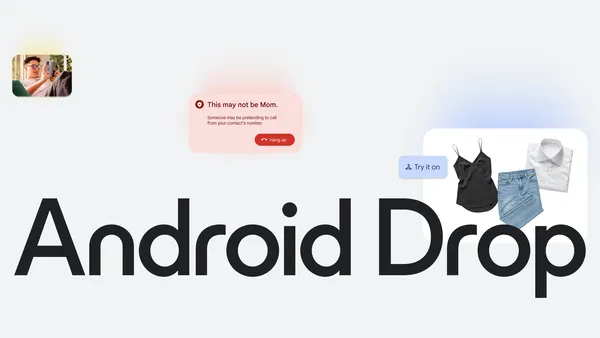 Plan outfits in Google Photos, get alerts for fake calls, and share pics with iPhone devices and more.

.png)
 Google and Voltus signed an agreement to create a smart energy capacity solution for the grid.
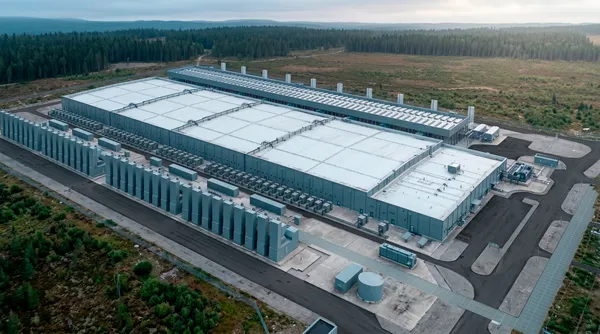 Today, we broke ground on a new data center in Horndal, Sweden, to help meet the growing demand for the Google services people and businesses use every day, including Se…
 This June, we’re celebrating LGBTQ+ stories, voices and joy across our products.Our homepage will feature a new Doodle that celebrates disco. The artwork — created by Oh…
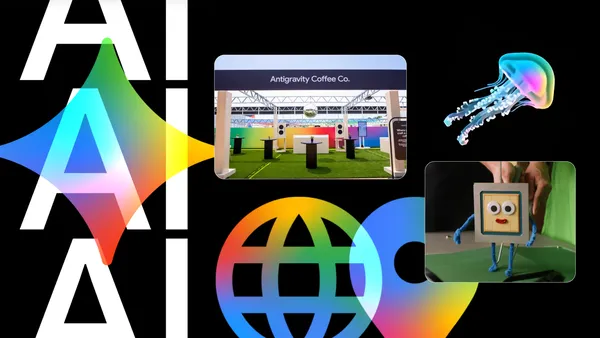 Learn how Googlers used AI to produce Google I/O 2026.
