Google Workspace administrators can now access comprehensive audit logs for Gemini Notebook in the Admin console, providing greater insights into how the application is used across their organizations. This update introduces full visibility into Gemini Notebook actions, allowing administrators to review usage and audit data access in the security investigation tool and audit and investigation tool.
 |
Gemini Notebook log events in the ‘Audit and Investigation’ tool in the Admin console. |
Additional details
Administrators can track a wide range of user actions across multiple categories, including notebook visibility, user identity, IP address, and resource context. These audit logs can be exported and reviewed using BigQuery or accessed directly within the Admin console using the security investigation tool. These monitoring capabilities help administrators meet regulatory compliance requirements, understand collaboration patterns, and protect company data within their digital environments.
Note: While audit log storage itself follows standard Workspace regional routing policies, Gemini Notebook user data—such as notebooks, sources, and chat histories—is stored globally and does not currently support data regionalization.
Getting started
Rollout pace
Availability
- Available to all Google Workspace customers that have access to the security investigation tool and audit and investigation tool
Resources
- Google Workspace Admin Help: Gemini Notebook log events

 An overview of upcoming training sessions from the Google AI Educator Series (GES), and how teachers are putting these tools to work.
 Three new voice-activated features will change the way you use Google Workspace products.
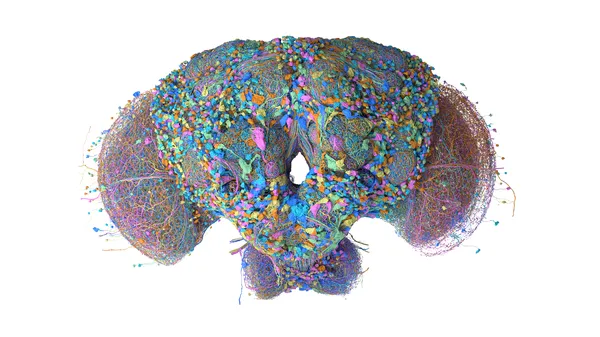 HHMI Janelia, Google and partners mapped the brain and central nervous system of a male fruit fly, a key model organism in science.
 WeatherNext 3, our most advanced global weather AI model, is now in Search, Gemini, Maps, Google Maps Platform, and Cloud.