 Gemini Omni and personal avatars in Google Vids make video creation easier than ever.
Create, edit and star in videos with two Google Vids updates
Gemini Omni and personal avatars in Google Vids make video creation easier than ever.
Gemini Omni and personal avatars in Google Vids make video creation easier than ever.
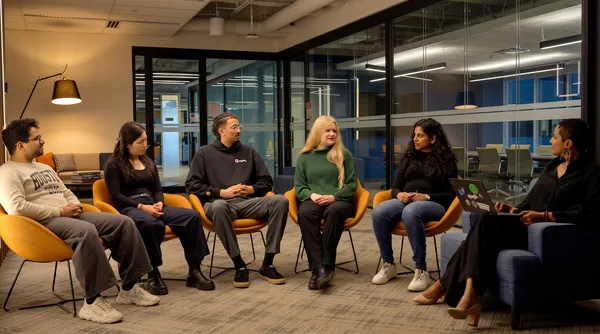 Google and the University of Waterloo’s Futures Lab is helping students build real-world AI tools and prepare for jobs of tomorrow.
 Google partners with the Georgia Public Library Service to provide free Career Certificates and AI training to residents statewide.
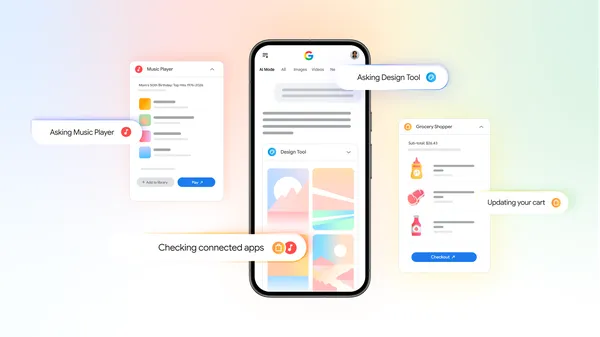 You’ll be able to securely link and interact with your go-to services directly in AI Mode.
The ChromeOS Stable channel is being updated to OS version 16700.46.0 (Browser version 150.0.7871.150) for most ChromeOS devices.
Visit our ChromeOS communities
General: Chromebook Help Community
Beta Specific: ChromeOS Beta Help Community
Interested in switching channels? Find out how.
N/A
High Fixes CVE-2026-46242 (Bad epoll) - Linux Local Privilege Escalation
Medium Fixes CVE-2026-49746 [PSP-528][PP-173890][KMD] Dimension Mismatch and Integer Truncation in `PMRDevPhysAddrOSMem`
High Fixes Potential UAF via Profile/Service Desync in shill ConfigureService
Medium Fixes CWE-862: shill Manager.NotifyDHCPEvent reachable from chronos allows DHCP spoofing
Medium Fixes CVE-2026-45204 [PSP-406][PowerVR] Out of bounds memory access and kernel NULL pointer dereference in DmaTransfer when pui64Address is a pointer to device memory
High Fixes Stack OOB Read to Heap OOB Write in msm_ccmd_ioctl_simple via Guest-Controlled _IOC_SIZE
High Fixes [LPE] Patchpanel ConnectNamespace PID Gate Bypass Allows CAP_NET_ADMIN Root Netns Operations
Medium Fixes CVE-2026-49745 [PSP-598][PP-174017] Unvalidated sHWPerfCtlDMABuf GPU-VA, DMA-write into FW privdata via MMU ctx 0
High Fixes Heap OOB write in ANGLE D3D11 vertex streaming via `WEBGL_draw_instanced_base_vertex_base_instance`
High Fixes Use-After-Free in CRAS LE-Audio via group removal race condition
High Fixes Cross-client microphone audio exfiltration via missing CRAS stream ownership check
High Fixes Use-After-Free in CRAS server via dangling active_fm->lea pointer
Critical Fixes [LPE] Arbitrary file read as root in printscanmgr via FD leak and path traversal
High Fixes Privilege escalation in CRAS via DlcStateChanged signal spoofing
High Fixes missing untrusted input validation in chromeos-boot-alert leads to root pango-view processing attacker file
High Fixes UAF and Control Flow Hijack in CRAS A2DP Profile Switching
Medium Fixes Heap OOB Read in Floss A2DP via Ring Buffer Misalignment
High Fixes Heap OOB write in CRAS mSBC SCO handling via dynamic packet size adjustment
High Fixes UAF in CRAS server via dangling default_rmod->odev pointer after stream disconnect
High Fixes Crosvm xHCI guest-to-host OOB write via unchecked DMA buffer size
High Fixes Use-After-Free in CRAS HFP SLC due to leaked timer in AT+CMER handler
High Fixes CRAS OOB write via integer overflow in cras_shm_buff_for_idx
High Fixes OOB write in CRAS via unsigned underflow in cras_audio_area_copy
High Fixes Use-After-Free in CRAS echo_ref_requests via concurrent list mutation
High Fixes Unauthenticated CRAS Loopback Hijacking allows Cross-Client Audio Capture
High Fixes Use-After-Free in CRAS loopback traversal due to data race
High Fixes Out-of-bounds write in CRAS server via unvalidated client_shm_size
Critical Fixes [LPE] Arbitrary `tc` Command Injection in `shill` Throttler via `TetheringConfig`
High Fixes Potential Use-After-Free in vm_concierge ArcVm via base::Unretained in async D-Bus callback
Medium Fixes TOCTOU in permission_broker allows chronos to open arbitrary device nodes
Medium Fixes [PSP-490][PowerVR] Read UAF in GrowMipLevelArray() due to incorrect texture array iteration during image copy
Medium Fixes [PSP-495][PowerVR] OOB read in CreateTextureMemory() due to memory mismanagement after texture format change
Medium Fixes [PSP-516][PowerVR] Secondary mapping of the freelist PMR allows reading Freelist contents via GPU shader
Medium Fixes [PSP-443][KMD][PowerVR] Read UAF of sync checkpoint in pvr_sync_finalise_fence() after update fence file descriptor is prematurely closed
Medium Fixes CVE-2026-34196 [PSP-372][PowerVR] UAF read and/or write of arbitrary physical memory due to integer truncation in PMRDevPhysAddrOSMem
Medium Fixes CVE-2026-7639 [PSP-452][KMD] Page UAF read in `PMMETA_PROTECT` heap memory
Medium Fixes [PSP-415] [PROJ-ZERO] PowerVR: [crash-only bug] kernel crash due to faulting userspace memory access without fault handling
Android Security fixes can be found here
[$TBD] [524395469] High CVE-2026-13855 Use after free in Ozone on 2026-06-15
[$TBD] [524290062] Medium CVE-2026-14432 Use after free in V8 on 2026-06-15
[$TBD] [523884658] High CVE-2026-14431 Type Confusion in V8 Reported by [OpenAI Codex Security (amyb)] on 2026-06-14
[$TBD] [523690961] High CVE-2026-13854 Use after free in Ozone on 2026-06-13
[$TBD] [523224019] High CVE-2026-13853 Use after free in Journeys on 2026-06-12
[$TBD] [520571816] High CVE-2026-14429 Insufficient validation of untrusted input in Skia on 2026-06-05
[$TBD] [520113415] Critical CVE-2026-14427 Heap buffer overflow in Skia on 2026-06-04
[$TBD] [518247789] Low CVE-2026-14156 Policy bypass in StorageAccessAPI on 2026-05-30
[$TBD] [518246925] Low CVE-2026-14155 Insufficient policy enforcement in StorageAccessAPI on 2026-05-30
[$TBD] [518245882] Medium CVE-2026-14024 Use after free in Ozone on 2026-05-30
[$1000.0] [517981277] High CVE-2026-14426 Use after free in V8 Reported by [] on 2026-05-30
[$TBD] [518063436] Medium CVE-2026-14023 Insufficient validation of untrusted input in SanitizerAPI on 2026-05-29
[$TBD] [518007821] Critical CVE-2026-13786 Use after free in Ozone on 2026-05-29
[$TBD] [517935753] High CVE-2026-14425 Use after free in ANGLE on 2026-05-29
[$TBD] [517791835] Medium CVE-2026-14022 Insufficient validation of untrusted input in Network on 2026-05-29
[$TBD] [517741170] Low CVE-2026-14154 Inappropriate implementation in DevTools on 2026-05-28
[$TBD] [517731924] Medium CVE-2026-14021 Insufficient validation of untrusted input in StorageAccessAPI on 2026-05-28
[$TBD] [517684077] Low CVE-2026-14153 Inappropriate implementation in Glic on 2026-05-28
[$TBD] [517598518] Medium CVE-2026-14020 Insufficient validation of untrusted input in WebXR on 2026-05-28
[$TBD] [517534944] Low CVE-2026-14152 Out of bounds write in ANGLE on 2026-05-28
[$TBD] [517522769] High CVE-2026-14423 Type Confusion in Tint on 2026-05-28
[$TBD] [517455455] Medium CVE-2026-14019 Inappropriate implementation in Passwords on IP-literal pages on 2026-05-28
[$TBD] [517381770] Low CVE-2026-14151 Inappropriate implementation in AI on 2026-05-27
[$TBD] [517376041] Low CVE-2026-14150 Insufficient validation of untrusted input in Speech on 2026-05-27
[$TBD] [517345069] High CVE-2026-13848 Use after free in Forms on 2026-05-27
[$TBD] [517241992] Medium CVE-2026-14017 Inappropriate implementation in Navigation on 2026-05-27
[$TBD] [517234388] Medium CVE-2026-14016 Insufficient policy enforcement in SVG on 2026-05-27
[$TBD] [517155893] Medium CVE-2026-14014 Inappropriate implementation in Paint on 2026-05-27
[$TBD] [517114175] Medium CVE-2026-14013 Inappropriate implementation in SVG on 2026-05-27
[$TBD] [517110749] Medium CVE-2026-14012 Side-channel information leakage in CSS on 2026-05-27
[$TBD] [517033235] Medium CVE-2026-14421 Uninitialized Use in Dawn on ChromeOS-ARM due to disabled Mali multi-resolve workaround on 2026-05-27
[$TBD] [517031505] Critical CVE-2026-14420 Out of bounds read and write in Dawn on 2026-05-27
[$TBD] [516981393] Critical CVE-2026-14419 Use after free in Skia on Allocation Failure on 2026-05-26
[$TBD] [516962715] Critical CVE-2026-13784 Use after free in Views on 2026-05-26
[$TBD] [516962178] Critical CVE-2026-13783 Use after free in Views on 2026-05-26
[$TBD] [516944556] Medium CVE-2026-14011 Out of bounds read in SurfaceCapture on 2026-05-26
[$TBD] [516936863] High CVE-2026-13845 Use after free in DOM on 2026-05-26
[$3000.0] [516836297] High CVE-2026-13842 Incorrect security UI in Chrome for iOS Reported by [] on 2026-05-26
[$TBD] [516865345] High CVE-2026-14418 Uninitialized Use in ANGLE on 2026-05-26
[$TBD] [516819850] Medium CVE-2026-14009 Insufficient data validation in Passwords on 2026-05-26
[$TBD] [516781007] Medium CVE-2026-14008 Uninitialized Use in WebXR on 2026-05-26
[$TBD] [516683433] Critical CVE-2026-13782 Use after free in Browser on 2026-05-26
[$TBD] [516649133] Critical CVE-2026-14417 Use after free in Dawn on 2026-05-26
[$TBD] [516457532] Critical CVE-2026-13781 Insufficient validation of untrusted input in Skia on 2026-05-25
[$TBD] [516425999] Medium CVE-2026-14007 Insufficient policy enforcement in PermissionsPolicy on 2026-05-25
[$TBD] [515467789] High CVE-2026-13841 Integer overflow in Skia on 2026-05-21
[$TBD] [515428315] Low CVE-2026-14416 Out of bounds read in Dawn on 2026-05-21
[$TBD] [515426873] Low CVE-2026-14148 Type Confusion in CSS on 2026-05-21
[$TBD] [515427046] Low CVE-2026-14149 Use after free in Audio on 2026-05-21
[$TBD] [515423596] Medium CVE-2026-14006 Use after free in Navigation on 2026-05-21
[$TBD] [515086856] Low CVE-2026-14415 Inappropriate implementation in V8 on 2026-05-20
[$TBD] [514769383] Critical CVE-2026-13780 Insufficient validation of untrusted input in ANGLE on 2026-05-19
[$TBD] [514632767] Low CVE-2026-14147 Inappropriate implementation in CSS on 2026-05-19
[$TBD] [514609778] High CVE-2026-13840 Insufficient policy enforcement in Canvas on 2026-05-19
[$TBD] [514550047] Low CVE-2026-14146 Inappropriate implementation in CSS on 2026-05-19
[$TBD] [514538751] Medium CVE-2026-14004 Inappropriate implementation in CSS on 2026-05-18
[$TBD] [514503077] Medium CVE-2026-14003 Insufficient policy enforcement in Extensions on 2026-05-18
[$TBD] [514489361] Medium CVE-2026-14002 Inappropriate implementation in Geolocation on 2026-05-18
[$TBD] [514485825] Low CVE-2026-14145 Inappropriate implementation in CSS on 2026-05-18
[$TBD] [514481943] Medium CVE-2026-14001 Inappropriate implementation in Network on 2026-05-18
[$TBD] [514461552] Medium CVE-2026-14000 Inappropriate implementation in XML on 2026-05-18
[$TBD] [514449396] High CVE-2026-13839 Inappropriate implementation in CSS on 2026-05-18
[$TBD] [514445398] High CVE-2026-13838 Inappropriate implementation in CSS on 2026-05-18
[$TBD] [514429130] High CVE-2026-13837 Inappropriate implementation in CSS on 2026-05-18
[$TBD] [514420555] High CVE-2026-13836 Inappropriate implementation in CSS on 2026-05-18
[$TBD] [514338102] High CVE-2026-13835 Inappropriate implementation in XML on 2026-05-18
[$TBD] [514079793] Low CVE-2026-14144 Incorrect security UI in Views on Desktop on 2026-05-17
[$TBD] [514073460] Low CVE-2026-14142 Inappropriate implementation in Extensions on 2026-05-17
[$TBD] [514072495] Low CVE-2026-14139 Inappropriate implementation in TabStrip on 2026-05-17
[$TBD] [514071697] Medium CVE-2026-13999 Inappropriate implementation in Extensions on 2026-05-17
[$TBD] [514068972] Medium CVE-2026-13996 Incorrect security UI in Permissions on 2026-05-17
[$TBD] [514064139] Medium CVE-2026-13993 Incorrect security UI in WebAppInstalls on 2026-05-17
[$TBD] [514058566] Low CVE-2026-14135 Insufficient validation of untrusted input in Network on 2026-05-17
[$TBD] [514056221] Medium CVE-2026-13989 Insufficient policy enforcement in PageInfo on 2026-05-17
[$TBD] [514040614] Medium CVE-2026-13988 Inappropriate implementation in Paint on 2026-05-17
[$TBD] [514039947] Low CVE-2026-14133 Race in History Embeddings on 2026-05-17
[$TBD] [514039492] Low CVE-2026-14132 Inappropriate implementation in WebXR on 2026-05-17
[$TBD] [514020982] Low CVE-2026-14131 Insufficient validation of untrusted input in WebAppInstalls on 2026-05-17
[$TBD] [514020959] Medium CVE-2026-13986 Inappropriate implementation in Media UI on 2026-05-17
[$TBD] [514019522] Low CVE-2026-14130 Incorrect security UI in Omnibox on 2026-05-17
[$TBD] [514013849] Medium CVE-2026-13985 Inappropriate implementation in MediaCapture on 2026-05-17
[$TBD] [514009654] Low CVE-2026-14127 Inappropriate implementation in Printing on 2026-05-17
[$TBD] [514010404] Medium CVE-2026-13984 Incorrect security UI in TabStrip on 2026-05-17
[$TBD] [514006829] Medium CVE-2026-13982 Incorrect security UI in Passwords on 2026-05-17
[$TBD] [513988889] Medium CVE-2026-13979 Inappropriate implementation in Paint on 2026-05-17
[$TBD] [513948227] Medium CVE-2026-14414 Insufficient validation of untrusted input in Skia on 2026-05-16
[$TBD] [513925114] High CVE-2026-13834 Insufficient validation of untrusted input in ANGLE on 2026-05-16
[$TBD] [513922055] High CVE-2026-14413 Uninitialized Use in ANGLE on 2026-05-16
[$TBD] [513920834] High CVE-2026-14412 Insufficient validation of untrusted input in ANGLE on 2026-05-16
[$TBD] [513919827] High CVE-2026-14411 Insufficient validation of untrusted input in ANGLE on 2026-05-16
[$TBD] [513918431] Low CVE-2026-14125 Uninitialized Use in ANGLE on 2026-05-16
[$TBD] [513866949] Medium CVE-2026-13978 Insufficient policy enforcement in PageInfo on 2026-05-16
[$TBD] [513859894] Medium CVE-2026-13977 Inappropriate implementation in HTMLParser on context element on 2026-05-16
[$TBD] [513858286] Medium CVE-2026-13976 Heap buffer overflow in Storage on 2026-05-16
[$1000.0] [513631768] Medium CVE-2026-14408 Uninitialized Use in Dawn Reported by [Chrovus ] on 2026-05-16
[$TBD] [513836996] Low CVE-2026-14410 Inappropriate implementation in Skia on 2026-05-16
[$TBD] [513810921] Low CVE-2026-14409 Inappropriate implementation in V8 Reported by [] on 2026-05-16
[$TBD] [513832989] Medium CVE-2026-13973 Inappropriate implementation in UI on 2026-05-16
[$TBD] [513822378] High CVE-2026-13832 Use after free in Headless on 2026-05-16
[$TBD] [513792140] Medium CVE-2026-13972 Inappropriate implementation in Paint on 2026-05-16
[$TBD] [513789382] Low CVE-2026-14121 Use after free in Chromoting on Linux Wayland on 2026-05-16
[$TBD] [513781328] High CVE-2026-13831 Use after free in GPU on 2026-05-16
[$TBD] [513780208] Medium CVE-2026-13971 Uninitialized Use in Skia on 2026-05-16
[$TBD] [513779283] Medium CVE-2026-13970 Uninitialized Use in Media on 2026-05-16
[$TBD] [513777411] Low CVE-2026-14120 Inappropriate implementation in DevTools on 2026-05-16
[$TBD] [513772764] Low CVE-2026-14118 Insufficient data validation in DevTools on 2026-05-16
[$TBD] [513762145] Medium CVE-2026-13968 Insufficient validation of untrusted input in DevTools on 2026-05-16
[$TBD] [513751951] Medium CVE-2026-13967 Type Confusion in V8 on 2026-05-15
[$TBD] [513747800] Low CVE-2026-14116 Insufficient validation of untrusted input in DevTools on 2026-05-15
[$TBD] [513745699] Low CVE-2026-14115 Insufficient validation of untrusted input in Cast on 2026-05-15
[$TBD] [513741393] Medium CVE-2026-13966 Inappropriate implementation in History on 2026-05-15
[$TBD] [513737952] Medium CVE-2026-13965 Use after free in Oilpan on 2026-05-15
[$TBD] [513727626] Medium CVE-2026-13963 Inappropriate implementation in DevTools on 2026-05-15
[$TBD] [513727494] High CVE-2026-13830 Use after free in Chromoting on 2026-05-15
[$TBD] [513721370] Medium CVE-2026-13962 Insufficient data validation in PDF on 2026-05-15
[$TBD] [513714023] Medium CVE-2026-13960 Inappropriate implementation in Passwords on 2026-05-15
[$TBD] [513713946] Low CVE-2026-14112 Inappropriate implementation in Enterprise on 2026-05-15
[$TBD] [513710926] Low CVE-2026-14111 Use after free in WebProtect on 2026-05-15
[$TBD] [513698452] Low CVE-2026-14110 Inappropriate implementation in DarkMode on 2026-05-15
[$TBD] [513694957] Low CVE-2026-14109 Insufficient policy enforcement in Mojo on 2026-05-15
[$TBD] [513689974] Low CVE-2026-14108 Use after free in PDFium on 2026-05-15
[$TBD] [513609249] Medium CVE-2026-13959 Insufficient validation of untrusted input in Blink on 2026-05-15
[$TBD] [513586956] Medium CVE-2026-14407 Inappropriate implementation in V8 on ARM64 due to AAPCS64 ABI Mismatch on 2026-05-15
[$TBD] [513553557] Medium CVE-2026-13957 Incorrect security UI in Extensions on 2026-05-15
[$TBD] [513544566] Low CVE-2026-14107 Use after free in Scheduling on 2026-05-15
[$TBD] [513528117] Low CVE-2026-14105 Insufficient policy enforcement in Speech on 2026-05-15
[$TBD] [513515168] Medium CVE-2026-13956 Incorrect security UI in PageInfo on 2026-05-15
[$TBD] [513504934] Medium CVE-2026-13954 Insufficient policy enforcement in XML on 2026-05-15
[$TBD] [513484193] Low CVE-2026-14104 Insufficient validation of untrusted input in WebAppInstalls on 2026-05-15
[$TBD] [513465245] Low CVE-2026-14103 Use after free in SSL on ChromeOS on 2026-05-15
[$TBD] [513459192] Medium CVE-2026-13953 Inappropriate implementation in SplitView on 2026-05-15
[$TBD] [513455047] Low CVE-2026-14102 Use after free in Passwords on 2026-05-15
[$TBD] [513435594] Medium CVE-2026-14406 Out of bounds read in V8 on 2026-05-14
[$TBD] [513401808] Medium CVE-2026-13952 Inappropriate implementation in PerformanceAPIs on 2026-05-14
[$TBD] [513399832] High CVE-2026-13828 Inappropriate implementation in Enterprise on 2026-05-14
[$TBD] [513394321] Medium CVE-2026-13951 Policy bypass in USB on Linux-based Platforms on 2026-05-14
[$TBD] [513383891] Low CVE-2026-14100 Insufficient data validation in NetworkCache on 2026-05-14
[$TBD] [513375767] Low CVE-2026-14098 Inappropriate implementation in CSS on 2026-05-14
[$TBD] [513376037] Low CVE-2026-14405 Uninitialized Use in V8 on 2026-05-14
[$TBD] [513360781] Medium CVE-2026-13950 Uninitialized Use in GPU on 2026-05-14
[$TBD] [513337989] Medium CVE-2026-14404 Inappropriate implementation in PDFium on 2026-05-14
[$TBD] [513298483] Low CVE-2026-14403 Use after free in V8 on 2026-05-14
[$TBD] [513286820] Medium CVE-2026-13948 Insufficient policy enforcement in Extensions on 2026-05-14
[$TBD] [513271007] Low CVE-2026-14095 Insufficient validation of untrusted input in Browser on 2026-05-14
[$TBD] [513240099] Low CVE-2026-14093 Use after free in Cast on 2026-05-14
[$TBD] [513226551] Medium CVE-2026-13945 Insufficient policy enforcement in Extensions on Linux via XDG Global Shortcuts portal on 2026-05-14
[$TBD] [513222854] Critical CVE-2026-13779 Use after free in Chromoting on 2026-05-14
[$TBD] [513212892] Low CVE-2026-14092 Insufficient policy enforcement in Privacy on 2026-05-14
[$TBD] [513208773] Low CVE-2026-14091 Use after free in DevTools on 2026-05-14
[$TBD] [513194241] Low CVE-2026-14090 Out of bounds read in CameraCapture on 2026-05-14
[$TBD] [513188254] Low CVE-2026-14089 Insufficient validation of untrusted input in PopupBlocker on 2026-05-14
[$TBD] [513186670] Medium CVE-2026-13942 Insufficient validation of untrusted input in Video Capture on 2026-05-14
[$TBD] [513177497] High CVE-2026-13824 Insufficient validation of untrusted input in Extensions on 2026-05-14
[$TBD] [513169718] Low CVE-2026-14086 Insufficient policy enforcement in HID on 2026-05-14
[$TBD] [513163011] High CVE-2026-13823 Use after free in Glic on 2026-05-14
[$TBD] [513158425] Medium CVE-2026-13940 Uninitialized Use in Cast on 2026-05-14
[$TBD] [513155863] Low CVE-2026-14085 Side-channel information leakage in CSS on 2026-05-14
[$TBD] [513143921] Medium CVE-2026-13938 Integer overflow in Fonts on 2026-05-14
[$TBD] [513142445] High CVE-2026-13821 Use after free in Canvas on 2026-05-14
[$TBD] [513138148] Low CVE-2026-14084 Insufficient validation of untrusted input in Chromoting on 2026-05-14
[$TBD] [513128322] Low CVE-2026-14083 Insufficient validation of untrusted input in HTML on 2026-05-14
[$TBD] [513048822] High CVE-2026-14401 Insufficient validation of untrusted input in ANGLE on 2026-05-13
[$TBD] [513049578] Low CVE-2026-14082 Race in Storage on 2026-05-13
[$TBD] [513046494] Medium CVE-2026-13937 Insufficient policy enforcement in Passwords on 2026-05-13
[$TBD] [513030698] Low CVE-2026-14081 Insufficient policy enforcement in DevTools on 2026-05-13
[$TBD] [513012139] Critical CVE-2026-13776 Type Confusion in Dawn on 2026-05-13
[$TBD] [513009005] Medium CVE-2026-13935 Side-channel information leakage in ComputePressure on 2026-05-13
[$TBD] [513006636] Medium CVE-2026-13934 Insufficient validation of untrusted input in Dawn on Android leads to GPU process UB on 2026-05-13
[$TBD] [513006745] Medium CVE-2026-14399 Uninitialized Use in Dawn on 2026-05-13
[$TBD] [513002625] Medium CVE-2026-13933 Insufficient policy enforcement in Passwords on 2026-05-13
[$TBD] [512995785] Critical CVE-2026-14398 Use after free in ANGLE on 2026-05-13
[$TBD] [512986879] High CVE-2026-13820 Out of bounds read in Skia on 2026-05-13
[$TBD] [512971938] Low CVE-2026-14079 Policy bypass in Network on 2026-05-13
[$TBD] [512953564] Low CVE-2026-14078 Policy bypass in WebRTC on 2026-05-13
[$TBD] [512937764] Medium CVE-2026-13930 Insufficient policy enforcement in Actor on 2026-05-13
[$TBD] [512162479] Medium CVE-2026-13928 Insufficient validation of untrusted input in Enterprise on 2026-05-11
[$TBD] [511823182] High CVE-2026-13818 Inappropriate implementation in Passwords on 2026-05-10
[$TBD] [511815165] Low CVE-2026-14076 Policy bypass in Network on 2026-05-10
[$TBD] [511766407] Critical CVE-2026-13775 Use after free in GPU on 2026-05-10
[$TBD] [511748106] Medium CVE-2026-13922 Side-channel information leakage in Paint on 2026-05-10
[$TBD] [511739631] High CVE-2026-13817 Insufficient validation of untrusted input in Glic on 2026-05-10
[$TBD] [511738175] Medium CVE-2026-13921 Insufficient validation of untrusted input in DeviceBoundSessionCredentials on 2026-05-10
[$TBD] [511722207] High CVE-2026-13815 Use after free in Blink on 2026-05-10
[$TBD] [511712766] High CVE-2026-13814 Use after free in Views on 2026-05-10
[$TBD] [511290389] Low CVE-2026-14395 Out of bounds write in V8 on 2026-05-08
[$TBD] [511263221] Low CVE-2026-14394 Use after free in V8 on 2026-05-08
[$TBD] [511255112] Medium CVE-2026-14393 Use after free in V8 on 2026-05-08
[$TBD] [511249430] Medium CVE-2026-13919 Insufficient data validation in Extensions on 2026-05-08
[$3000.0] [510829679] High CVE-2026-13793 Insufficient policy enforcement in SVG on 2026-05-07
[$1000.0] [507263861] Low CVE-2026-14026 Misleading Directory Upload via Split View Context Confusion on 2026-04-28
[$0.0] [507099867] Low CVE-2026-14072 Incorrect security UI in SplitView Reported by [] on 2026-04-28
[$TBD] [507239830] Medium CVE-2026-13911 Insufficient data validation in Spellcheck on 2026-04-27
[$TBD] [507237563] Low CVE-2026-14073 Insufficient policy enforcement in WebXR on 2026-04-27
[$3000.0] [507090179] Medium CVE-2026-13858 Out of bounds read in FFmpeg on 2026-04-27
[$TBD] [506558270] Critical CVE-2026-13774 Use after free in Extensions on 2026-04-25
[$TBD] [506149253] High CVE-2026-13811 Use after free in IME on 2026-04-24
[$TBD] [506143724] Low CVE-2026-14071 Side-channel information leakage in WebAudio on 2026-04-24
[$TBD] [505933538] Medium CVE-2026-13909 Insufficient policy enforcement in DevTools on 2026-04-23
[$TBD] [505137978] Low CVE-2026-14070 Uninitialized Use in WebNN on 2026-04-21
[$TBD] [505136542] Low CVE-2026-14069 Integer overflow in WebNN on 2026-04-21
[$TBD] [504613867] Medium CVE-2026-13906 Out of bounds read in Codecs on 2026-04-20
[$1000.0] [504600482] Low CVE-2026-13810 Inappropriate implementation in Input on focus. This allows XSS to silently harvest saved passwords on page load without clicks, bypassing mandatory user gesture security checks. on 2026-04-20
[$TBD] [503912196] Medium CVE-2026-13903 Insufficient policy enforcement in Bluetooth on 2026-04-17
[$TBD] [503617508] Low CVE-2026-14065 Insufficient validation of untrusted input in PageInfo on 2026-04-17
[$TBD] [503585173] Medium CVE-2026-13901 Insufficient validation of untrusted input in Serial on 2026-04-16
[$TBD] [503333798] High CVE-2026-13806 Insufficient validation of untrusted input in Accessibility on 2026-04-16
[$TBD] [503054174] High CVE-2026-14390 Use after free in ANGLE on 2026-04-15
[$TBD] [502473563] Low CVE-2026-14063 Out of bounds memory access in Chromecast on 2026-04-14
[$TBD] [502448128] Low CVE-2026-14062 Inappropriate implementation in Views on ChromeOS on 2026-04-14
[$TBD] [502434484] Low CVE-2026-14061 Inappropriate implementation in Dawn on hardware with 1ns timestamp period on 2026-04-14
[$TBD] [502374993] Medium CVE-2026-13900 Insufficient validation of untrusted input in Chromecast on 2026-04-13
[$TBD] [502363986] Low CVE-2026-14059 Insufficient policy enforcement in Related-Website-Sets on RWS removal on 2026-04-13
[$TBD] [502354038] Low CVE-2026-14058 Policy bypass in Parser on 2026-04-13
[$TBD] [502212647] Low CVE-2026-14057 Insufficient policy enforcement in FedCM on 2026-04-13
[$TBD] [502109002] Medium CVE-2026-13899 Use after free in HTML on 2026-04-13
[$TBD] [501925480] Medium CVE-2026-13898 Use after free in Cast Receiver on 2026-04-12
[$TBD] [501888426] Low CVE-2026-14056 Insufficient validation of untrusted input in Media on 2026-04-12
[$TBD] [501877896] Medium CVE-2026-13897 Insufficient policy enforcement in Chromecast on 2026-04-12
[$TBD] [501873032] High CVE-2026-13804 Use after free in Chromecast on 2026-04-12
[$TBD] [501851312] Low CVE-2026-14054 Insufficient policy enforcement in Network on 2026-04-12
[$TBD] [501836539] Low CVE-2026-14053 Insufficient policy enforcement in Extensions on 2026-04-12
[$TBD] [501820076] Medium CVE-2026-13896 Insufficient policy enforcement in Glic on 2026-04-11
[$TBD] [501810874] Low CVE-2026-14052 Insufficient policy enforcement in FileSystem on 2026-04-11
[$TBD] [501770542] Medium CVE-2026-13895 Inappropriate implementation in Autofill on 2026-04-11
[$TBD] [501741117] Medium CVE-2026-13894 Insufficient policy enforcement in Network on 2026-04-11
[$TBD] [501729582] Medium CVE-2026-13893 Insufficient validation of untrusted input in WebUI on 2026-04-11
[$TBD] [501708647] Low CVE-2026-14050 Insufficient policy enforcement in Passwords on 2026-04-11
[$TBD] [501659888] Low CVE-2026-14049 Inappropriate implementation in GPU on 2026-04-11
[$TBD] [501631475] Medium CVE-2026-13891 Insufficient validation of untrusted input in Extensions on 2026-04-11
[$TBD] [501623322] High CVE-2026-13802 Use after free in Views on 2026-04-11
[$TBD] [500601345] Medium CVE-2026-13890 Out of bounds read in Chromecast on 2026-04-08
[$TBD] [500587568] High CVE-2026-13801 Integer overflow in Chromecast on 2026-04-08
[$TBD] [500566906] Medium CVE-2026-13888 Use after free in Extensions on 2026-04-07
[$TBD] [500505046] Medium CVE-2026-14389 Integer overflow in Skia on 2026-04-07
[$TBD] [500476886] Medium CVE-2026-14388 Out of bounds read in ANGLE on 2026-04-07
[$TBD] [500475136] Medium CVE-2026-13886 Policy bypass in Isolated Web Apps on 2026-04-07
[$TBD] [500305404] Medium CVE-2026-14387 Integer overflow in Skia on 2026-04-07
[$TBD] [500077014] Medium CVE-2026-13884 Heap buffer overflow in Chromecast on 2026-04-06
[$TBD] [500030250] Medium CVE-2026-13883 Type Confusion in ANGLE on 2026-04-06
[$TBD] [499252371] High CVE-2026-13799 Use after free in QUIC on 2026-04-03
[$TBD] [499189601] Low CVE-2026-14048 Use after free in Chromecast on 2026-04-03
[$TBD] [499162550] Medium CVE-2026-13882 Inappropriate implementation in USB on 2026-04-02
[$TBD] [499100491] Medium CVE-2026-13881 Insufficient data validation in WebAppInstalls on 2026-04-02
[$TBD] [499048914] High CVE-2026-13798 Heap buffer overflow in Chromecast on 2026-04-02
[$TBD] [499025645] High CVE-2026-13797 Insufficient validation of untrusted input in Chromecast on 2026-04-02
[$TBD] [499022239] Medium CVE-2026-13879 Use after free in Bluetooth on 2026-04-02
[$TBD] [498864176] Low CVE-2026-14047 Insufficient policy enforcement in Extensions on 2026-04-02
[$TBD] [498820206] Medium CVE-2026-13877 Insufficient validation of untrusted input in ANGLE on 2026-04-01
[$TBD] [498722200] Medium CVE-2026-13876 Inappropriate implementation in Network on 2026-04-01
[$TBD] [498411773] Medium CVE-2026-13874 Inappropriate implementation in DataTransfer on 2026-03-31
[$TBD] [498085466] Medium CVE-2026-13873 Out of bounds memory access in Layout on 2026-03-31
[$TBD] [497961376] Medium CVE-2026-13871 Insufficient data validation in GuestView on 2026-03-30
[$TBD] [497723649] Low CVE-2026-14045 Insufficient validation of untrusted input in Network on 2026-03-30
[$TBD] [497670996] Low CVE-2026-14044 Use after free in ANGLE on 2026-03-30
[$TBD] [497632232] Low CVE-2026-14043 Use after free in GetUserMedia on 2026-03-29
[$TBD] [497558336] Low CVE-2026-14042 Inappropriate implementation in Isolated Web Apps on 2026-03-29
[$TBD] [497544822] Low CVE-2026-14041 Insufficient policy enforcement in Serial on 2026-03-29
[$TBD] [497488593] Low CVE-2026-14040 Use after free in BrowserTag on 2026-03-29
[$TBD] [497358012] Low CVE-2026-14039 Insufficient policy enforcement in GetUserMedia on 2026-03-28
[$TBD] [497345177] Medium CVE-2026-13867 Inappropriate implementation in Geolocation on 2026-03-28
[$TBD] [497241148] Low CVE-2026-14038 Insufficient validation of untrusted input in New Tab Page on 2026-03-28
[$TBD] [497090912] Medium CVE-2026-13865 Insufficient validation of untrusted input in Enterprise on 2026-03-27
[$TBD] [496522611] Low CVE-2026-14037 Insufficient policy enforcement in GPU on 2026-03-26
[$TBD] [496411061] Low CVE-2026-14036 Insufficient policy enforcement in Bluetooth on 2026-03-25
[$TBD] [496399913] Medium CVE-2026-13864 Insufficient policy enforcement in WebHID on 2026-03-25
[$TBD] [496371586] Low CVE-2026-14035 Insufficient policy enforcement in Bluetooth on 2026-03-25
[$TBD] [495459838] Low CVE-2026-14031 Incorrect security UI in File Input on 2026-03-23
[$TBD] [495456765] Medium CVE-2026-13861 Use after free in Core on 2026-03-23
[$TBD] [492410546] Medium CVE-2026-14383 Inappropriate implementation in V8 on 2026-03-13
[$TBD] [491894115] High CVE-2026-13796 Integer overflow in Chromecast on 2026-03-11
[$1000.0] [488762971] Low CVE-2026-14030 Incorrect security UI in SplitView on 2026-03-01
[$5000.0] [479203484] Medium CVE-2026-13857 Inappropriate implementation in Geometry Reported by [Luan Herrera (@lbherrera_)] on 2026-01-27
[$10000.0] [457771782] High CVE-2026-13790 Side-channel information leakage in Scroll Reported by [] on 2025-11-04
[$1000.0] [417052041] Medium CVE-2026-13860 Incorrect security UI in Autofill on 2025-05-11
[$500.0] [527385397] High CVE-2026-15132 Uninitialized Use in V8 on 2026-06-24
[$500.0] [527406824] High CVE-2026-15133 Use after free in InterestGroups on 2026-06-24
[$TBD] [526542464] Medium CVE-2026-15131 Insufficient data validation in Navigation on 2026-06-22
[$TBD] [526541544] High CVE-2026-15130 Insufficient policy enforcement in Navigation on 2026-06-22
[$TBD] [524045160] Critical CVE-2026-15129 Use after free in Views on 2026-06-14
[$TBD] [523756329] High CVE-2026-15128 Inappropriate implementation in Forms on 2026-06-13
[$TBD] [523752265] High CVE-2026-15127 Inappropriate implementation in WebGL on 2026-06-13
[$TBD] [523748081] High CVE-2026-15126 Use after free in Forms on 2026-06-13
[$TBD] [523737685] High CVE-2026-15125 Inappropriate implementation in Forms on 2026-06-13
[$TBD] [523735038] High CVE-2026-15124 Insufficient policy enforcement in Passwords on 2026-06-13
[$TBD] [523729553] High CVE-2026-15123 Insufficient data validation in DOM on 2026-06-13
[$TBD] [523712556] High CVE-2026-15121 Use after free in WebRTC on 2026-06-13
[$TBD] [523505418] High CVE-2026-15119 Inappropriate implementation in GetUserMedia on 2026-06-12
[$TBD] [523238265] High CVE-2026-15118 Use after free in Input on 2026-06-12
[$TBD] [522568496] High CVE-2026-15117 Use after free in Payments on 2026-06-10
[$TBD] [522092013] High CVE-2026-15116 Use after free in Actor on 2026-06-09
[$TBD] [520565945] High CVE-2026-15114 Out of bounds read and write in Codecs on 2026-06-05
[$TBD] [518006275] Critical CVE-2026-15112 Use after free in Ozone on 2026-05-29
[$TBD] [517508651] High CVE-2026-15111 Use after free in Views on 2026-05-28
[$TBD] [516899138] High CVE-2026-15109 Uninitialized Use in ANGLE on 2026-05-26
[$TBD] [515443146] High CVE-2026-15108 Integer overflow in Extensions API on 2026-05-21
[$2000.0] [503553615] Medium CVE-2026-15107 Use after free in IndexedDB on 2026-04-17
[$TBD] [532929679] High CVE-2026-15777 Use after free in UI on 2026-07-09
[$TBD] [532595489] High CVE-2026-15776 Type Confusion in V8 on 2026-07-08
[$TBD] [531319201] High CVE-2026-15775 Insufficient policy enforcement in V8 on 2026-07-05
[$TBD] [530646115] High CVE-2026-15774 Use after free in Skia on 2026-07-03
[$TBD] [525317502] High CVE-2026-15772 Use after free in GPU on Android via GLTextureHolder::ReadbackToMemory on 2026-06-18
[$TBD] [524792614] High CVE-2026-15770 Uninitialized Use in V8 on 2026-06-17
[$TBD] [519731111] High CVE-2026-15769 Insufficient validation of untrusted input in Linux Toolkit Theming on 2026-06-03
[$TBD] [518007484] Critical CVE-2026-15765 Use after free in Ozone on 2026-05-29
[$TBD] [517931625] High CVE-2026-15768 Insufficient policy enforcement in HTML-in-Canvas on 2026-05-29
[$TBD] [517100492] Critical CVE-2026-15764 Use after free in Ozone on 2026-05-27
[$TBD] [514748734] High CVE-2026-15767 Heap buffer overflow in libyuv on 2026-05-19
[$TBD] [514010477] High CVE-2026-15766 Uninitialized Use in Skia on 2026-05-17
[$TBD] [513795122] Medium CVE-2026-15778 Insufficient validation of untrusted input in Navigation on 2026-05-16
Hi everyone! We've just released Chrome Dev 152 (152.0.7951.0) for Android. It's now available on Google Play.
You can see a partial list of the changes in the Git log. For details on new features, check out the Chromium blog, and for details on web platform updates, check here.
If you find a new issue, please let us know by filing a bug.
Chrome Release Team
Google Chrome
 Google and Screwfix have teamed up to help the nation’s tradespeople use AI tools to grow their businesses.
The Beta channel has been updated to 151.0.7922.34 for Windows, Mac and Linux.
A partial list of changes is available in the Git log. Interested in switching release channels? Find out how. If you find a new issue, please let us know by filing a bug. The community help forum is also a great place to reach out for help or learn about common issues.
Chrome Release Team
Google Chrome
Hello Everyone! We've just released Chrome 151 (151.0.7922.29) for Android to a small percentage of users. It'll become available on Google Play over the next few days. You can find more details about early Stable releases here.
This release includes stability and performance improvements. You can see a full list of the changes in the Git log. If you find a new issue, please let us know by filing a bug.