We recently announced the launch of AI Overviews in Gmail search which allows users to ask natural language questions in Gmail’s search bar and get concise summaries and answers without digging through emails. Starting today, we are expanding access to AI Overviews in Gmail search to global users (with paid plans) who have their Gmail language set as English. Previously, this was only available to users in the US with their language set as English.
Getting started
- Admins: This feature will be ON by default if Gemini for Workspace in Gmail is enabled and Workspace Intelligence access to Gmail is enabled.
- End users: This feature is available by default when smart features are enabled. Users must have both “Smart features in Gmail, Chat, and Meet” and “Google Workspace smart features” turned on to access AI Overviews in Gmail search.
Rollout pace
- Rapid Release domains: Gradual rollout (up to 15 days for feature visibility) started on September 3, 2026
- Scheduled Release domains: Full rollout (1–3 days for feature visibility) starting on September 21, 2026
- Personal Google Accounts (Consumer): Gradual rollout started on September 3, 2026
Availability
- Business: Business Starter, Standard, and Plus
- Enterprise: Enterprise Starter, Standard, and Plus
- Consumers: Google AI Plus, Pro, and Ultra (excluding personal accounts in the EEA, UK, Switzerland, and Japan)
- Other Editions: Frontline Plus
- Education Add-ons: Google AI Pro for Education
- Other Add-ons: AI Expanded Access
Resources
- Google Workspace Admin Help: Manage access to Gemini features in Workspace services
- Google Help: Get an AI Overview in Gmail search
- Google Workspace Updates Blog: Search faster and smarter with AI Overviews in Gmail search
- Consumer Launch Blog: Gmail is entering the Gemini era
 Gemini 3.8 Live and Gemini 3.8 Live Extended Thinking are our most advanced live dialogue models yet, built for natural conversation.
 A look at how developers can build with our latest audio models, Gemini 3.8 Live, 3.8 Live Extended Thinking, and 3.5 Transcribe.

 Introducing the organizations selected for the Google.org Impact Challenge: AI for Government Innovation.
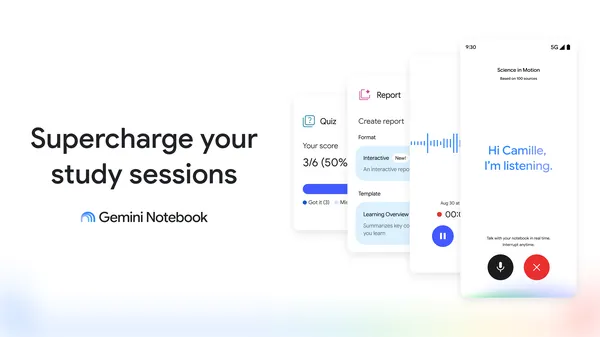 An overview of the latest study and learning tools in Gemini Notebook.
 The true measure of AI is who it helps. Here’s how it’s impacting lives today. We're focused on key areas where advanced technology can help make extraordinary progress …
 Google Research is exploring how to use AI and satellites to scan the world every 20 minutes and catch wildfires the size of a car.
 Here’s how Gemini can help you with household chores, like meal planning and fixing appliances.
 Explore this collection to see how experts and local leaders are using AI breakthroughs to ensure everyone can share the opportunity of AI.