 The latest from Google I/O: See how we’re helping you get more done with Gemini.
I/O 2026: Welcome to the agentic Gemini era
The latest from Google I/O: See how we’re helping you get more done with Gemini.
The latest from Google I/O: See how we’re helping you get more done with Gemini.
 One year after launch, see how AI Mode’s users are shifting from keywords to natural language queries.
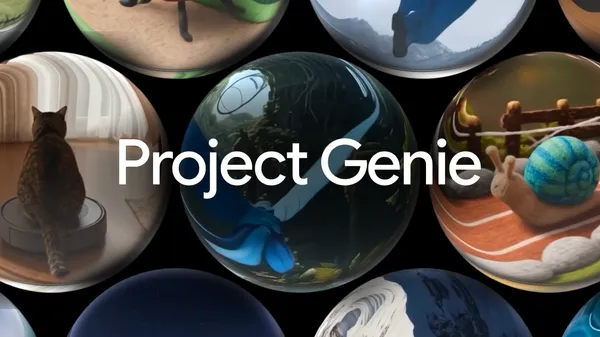 We’re connecting Project Genie with nearly 20 years of Google Street View imagery so you can create new worlds anchored in reality.
 Introducing a $100 AI Ultra plan — plus, new features and benefits for Google AI Plus, Pro and Ultra subscribers.
 At Google I/O 2026, we shared how we’re making AI more helpful for everyone. See everything we announced.
 At Google I/O we released Gemini 3.5, our latest series of models combining frontier intelligence with action.

We're thrilled to see developers continuing to bring their apps and experiences to Android for Cars! Over the past year, we've continued to see strong growth and momentum in the app ecosystem on Android Auto and cars with Google built-in. This year at Google I/O, we're introducing updates that benefit both drivers and developers by enabling richer, more differentiated in-car experiences. With new features and templates that allow you to build once to reach users across different infotainment screens and car platforms, it's easier than ever to build for the road.
We're bringing more flexibility, new components, and new template capabilities to the Car App Library. Car App Library 1.8.0-beta01 and Car App Library 1.9.0-alpha01 are now available.
Developers can now build customized, distraction-optimized, media browsing and playback experiences for Android Automotive OS, making it easier to build once and deliver these templated media apps to more users and more cars.
To help you test the experiences on Android Automotive OS, we'll be launching updated system images for the Android Automotive OS emulator. Beginning with revision 3, the API level 35-ext15 system images will support apps built using the Car App Library media templates.
With the 1.9.0-alpha01 release of the Car App Library, we're bringing features to help you build more differentiated, expressive experiences across Android Auto and cars with Google built-in.

We're increasing the modularity of existing templates to give developers more flexibility and options for laying out content. These improvements include expanded headers for better visual emphasis, such as on detail pages, spotlight sections that can be placed in scrollable areas to highlight specific content, and grid item variations to support different content types and states.


App developers, including those shown below, have already begun building upgraded media experiences using these new Car App Library features. You can join these developers and prepare to distribute your own media apps built with the Car App Library templates by applying to participate in our early-access beta program.

You’ve already built the apps, now we’re helping you reach more users. For the first time in Android Auto, users will be able to sit back, relax, and watch videos while parked. Apps, like YouTube, will be able to deliver smooth, 60fps HD video playback. This brings the Android Auto parked experience in line with the high-fidelity, immersive experiences users already enjoy in cars with Google built-in.
This capability will start rolling out to compatible vehicles later this year, for users with phones running Android 17 and higher. If your video app is already adaptive, making it available for parked use cases in cars requires minimal effort. To express interest in making your video app available on Android Auto, fill out this form.
The next generation of Android Auto brings a more expansive user interface and the Material 3 Expressive design system you know from the phone into the car, built to seamlessly fill larger screens no matter what shape they are. With this new design, the investments you've already made in mobile widgets will be available to users of Android Auto this year, and cars with Google built-in later on, opening up new ways to reach and engage with your users while they're on the road. We're excited to unlock these new glanceable user journeys!
You can look forward to even more updates coming to cars later this year.
To deliver a more continuous user experience, we're making it possible for you to provide a templated experience while driving that can seamlessly transition to a native, adaptive app experience when the vehicle is parked.
New components and conversational templates will be coming to the Car App Library, so you can integrate agentic and voice-based flows more seamlessly in apps.
Improved app brand expression across all car surfaces allow experiences built with the Car App Library to feel easily recognizable by your users.
Google Maps SDK support is coming to cars with Google built-in. With this change, you'll be able to use the Google Maps SDK to render map-based content with the MapWithContentTemplate in point-of-interest (POI) and Weather apps on both Android Auto and cars with Google built-in.
Stay updated on these features and start building with the latest at goo.gle/cars-whats-new.
Explore this announcement and all Google I/O 2026 updates on io.google.

This year at Google I/O we are going beyond iterative changes, towards a fundamental shift in how apps are built. Our newest tools are built for the agentic era with features that boost productivity for you as an Android developer AND supercharge the AI agents you deploy in your codebase. So, whether you are building exclusively with AI or you prefer being the architect of every line of code, our tools will keep you ahead of the curve.
As we move from "AI-assisted" to "Agentic" development, we’re making it easier than ever to turn a spark of an idea into a high-quality production app with significantly less developer effort.
So what’s new with Android developer tools? We will cover 3 main areas in this blog:
Let your agent handle it: Whatever development task you are working on, the Android Studio agent can help: from planning the app architecture and design, to writing code, to unit testing and bug fixing.
Any AI provider, anywhere you build: In Android Studio, you can use any model and we even help guide you to the best performing ones. Choose any of the top remote models from Google, Anthropic, OpenAI, or if you need to run locally - Gemma 4 is our most capable and efficient local model! And with Android CLI, you can build Android apps faster and easier using the agents and developer environments of your choice.
As always, performance and quality remain top priorities: We continue to invest in the Android developer tools you love: from the Emulator, to Profilers, performance analyzers, and more!
Android Studio now supports Agent Skills, modular instruction sets that ground LLMs in specialized workflows and domain-specific knowledge. By adding skills to your project, you can teach the agent to follow specific best practices, architecture patterns, or library workflows. This enables more accurate, context-aware code generation and automated skill activation for an appropriate task, ensuring the agent acts as an expert. We’ve bundled many of the top Android and Firebase agent skills in the latest Android Studio Canary build, so you can skip straight to building!
 Skills in Agent Mode
You can create your own skill, or use Android CLI to install our official skills - a repository that covers some of the most common workflows that some Android developers and LLMs may struggle with. They help models better understand and execute specific patterns that follow our best practices and guidance on Android development, such as XML to Compose migration, Edge-to-edge, Navigation 3, and more. You can even build for Android XR, starting with a beautiful Display Glasses app with Jetpack Compose Glimmer. Official Android skills are automatically bundled with the latest Android Studio so the Agent is ready to build!
Firebase services like Auth and Firestore databases can now be enabled directly within Agent Mode in Android Studio using the Agent Skills for Firebase. Your agent will be able to complete Firebase integration and configure backend services. This integration empowers you to build robust, full-stack Android applications without ever leaving your IDE!

You can now run multiple conversations with Agent Mode in parallel. In one conversation, run tests and while you are waiting, you can kick off planning mode for a new feature in your app while using a third conversation thread to write documentation for your app. These improvements will save you time and improve your productivity.

Android Studio's New Project Agent has evolved into a powerful full-stack development tool, utilizing a multi-step execution plan and an autonomous "generation loop" that self-corrects build errors and configures dependencies across multiple files. This advanced capability is significantly amplified by its new integration with Firebase Agent Skills, allowing developers to seamlessly build, debug, and deploy complete full-stack applications directly from a single prompt to final production.

Additionally, it now offers support for large screens. You can scaffold your project with layouts, navigation, and components optimized for tablets, foldables, and laptop devices from the get-go. It has additional logic to test your app on large-screen emulators if you have one enabled. Simply configure the required device in the Android Emulator and the Agent can test it out!

Google AI Studio now features full Android app development capabilities. Users can generate new applications, preview them instantly via an embedded Android Emulator, and deploy them directly to physical devices using ADB over USB. Additionally, developers can publish straight to Google Play; AI Studio handles the app record creation, bundles the package, and uploads it to an internal testing track. For advanced development and production readiness, projects can be exported as a ZIP file and opened seamlessly in Android Studio. To get started, visit Google AI Studio today and start building!
 Google AI Studio build mode with Android framework
Android CLI enables you to build apps using any agent, LLM, and tool of your choice. Android CLI is designed to help AI agents build faster, and use less tokens when compared to only using generic LLM tools. By grounding agents with Android Knowledge Base and Android skills, you can now have your agent of choice follow the latest best practices across any coding environment.
Additionally, when using the latest Canary version of Android Studio Quail, Android CLI enables your agent to leverage powerful capabilities of the IDE, such as analyzing files for issues or finding symbol declarations. Google Antigravity 2.0 now offers official support for Android development with Android CLI.


ADB Wi-Fi 2.0 offers significantly more reliable wireless debugging. With the latest ADB command line tool from Android Platform Tools v37 and an Android 17 device, you can now change networks, shut down your machine, and go about your typical day and your devices will stay connected. Additionally, devices with wireless debugging enabled will automatically show in Android Studio’s Device Manager, streaming the pairing process and making it easier than ever to connect Android phones, watches, and more.


Upload App Bundle to Google Play


Android Performance Analyzer (APA) is the next generation of performance profiler for Android and provides a cohesive analysis of CPU, GPU, memory, and power usage for your apps and games running on Android 12+ devices. APA is engineered for reliability and performance with trace rendering speeds which are up to 26x faster from previous tooling.

APA integrates natively with AI agents and offers two new skills: Perfetto SQL skill and the Perfetto Analysis skill, which helps with questions like "Why is my app startup slow?"


Explore this announcement and all Google I/O 2026 updates on io.google.

android.widget package) to be in maintenance mode. We have no plans to deprecate or remove View components and will continue to support them with critical bug fixes, but they will receive no new features.By Simon Cooke, Developer Relations Engineer (X) and Mayank Jain, Product Manager (X)

Android Performance Analyzer (APA) is Android’s new profiler and performance analysis tool for the Android mobile ecosystem.
APA is intended as a profiling tool for any developer building for Android who needs to make their app or game run better and faster. It is helpful for all performance-minded engineers, especially those using Vulkan in their game engines who want to squeeze every bit of performance out of their code.
APA aims to be the tool that helps you optimize apps and games for all modern Android devices and simplifies your most common workflows, with a simple interface that anyone on your team can quickly learn and be productive.
Available today in open beta is APA’s new System Profiler that you can use to analyze the CPU, GPU, Memory, and power usage of your app or game - and see how it interacts with system behavior.
Developed in collaboration with Samsung Austin Research Center (SARC) and LunarG, APA relies on Perfetto for system tracing and its upcoming frame profiling/debugging features (stay tuned!) are powered by LunarG’s GFXReconstruct technology for graphics capture and replay.
Devices running Android 12+ will provide the best experience for capturing system-wide performance and GPU counters and render stages.
We’re also working across the Android ecosystem with our esteemed industry partners to bring more profiling & optimization related data into APA.

APA ships in two different forms, and you can download whichever one suits your needs best
The standalone desktop app is intended to be used without an Android Studio project or Gradle build - and provides deep customization of recording configuration, built-in Vulkan layers for graphics analysis, deep inspection of GPU counters and much more.
APA is also cross-platform: works natively on Windows, MacOS, and Linux.
Capturing your profile data
You don’t always want to take a capture immediately at application or game launch. APA allows you to choose, and capture traces from your device at launch or triggered manually. The user interface allows you to select which GPU counters and other data is captured in a trace - and if you have more complex needs, you can provide your own custom Perfetto configuration.
Deep-Dive System Analysis
With APA, you can analyze the entire system’s behavior in one view. For example, you can easily examine CPU cores - both their frequencies and the work scheduled on them or inspect processes & their thread activity.
For graphics-heavy apps, APA provides GPU performance counter data across hardware from Qualcomm, Arm, Imagination, and Samsung. You can even track battery and power consumption to see the impact of your code on power consumption.
To understand exactly where frames are spending time, SurfaceFlinger events provide deep visibility into the rendering and display composition pipeline, from initial code acquisition to final display. And with the new screenshots feature, you can visually scrub through to easily find the exact areas where you want to focus your attention.
You can open existing Perfetto traces, zoom through the timeline for precise detail, and use rulers to measure the duration of work and events. APA also lets you bookmark and annotate interesting findings, and you can pin critical tracks to the top of your screen to keep your focus exactly where it needs to be as you optimize.
Tabbed interface and split windows: You can open multiple traces in side-by-side tabs or split a single trace into two windows to compare different regions of the same trace simultaneously.

Tabbed interface showing two traces side-by-side.
Project-based workflow: APA uses a project model that allows you to keep track of multiple traces from the project sidebar. This is especially useful for gathering the results of A/B testing and longitudinal tests, and keeping all of your results together for comparison & quick access purposes.

The new project window helps you manage multiple traces.
Navigate visually using screenshots: APA lets you capture screenshots during a trace (without any noticeable performance overhead) to home in on areas where you saw something affect performance by scrubbing through the timeline. Or even just to get your bearings.

Scrubbing the timeline using screenshots for navigation (trace taken from NetMarble’s Seven Deadly Sins: Origin).
Persistent view customizations: When you pin or vertically resize tracks, we save those customizations so that they persist the next time you open the trace.
Vulkan debug trace markers for render passes: We support Vulkan debug annotations for render passes - which allow you to view Render Pass names you set from your codebase directly in the tracks and slices shown in APA.
This immensely helps you to make logical connections between the workloads you see in the profiler to where they are originating from in your codebase.

Vulkan Debug Markers allow you to keep track of what kind of work is being performed in your trace.
Use AI to build SQL queries for custom analysis work: APA supports trace analysis via SQL queries and ships with a new Perfetto SQL skill for use with your favorite AI agents. This makes it easier to build queries without needing to remember Perfetto SQL schemas or the SQL syntax.

Ask Gemini to analyze traces for you: We’ve also added another Perfetto Analysis skill to answer high-level questions for you - like “Why is my app startup slow?” - helping you to find starting points when analyzing complex traces, using your favorite AI agent to pinpoint the answers.

Agentic trace analysis in Android Performance Analyzer
FPS and Frame Duration times : You can review the FPS and Frame duration time at a glance in the tracks to correlate it with other activity happening in your trace.

Speed and robustness improvements: Rendering a trace is now typically 6x to 26x faster than Android GPU Inspector, and APA is significantly more stable when working with large traces.
We’ve worked with our early access partners to create detailed case studies showcasing how APA could be used to improve performance for Vulkan apps & games.
The Forge used Android Performance Analyzer to identify the need to batch calls to vkCmdBindDescriptorSets, which reduced CPU setup costs by ~50%. This, in turn, slowed heat production on their device by 2-3x, leading to longer session times. They also used APA to identify opportunities to move font and UI rendering work over to the GPU, improving scalability.
You can read the full case study from The Forge here.
Note: This case study demonstrates how to use custom SQL queries in the profiler to generate a total rendering cost metric.

The Forge case study showing frames presented consistently at a stable 30 FPS using APA
Netmarble used Android Performance Analyzer to fine-tune their game Seven Deadly Sins: Origin, focusing particularly on improving performance by making changes to the precision of their shaders, and exploring the impact of upscaling on the performance of their renderer.
This allowed them to reduce the GPU cost of rendering some scenes by up to 90%.
Read the full NetMarble case study here.

Netmarble validating pre- and post-optimization performance changes using APA for their game: Seven Deadly Sins: Origin
Google has been improving the Filament glTF Viewer, our physically-based rendering engine.
We spent some time digging into the viewer with a variety of scenes, and showed how to use Android Performance Analyzer to identify scenes that are too complex for the GPU, and how to trim them down to hit a target 60FPS, by improving texture compression and optimizing geometry. Memory consumption was also reduced in this process.
You can read our exploration of Filament here.

Screenshot showing GPU wait time was reduced from 25ms to 20ms by introducing dynamic resolution and measuring it through APA
The Android Performance Analyzer is available for you to try out and use today:
This is beta software, which means that you might run into an occasional bug – please report it to us if you find any (Help Menu > Submit a bug report).
We’re excited to see how you use the new Android Performance Analyzer, and how it will help your project’s performance and reliability.
Explore this announcement and all Google I/O 2026 updates on io.google.


