The Stable channel has been updated to 153.0.8010.52/.53 for Windows and Mac and 153.0.8010.52 to Linux which will roll out over the coming days/weeks. A full list of changes in this build is available in the Log
Security Fixes and Rewards
Note: Access to bug details and links may be kept restricted until a majority of users are updated with a fix. We will also retain restrictions if the bug exists in a third party library that other projects similarly depend on, but haven’t yet fixed.
[TBD][500417361] Critical CVE-2026-93374: Use after free in Dawn. Reported by Florian Schweitzer on 2026-04-08
[N/A][548085797] Critical CVE-2026-93372: Buffer overflow in WebGL. Reported by Google on 2026-08-17
[$3,000][550839154] High CVE-2026-93375: Incorrect reference resolution in Tracing. Reported by M. Fauzan Wijaya (Gh05t666nero) on 2026-08-22
[TBD][541707261] High CVE-2026-93382: Use after free in PDFium. Reported by WinD39 - Huynh Dinh Vu on 2026-08-02
[N/A][553130676] High CVE-2026-93387: Improper state validation in Skia. Reported by Google on 2026-08-26
[N/A][553132214] High CVE-2026-93373: Use after free in Extensions. Reported by Google on 2026-08-26
[TBD][556853443] High CVE-2026-93381: Buffer overflow in PDFium. Reported by SeungMyung Lee (@sm1ee), Siung kim (@ksw9722) on 2026-09-03
[TBD][560039872] High CVE-2026-93379: Incorrect authorization in ORB. Reported by OGINOME Tomohito on 2026-09-11
[N/A][560121552] High CVE-2026-93377: Type confusion in V8. Reported by Google on 2026-09-11
[N/A][498411599] Medium CVE-2026-93380: Race condition in FileSystem. Reported by Google on 2026-04-01
[N/A][511832293] Medium CVE-2026-93384: Server-side request forgery in Omnibox. Reported by Google on 2026-05-10
[N/A][515493668] Medium CVE-2026-93383: Information leak in Permissions. Reported by Google on 2026-05-22
[N/A][520521197] Medium CVE-2026-93376: Out of bounds read in DataTransfer. Reported by Google on 2026-06-05
[N/A][540051167] Medium CVE-2026-93378: Missing authorization in Storage. Reported by Google on 2026-07-28
[N/A][553136980] Medium CVE-2026-93385: Information leak in Paint. Reported by Google on 2026-08-26
[N/A][513996595] Low CVE-2026-93386: UI misrepresentation in WebAppInstalls. Reported by Google on 2026-05-17
We would also like to thank all security researchers that worked with us during the development cycle to prevent security bugs from ever reaching the stable channel.
Interested in switching release channels? Find out how here. If you find a new issue, please let us know by filing a bug. The community help forum is also a great place to reach out for help or learn about common issues.
Srinivas Sista
Google Chrome
 We are expanding our AI & Economy team with world-class academic advisors, fellows, and core internal researchers.
 Google worked side-by-side with designers Jane Wade and Sergio Hudson to custom-design Google Flow tools to prep for NYFW.
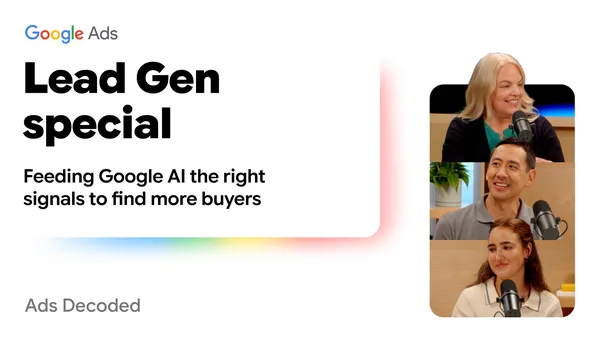 In this Ads Decoded episode, we break down data strength: What is it? How can you build it? And why do lead gen campaigns need it?

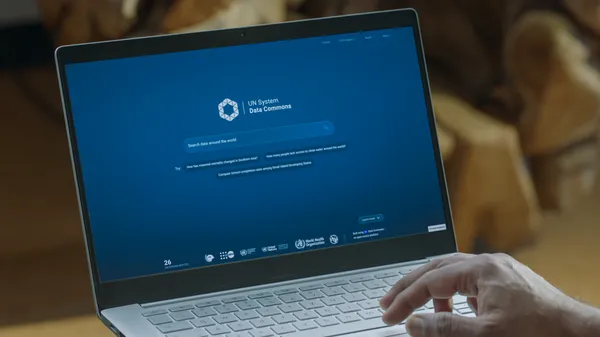 Google and the UN system have launched the UN System Data Commons, a new open platform making global statistics accessible and easy to search.