
Posted by Matthew McCullough, VP, Product Management, Android Developer
Announced today during The Android Show, Android is transitioning from an operating system to an intelligence system, creating more opportunities for engagement with your apps. Through deep integration between hardware and software, Android devices will be able to handle the heavy lifting of anticipating user needs, so your app can focus on delivering that experience at the right moment. As part of this, we are announcing Gemini Intelligence, a suite of new features that bring the best of Gemini to our most advanced Android devices.
Task Automation with Gemini
With Gemini Intelligence, we’re expanding Gemini’s ability to automate tasks across selected apps on behalf of the user with built-in transparency and control. This creates another avenue for user engagement, driving high-intent traffic to your app without requiring code or major engineering work from you. By allowing Gemini to navigate complex, multi-step tasks, such as ordering a latte from a cafe or building a shopping cart from a grocery list in a notes app, Gemini handles the logistics for users, so you’re free to focus on innovation and building great features.
We know there are times when people like to browse, and others when they want to quickly handle a task. Initially launched with selected food and ridesharing partners to build a grocery order or request a ride, this capability is expanding across more verticals and form factors, including foldables, watches, cars, and XR glasses.
Increase Engagement with AppFunctions
For more control over how agents interact with your app, you can use Android AppFunctions. This empowers you to provide specific tools, such as services, data, and actions directly to the OS and agents, paired with natural language descriptions. The system can then discover and execute these tools across form factors, enabling users to trigger your app’s functionality through the intelligence system for richer and more customized experiences with task automation. We’ve started testing these early stage APIs in a private preview with apps like KakaoTalk to enable users to “send messages” or “initiate voice calls” through this new framework. AppFunctions have already enabled local execution of 25 apps’ use cases across device manufacturers. You can experiment with the API locally and already register your interest to join the AppFunctions Early Access Program for full integration opportunities.
We’re providing multiple integration paths to meet you wherever you are on this intelligence journey, whether it’s with an effortless, “no-code change” app automation or using the AppFunctions API, to provide you with more control in an MCP-like fashion.
Enhanced User Experience with Widgets
We’re elevating the user experience by expanding widget support to new form factors, starting with cars. This creates new opportunities for you to engage with users on 250M Android Auto compatible vehicles.
Jetpack Glance makes it easy to build high-quality widgets, and it is now getting powerful new capabilities thanks to a new underlying framework called RemoteCompose.
- New richer, premium interactions: Built to be deeply adaptive and battery efficient, RemoteCompose allows Glance to deliver richer, more premium interactions. You can soon leverage new capabilities, including snapscroll, expressive buttons, and particle effects to create more engaging widgets.
- Built-in Backward Compatibility: These expressive RemoteCompose features are supported out-of-the-box on Android 16 and above. By using Jetpack Glance as your API, you maintain complete backward compatibility. Your widgets will automatically leverage these premium UI features on newer devices while gracefully degrading to support older OS versions.
Furthermore, RemoteCompose is the engine behind Create My Widget, a feature where users can ask Gemini to build fully adaptive custom widgets that can be resized and optimized seamlessly for the user's home screen or Wear OS watch.
Building Adaptively Beyond the Phone
From foldables, tablets, compatible cars, and XR headsets to the new Googlebooks, the canvas for Android apps has expanded across screens and form factors. Here are some of the updates to help you build adaptively:

- Jetpack Navigation 3: Our latest Jetpack Navigation 3 offers deeper adaptive support adding Scene decorators to the Scene API. Scene decorators can be used to modify the scene calculated by your app's scene strategy. For example, they can be used to add common UI elements such as top app bars and navigation bars/rails that you’d like to add at the scene, rather than nav entry level. NavDisplay now includes built-in functionality that makes nav entries shared elements so now you can smoothly transition between scenes. Check out our Nav3-recipes for more.
- Jetpack Compose: Adopting Compose into your app remains the easiest way to start building adaptive UIs, and we want to ensure that you have the right level of architectural support. We are working on a new set of building blocks in Compose 1.11 for responsive layouts and customization with Grid, Flexbox, MediaQuery and Style. We would love your feedback on them before removing the Experimental flag.
- Design guidance: Explore our updated design gallery to be inspired, our new desktop design hub or our adaptive layout guidance to get started.
For device-differentiated experiences, take advantage of the latest updates to:
-
Car App Library: We’re streamlining development by expanding the Car App Library, which allows you to "build once" and deliver customized, distraction-optimized media experiences to both Android Auto and Android Automotive OS. We’re further enabling richer in-car engagement by expanding support for adaptive video apps, so that videos can played full screen when cars are parked.
-
Android XR SDK: The Android XR SDK allows you to build deeply differentiated, custom experiences for a growing spectrum of XR devices, including upcoming wired XR glasses (like XREAL’s Project Aura), while existing adaptive apps automatically surface in immersive environments without additional developmental effort. You can get ready for display glasses by using Jetpack Compose Glimmer to build glanceable UIs tailored for display glasses, alongside Jetpack Projected APIs to bridge app experiences from the phone to the user’s field of view. The developer preview 4 of the Android XR SDK, coming next week, introduces new interactive components like Title Chips and Button Groups that optimize input for glasses touchpads. It streamlines your workflow with the new ProjectedTestRule API to automate testing environments.
A New Age for Your Users on Android
From the shift to an intelligence system to the expansion of new form factors like Googlebooks, Android is creating new ways for people to get more out of their device experiences with developers and app makers at the center of it.
Gemini Intelligence features will roll out in waves as they become ready, starting with the latest Samsung Galaxy and Google Pixel phones this summer. They will also become available across your Android devices including your watch, car, glasses and laptops later this year.
Stay tuned for even more news about app development in this new era at Google I/O next week.


.gif)


 Google's REPLIQA program funds academic institutions to apply quantum science and AI to life sciences for scientific breakthroughs.
 End-to-end encrypted RCS messaging is rolling out for Android and iPhone users, securing your cross-platform chats by default.
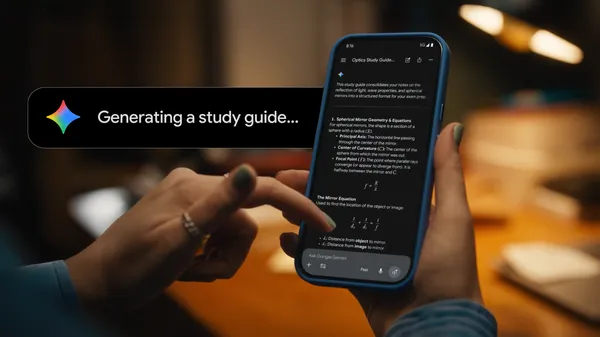 Gemini can turn hundreds of pages of notes into study guides or flashcards — or organize a semester’s worth of learning.
 Learn more about how outside attackers are misusing AI, and what Google is doing to stop it.