Today, we’re announcing the v24.2 release of the Google Ads API. This minor release brings critical security updates, new AI transparency features, reporting enhancements, and powerful planning insights. To use these new capabilities, you must upgrade your client libraries and client code. All the updated client libraries and code examples have been published.
We are also releasing minor versions v23.3, v22.2 and v21.2 of the Google Ads API to add additional support for multi-party approvals and synthetic content labeling.
Come join us for a live walkthrough of this release in our "Google Ads API Release Highlights" event on Discord or our Ads Developers YouTube Live tomorrow (June 25th at 10a ET). This will also be recorded and posted on YouTube for those who can’t make the live events. If you have any questions or want to discuss this post, reach out to us in the #ads-api channel on Discord.
New Features
Multi-party approvals (MPA) for Google Ads API: We are introducing support for multi-party approval in the Google Ads API. This feature secures sensitive account actions such as user invitations and user access level updates by requiring a second administrator to approve the changes.
AI Transparency: Synthetic Content Labeling: As AI-generated assets become more common, transparency is essential. Google Ads API v24.2 exposes the SyntheticContentInfo and SyntheticContentAttestation structures on both Asset and Ad resources, allowing you to programmatically label AI-generated ad creatives. Both the advertiser and Google systems can attest whether the assets and ads are AI-generated or not, as well as whether they were generated fully automatically, or with advertiser-review. If you're preparing for the EU AI Act taking effect on August 2, 2026, then explore this feature. To help you plan your upcoming integration work for v25, the interface for mutating advertiser attestation fields is being introduced early for versions v22 and later. The interface is visible in these versions, but synthetic_content_info.advertiser_attestation.status and synthetic_content_info.advertiser_attestation.source fields will remain immutable for these versions.
If you attempt a mutate request on either of these fields, one of these errors will be returned:
"The field attempted to be mutated is immutable" or "Field cannot be set". These fields will become fully mutable starting in v25. We recommend using the interface now to build and test your internal logic so your system is ready for full write capabilities when v25 is launched.
PMax Placement Reporting & Video Linkages: This release also includes key reporting and video asset enhancements:
- PMax Placement Segmentation: You can now segment your
performance_max_placement_view reporting by ad_network_type, giving you granular visibility into where your PMax ads are serving across Search, Display, and partner networks.
- YouTube Brand Channel Links: Create secure YouTube data links associated with a specific brand channel directly via the Google Ads API, enabling richer video asset integrations.
- Landing page text generation: Opt-in to automatic text asset generation derived directly from your landing page using the new
LANDING_PAGE_TEXT_GENERATION AssetAutomationType.
New Experiment Types: We have introduced new experiment types to provide greater testing flexibility.
- Campaign Mix Experiments: This new workflow supports the
COMPARE_CAMPAIGNS experiment type, which is equivalent to Custom mixed campaign types in the Google Ads UI. It allows you to assign existing campaigns across up to 5 experiment arms to compare multiple variables and campaign types within a single experiment. This workflow also supports creating custom Performance Max experiments.
- Performance Max Feature Testing: The new
PMAX_TEXT_CUSTOMIZATION_FINAL_URL_EXPANSION experiment type lets you split traffic within a single campaign to test the impact of text customization (formerly automatically created assets) and final URL expansion.
Documentation updates
We have revamped the release notes format to help you identify the changes introduced in each release. Breaking changes are now listed separately from non-breaking feature updates. The Feature deprecations and unversioned changes guide helps you keep track of feature sunsets.
We hope this new format helps you perform API upgrades more easily. Try it out, and let us know your feedback by clicking the Send Feedback button.
Getting Started
Google Ads API v24.2 is a drop-in upgrade for v24.1. If you use our client libraries, download the latest version of your client library to start using these features. For a full list of changes, please review the official release notes. For technical support issues, reach out to https://support.google.com/google-ads/contact/google_ads_api
 - Anash P. Oommen, Google Ads API Team
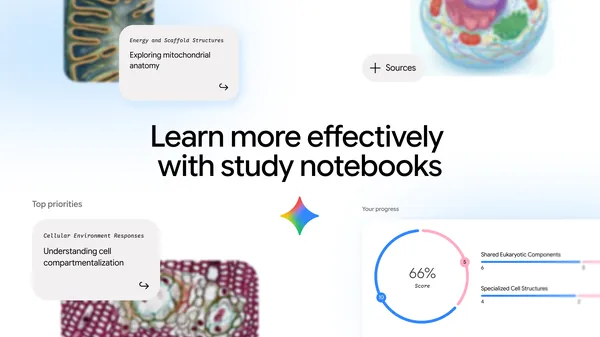 Study notebooks is a new space in the Gemini app that serves as an interactive learning tool tailored to any student's goals.
 Discover voice commands to manage your household. Simplify your morning, mid-day, and evening routines with this handy guide.
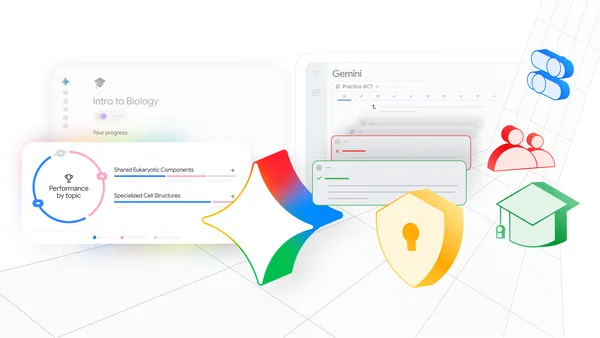 Announcing connected AI tools for students, including study notebooks and no-cost practice ACT and GRE tests.
 The debate over AI governance is stuck in a false choice between over-regulation and no regulation. There is a middle way: A pragmatic, evidence-based approach that reco…