Superior whole-home coverage with mesh extenders
GFiber provides reliable hardware at no additional cost, including Fiber Jacks and Wi-Fi 7 or Wi-Fi 6E routers, as well as mesh extenders to ensure total home coverage. GFiber routers are pretty powerful by themselves, covering up to more than 2,000 square feet which is larger than the average home. However, for large or multi-story homes, certain layouts, or areas with dead zones, mesh extenders are a must. A mesh extender is a second node that communicates with the main router to expand your Wi-Fi coverage across your home. Depending on your plan and needs, up to two extenders are included in the GFiber price to provide up to 5,000 sq ft of coverage.
The real cost of equipment
Many internet providers charge a monthly rental fee for equipment, which can significantly increase the annual cost of service. Equipment rental fees can be up to $15 monthly, according to HighSpeedInternet.com, which adds up to $180 per year. While some providers allow you to buy your own equipment to avoid these costs, they must be compatible with your provider’s system. In addition, you are then responsible for its maintenance, upgrades and diagnosing issues. And before long, you may find your equipment has become obsolete. Others require proprietary equipment. Always review the terms of service to see if you can opt out of these fees. GFiber never charges you a monthly fee for the equipment to make your internet service work, and we provide our customers the latest technology to ensure they are getting the most out of their network.
Every GFiber product comes with the hardware you need to get your home online, including free installation, performance verification, ongoing health monitoring via the GFiber app, and always free repairs (not that you’ll need them). You’ll never see a monthly internet equipment rental fee, and there’s no additional charge for the Fiber Jack or installation in your home. All included equipment is designed to cover up to 5,000 square feet with Wi-Fi.
Your devices also play a roll in your maximum Wi-Fi speed
Understanding your Wi-Fi technology and how it was built to support your devices is the key to getting the most out of them. Why? Because the Wi-Fi enabled devices in your home were also built on a Wi-Fi standard, which defines the Wi-Fi speeds they’ll get. Some older devices only support earlier standards of Wi-Fi technology. If you have an older device, it may not be able to go as fast as your GFiber internet could otherwise take it
Fiber infrastructure and the right equipment improves connectivity
Even the best high-performance routers cannot resolve the inherent limitations of asymmetrical speed of infrastructure that is not 100% fiber. Equipment performance is most effective when powered by robust infrastructure. Fiber-to-the-home (FTTH) technology delivers symmetrical upload and download speeds – meaning speed that is as fast when sending data as it is when receiving dataThis combination of hardware and technology is particularly critical for high-bandwidth activities like video conferencing, large file transfers, and multi-user households.
Equipment and installation are always included with GFiber
GFiber provides a complete FTTH service with the latest Wi-Fi standards and mesh extenders included at no additional monthly cost. We install a multi-gig Fiber Optic Jack—the small device that connects your home to our network—and a GFiber Wi-Fi Router.
Learn more about Wi-Fi from these classic blogs:
How does Wi-Fi work?
How fast can your devices go?
Maximizing your Wi-Fi
Learn more about GFiber installation here.
Internet provider equipment comparison
GFiber offers high-speed symmetrical internet with advanced Wi-Fi standards, plus equipment and professional or self installation included.
Provider | Monthly Router or extender fee | Wi-Fi standard | Standard Installation fee |
GFiber | No | Wi-Fi 6E is minimum standard Wi-Fi 7 standard with Home and Edge | No |
AT&T Fiber | Yes | Wi-Fi 6 is standard Wi-Fi 7 with $25/mo. upgrade or promo with 5 Gig | Yes |
Metronet (now known as T-Fiber) | Yes | Wi-Fi 6 | Yes |
Spectrum | Yes | Wi-Fi 6E standard for plans slower than 1 Gig Wi-Fi 7 with Gig+ plans | Yes |
Xfinity | No | Wi-Fi 6 Wi-Fi 6E with some plans | Yes |
Disclaimers
AT&T, Xfinity, Quantum, Spectrum, Metronet: Source of competitor equipment and installation fees is based on publicly available "Nutrition Label" data and competitor websites as of February 2026.
Customers canceling service will have to pay a replacement fee (including any applicable taxes) if they fail to return equipment within 60 days after cancellation.
Actual internet, Wi-Fi speeds, and Wi-Fi coverage are not guaranteed and can vary based on factors such as home or business size and layout, construction materials, hardware and software limitations, latency, packet loss, etc.
 A Google DeepMind engineer breaks full-stack development into five simple layers and explains how it affects everyday users.
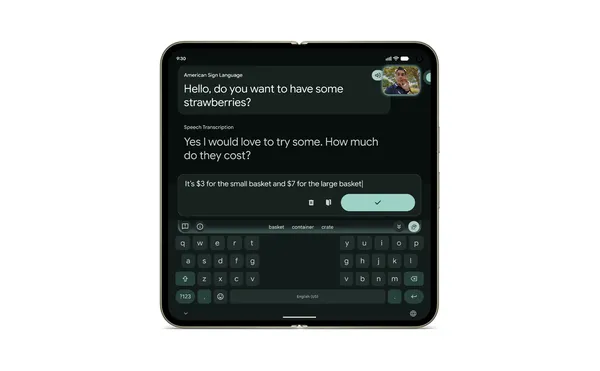 Developed in partnership with the Deaf community, sign-to-text translates ASL into text in real time.
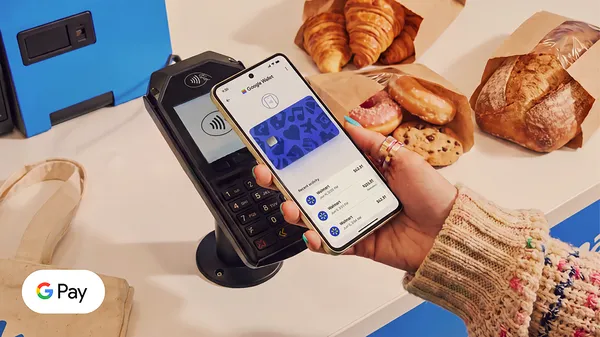 Add your preferred card to Google Wallet to tap to pay at Walmart stores.
.jpg)
.jpg)
