Author Archives:
Chrome for Android Update
Hi, everyone! We've just released Chrome 150 (150.0.7871.128) for Android. It'll become available on Google Play over the next few days.
This release includes stability and performance improvements. You can see a full list of the changes in the Git log. If you find a new issue, please let us know by filing a bug.
Source: Google Chrome Releases
Stable Channel Update for Desktop
The Stable channel has been updated to 150.0.7871.128/.129 for Windows and Mac and 150.0.7871.128 for Linux, which will roll out over the coming days/weeks. A full list of changes in this build is available in the Log
Security Fixes and Rewards
Note: Access to bug details and links may be kept restricted until a majority of users are updated with a fix. We will also retain restrictions if the bug exists in a third party library that other projects similarly depend on, but haven’t yet fixed.
This update includes 7 security fixes. Please see the Chrome Security Page for more information.
[N/A][516987782] Critical CVE-2026-15899: Use after free in CameraCapture. Reported by Google on 2026-05-27
[N/A][523750584] Critical CVE-2026-15900: Use after free in GPU. Reported by Google on 2026-06-14
[N/A][533446300] Critical CVE-2026-15901: Use after free in Network. Reported by Google on 2026-07-10
[N/A][522436154] High CVE-2026-15902: Use after free in Cast. Reported by Google on 2026-06-10
[TBD][531503216] High CVE-2026-15903: Out of bounds read and write in V8. Reported by OpenAI Codex Security (amyb) on 2026-07-06
[N/A][532925350] High CVE-2026-15904: Use after free in Ozone. Reported by Google on 2026-07-09
[N/A][532970574] High CVE-2026-15905: Use after free in Aura. Reported by Google on 2026-07-09
We would also like to thank all security researchers that worked with us during the development cycle to prevent security bugs from ever reaching the stable channel.
Many of our security bugs are detected using AddressSanitizer, MemorySanitizer, UndefinedBehaviorSanitizer, Control Flow Integrity, libFuzzer, or AFL.
Interested in switching release channels? Find out how here. If you find a new issue, please let us know by filing a bug. The community help forum is also a great place to reach out for help or learn about common issues.
Daniel Yip
Google Chrome
Source: Google Chrome Releases
New Google Meet ‘Take notes for me’ settings for admins and end users
To help users remember to capture notes for meetings when it’s most valuable, we’re updating the admin and end user settings that let them pre-configure AI note-taking for Google Meet.
Admin settings
Previously, admins could only enable or disable automatic note-taking for all meetings. Today, we’re starting to roll out a third option, which will allow admins to enable automatic note-taking only for meetings with three or more people.
Customers on Business Standard and Business Plus plans will soon see this setting turned ON by default; the setting will be OFF by default for customers on Enterprise Standard, Enterprise Plus, and Frontline Plus plans, as well as those with the Google AI Pro for Education add-on. There will be no impact to the end user experience on any plan before September 21, 2026. If you want to change your settings, you can do so in the Admin console.
If you currently participate in the Gemini Alpha program, and previously tested this setting, it may already be ON. Please review the current state of the settings for your organization in the Admin console before September 21, 2026.
End user settings
We’re also introducing a way for end users to enable note-taking only for meetings with three or more participants. Once the “For all meetings I host with 3+ guests” option rolls out, users should revisit their settings to confirm they’re configured as desired. This option will become available no sooner than September 21; stay tuned to the Workspace Updates blog to be notified when that rollout starts.
Getting started
- Admins for Business Standard and Business Plus organizations: This new setting is ON by default. If you wish to change your settings, you should do so before September 21, 2026, to avoid any impact for end users. Visit the Help Center for more information on how to adjust these settings.
- Admins for Enterprise Standard, Enterprise Plus, Frontline Plus, and Google AI Pro for Education organizations: This new setting is OFF by default. You can adjust this setting in the Admin console once it appears, but it will not affect the end user experience before September 21, 2026. Visit the Help Center for more information on how to adjust these settings.
- Admins for organizations participating in Gemini Alpha program: Your settings may be impacted by previous configurations. Please review your settings before September 21, 2026, to ensure they’re configured correctly.
- End users on all plans: The default set by admins will go into effect for end users no sooner than September 21, 2026. Users can override this default in the Meet user settings after that date. Visit the Help Center to learn more about Meeting settings for “take notes for me”.
Rollout pace
Admin setting
- Rapid Release and Scheduled Release domains: Rolling out now, with expected completion by August 3, 2026
End user setting
- Rapid Release and Scheduled Release domains: Gradual rollout (up to 15 days for feature visibility) starting no sooner than September 21, 2026*
*We’ll post an update on the Workspace Updates blog when the end user setting rollout begins.
Availability
- Business: Business Standard and Plus
- Enterprise: Enterprise Standard and Plus
- Other Editions: Frontline Plus
- Education Add-ons: Google AI Pro for Education
Resources
- Google Meet Help: Take notes for me in Google Meet
- Google Workspace Updates Blog: New user controls for Take notes for me
Source: Google Workspace Updates
Cast yourself in AI video clips using your personal avatar with Gemini Omni in Vids
Users now have access to Gemini Omni directly within Google Vids. With Gemini Omni, you can create videos using your personal avatar to scale your presence without the studio time. Use a secure verification process to capture your likeness and then select it as a character in Omni generations within Vids.
| Personal avatar user experience |
- Secure verification: Verify and manage your personal avatar directly within your Google Account.
- Seamless integration: Easily add your personal avatar from the selector in Vids.
- Administrative oversight: Admins can manage or disable this feature through the Admin console.
A note on language and region availability
At launch, personal avatars are available in English only for users 18 years and older. They’re not available in the European Economic Area, Switzerland, or the United Kingdom. Learn more about personal avatar privacy settings.
Getting started
- Admins: This feature will be ON by default and can be disabled or enabled at the domain level. Visit the Help Center to learn more about managing personal avatars in Vids.
- End users: Visit the Help Center to learn more about using personal avatars in Vids.
Rollout pace
- Rapid Release domains: Gradual rollout (up to 15 days for feature visibility) starting on July 16, 2026
- Scheduled Release domains: Gradual rollout (up to 15 days for feature visibility) starting on August 5, 2026
Availability
- Business: Business Starter, Standard, and Plus
- Enterprise: Enterprise Starter, Standard, and Plus
- Education: Education Plus
- Consumer: Google AI Pro and Ultra
- Other Editions: Enterprise Essentials and Enterprise Essentials Plus; Nonprofits
- Education Add-ons: Google AI Pro for Education; Teaching and Learning
- Other Add-ons: AI Expanded Access*
*Users with AI Expanded Access add-on licenses have higher limits on usage of Omni in Vids.
Resources
- Google Docs Editors Help: Create, use & manage your personal avatar with Gemini in Google Vids
- Google Docs Editors Help: Use Omni in Google Vids
Source: Google Workspace Updates
Generate higher quality AI video clips and edit any video with Gemini Omni in Vids
Users now have access to Gemini Omni directly within Google Vids. Omni provides higher quality video generation with significant improvements over previous models. Additionally, Omni’s world understanding unlocks simple video edits so you can ask Omni to tweak the video you have to get the video you need.
![]() |
| Omni in Vids user experience |
- Generate clips with higher quality: Generate higher quality videos with improved text rendering, physics, and realism using Google’s latest Omni Flash model.
- Edit videos by typing changes: For example, fix the color-grading, restyle the visuals in anime, or remove that New York siren in the background with a simple text instruction in Vids.
A note on language and region availability
At launch, editing non-AI videos with Omni is not available in the European Economic Area, Switzerland, United Kingdom, Texas, or Illinois.
Getting started
- Admins: This feature does not have an admin control.
- End users: Visit the Help Center to learn more about using Omni in Vids.
Rollout pace
- Rapid Release domains: Gradual rollout (up to 15 days for feature visibility) starting on July 16, 2026
- Scheduled Release domains: Gradual rollout (up to 15 days for feature visibility) starting on August 5, 2026
Availability
- Business: Business Starter, Standard, and Plus
- Enterprise: Enterprise Starter, Standard, and Plus
- Education: Education Plus
- Consumer: Google AI Pro and Ultra
- Other Editions: Enterprise Essentials and Enterprise Essentials Plus; Nonprofits
- Education Add-ons: Google AI Pro for Education; Teaching and Learning
- Other Add-ons: AI Expanded Access*
*Users with AI Expanded Access add-on licenses have higher limits on usage of Omni in Vids.
Resources
- Google Vids Editors Help: Use AI to generate video clips
Source: Google Workspace Updates
Experience the legacy of Estadio Azteca on Google Earth.
Relive 60 years of soccer history at Mexico City’s Aztec Stadium with Google Earth and the ICA Foundation.
Source: The Official Google Blog
This Week in Open Source for July 16, 2026
A look around the world of open source
We’re diving into another week of open source news and discussions. As the ecosystem continues to evolve, we're seeing more conversations around the intersection of AI workflows, security at scale, and the infrastructure that supports the open web.
This week, we’re highlighting a few "Open Source Reads" that tackle some of the biggest questions facing our ecosystem today—from the complex ethics of AI-generated workflows to the future of federated social networks. We hope these links provide valuable context as we work together to sustain the critical infrastructure we all rely on.
Upcoming Events
- ASWF Open Source Days (July 19–20) — Los Angeles, CA. Hosted by the Academy Software Foundation, focusing on open source software in visual effects (VFX) and animation.
- KubeCon + CloudNativeCon Japan 2026 (July 28–30) — Yokohama, Japan. The Cloud Native Computing Foundation's flagship conference in Japan.
- Black Hat & DEF CON 2026 (August 1–9) — Las Vegas, NV. While primarily cybersecurity, both heavily feature open source hacking tools. The Open Source Security Foundation (OpenSSF) also has a major presence here.
- FOSSY (August 6–9) — Vancouver, Canada. A highly community-focused open source conference emphasizing grassroots participation and collaboration.
- Community over Code Asia (August 7–9) — Beijing, China. The Asian edition of the Apache Software Foundation's (ASF) community-first conference.
- Open Source Summit Korea (August 11–12) — Seoul, South Korea. Hosted by the Linux Foundation, bringing together open source maintainers and enterprises.
- KubeCon + CloudNativeCon + OpenInfra Summit + PyTorch Conference China (September 7–9) — Shanghai, China. A massive collaborative mega-event uniting open infrastructure, cloud, and AI communities.
- OSPOlogy + OSPO Summit (September 7) — Shanghai, China. Focused on Open Source Program Offices (OSPOs), governance, and corporate open source sustainability.
Open Source Reads and Links
- [Blog] Elephants, Goldfish and the New Golden Age of Software Engineering - This isn't directly open source, but with the open source ecosystem trying to find good AI workflows I thought the Elephant-Goldfish model was an interesting take. It makes the distinction between using AI as a toy and using it as a tool.
- [Article] Open-source AI and the Choice Before Us - The communities with minimal influence on AI development will likely be the most affected by it. This article looks at how strong rules and institutions are needed to guide AI's safe and fair use. The future of AI depends on whether we build systems that include everyone or just deepen existing divides.
- [Article] Open source carries the world. Patching it at Mythos-scale can't fall to maintainers alone. - The past year has shown that AI is speeding up the discovery of vulnerabilities in open source software. Endor Labs is offering a solution to utilize AI to create patching stop gaps for users of the libraries so that maintainers and contributors have the time to create good quality fixes to these vulnerabilities.
- [Blog] The AT-URI Syntax Mess - I am very excited about the open social web, especially things happening around the AT protocol. Early misunderstanding led to the current AT URI syntax being invalid. This article looks at the possible ways forward.
- [Article] The Open Social Web Needs Section 230 to Survive - The open web has always been a promise of free speech. When walled garden social media got involved it created some questions around whether free speech applies to the content served by the corporations running those networks. However, the open social web is not run by corporations. It can be, and it can also be run by individuals federating instances or running their own PDS. So, how do we maintain the free speech promise of the internet with this in mind?
Which of these stories will you be chatting about at your next meetup or conference? Let us know! Share with us on our @GoogleOSS X account or our @opensource.google Bluesky account.
Source: Google Open Source Blog
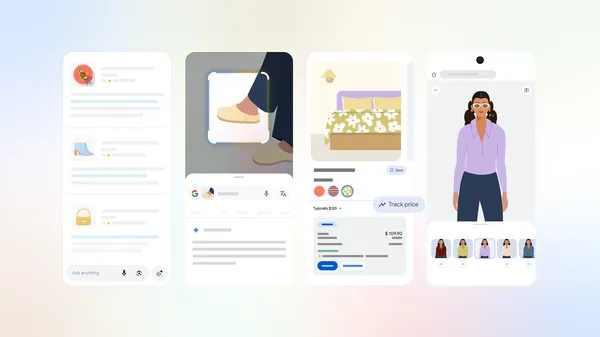
6 back-to-school shopping tricks every student should know
Whether you're decorating, refreshing your wardrobe or picking up last-minute essentials, these shopping tools make all the difference.