This version includes selected security fixes including:
513602949 High CVE-2026-19141 Use after free in Resources
513138301 High CVE-2026-13281 Integer overflow in Mojo
533053621 High CVE-2026-19155 Use after free in Payments
540138836 High CVE-2026-19175 Use after free in Payments
513313107 High CVE-2026-12446 Insufficient data validation in Passwords
532939327 High CVE-2026-19153 Insufficient validation of untrusted input in Workers
536584251 High CVE-2026-19166 Use after free in Web Authentication
523729553 High CVE-2026-15123 Insufficient data validation in DOM
516486611 High CVE-2026-17680 Heap buffer overflow in Color
517484284 High CVE-2026-12460 Insufficient policy enforcement in File System Access
496280532 High CVE-2026-9126 Use after free in DOM
517124587 High CVE-2026-12456 Insufficient validation of untrusted input in Extensions
517406035 High CVE-2026-12459 Inappropriate implementation in Serial
532970574 High CVE-2026-15905 Use after free in Aura
523752265 High CVE-2026-15127 Inappropriate implementation in WebGL
502293787 High CVE-2026-17657 Use after free in Navigation
503553615 Medium CVE-2026-15107 Use after free in IndexedDB
523238265 High CVE-2026-15118 Use after free in Input
515443146 High CVE-2026-15108 Integer overflow in Extensions API
522092013 High CVE-2026-15116 Use after free in Actor
514741076 High CVE-2026-12451 Use after free in DigitalCredentials
515463295 High CVE-2026-12015 Use after free
522436154 High CVE-2026-15902 Use after free in Cast
513795122 Medium CVE-2026-15778 Insufficient validation of untrusted input in Navigation
523505418 High CVE-2026-15119 Inappropriate implementation in GetUserMedia
523712556 High CVE-2026-15121 Use after free in WebRTC
523308824 High CVE-2026-13031 Use after free in Blink
523711130 High CVE-2026-13036 Use after free in Blink
523292588 High CVE-2026-16805 Use after free in Blink
523224019 High CVE-2026-13853 Use after free in Journeys
517508651 High CVE-2026-15111 Use after free in Views
516797143 High CVE-2026-12017 Insufficient validation of untrusted input on subframe error pages
517080836 High CVE-2026-13023 Uninitialized Use in GPU
519728279 High CVE-2026-13026 Use after free in Digital Credentials
517148260 High CVE-2026-13024 Insufficient validation of untrusted input in Navigation
523690961 High CVE-2026-13854 Use after free in Ozone
516872067 High CVE-2026-12019 Out of bounds write
512772489 High CVE-2026-10970 Insufficient validation of untrusted input in InterestGroups
513044017 High CVE-2026-19140 Use after free in GPU
520565945 High CVE-2026-15114 Out of bounds read and write in Codecs
533331920 High CVE-2026-19156 Heap buffer overflow in Base
534582496 High CVE-2026-16423 Use after free in UI
536067175 High CVE-2026-19159 Use after free in Views
516794471 High CVE-2026-11672 Out of bounds write in GPU
534903095 Critical CVE-2026-19157 Out of bounds write in ANGLE
517069848 High CVE-2026-12455 Use after free in Tab Strip
514442821 Critical CVE-2026-17650 Use after free in Compositing
506375731 High CVE-2026-10956 Use after free in MimeHandlerView
517585486 High CVE-2026-11691 Insufficient validation of untrusted input in New Tab Page
499182801 High CVE-2026-12012 Use after free
517130229 High CVE-2026-11684 Insufficient policy enforcement in Network
514742747 High CVE-2026-12014 Use after free
Release notes for LTS-144 can be found here
Want to know more about Long-term Support? Click here
Andy Wu
Google Chrome OS
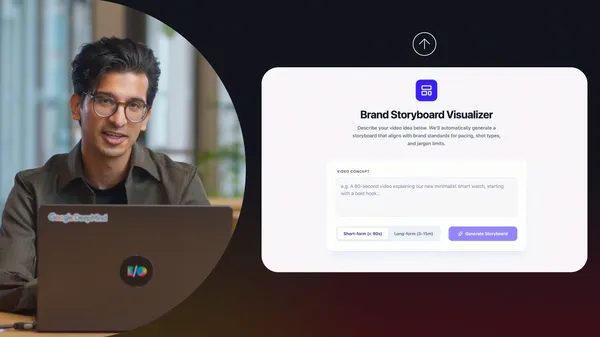 The Google AI Professional Certificate is now the most popular gen AI program on Coursera, and we are expanding it with vibe coding.
 Google Health is teaming up with Abbott to give more holistic views of metabolic and women’s health.
 Here are five easy ways Google tools can help you make plans, explore, and create memories at the state fair.
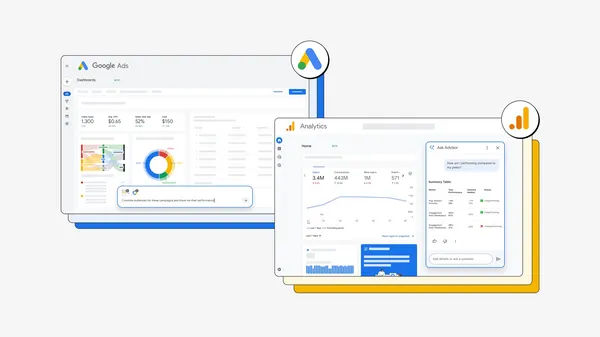 Learn how new AI and agentic experiences across Google Ads and Google Analytics can simplify your marketing workflow.
 Venmo is now available as a payment option on Google Play, giving you more flexibility at checkout.


.jpg)


.jpg)

.jpg)