
Posted by Steven Jenkins, Product Manager, Sherif Eid, Senior Software Engineer, and Fabien Sanglard, Staff Software Engineer, Android Studio
Wireless debugging on Android is now faster, more reliable, and easier to set up than ever. With ADB Wi-Fi 2.0, we’ve introduced a new server stack and smarter network handling to directly address developer feedback around usability gaps.
How ADB Wi-Fi 2.0 Improves Wireless Debugging
To ensure ADB Wi-Fi 2.0 is even more reliable, we reworked all three core components of the stack: the adb server, the adbd daemon, and Android Studio.
Here are the new features:
- A new server stack (adb): Previously, wireless device connections would sever when network configurations changed or devices were turned off. This meant that connections would drop for common occurrences. With our new mDNS stack, we’ve replaced both Bonjour and legacy mDNS so that your wireless devices more reliably stay connected as you go about your day.
- Smarter network handling (adbd): Previously, the workstation's mDNS client would sporadically drop services. Now, the daemon automatically turns off ADB Wi-Fi when it detects an untrusted network and re-enables itself once running on a user-allowed network.
- Improved discoverability in Android Studio: Previously, Wi-Fi pairing was difficult to find. Now, you simply enable wireless debugging on your phone and it will show in Android Studio’s Device Manager.
With ADB Wi-Fi 2.0, auto-connection success rates improved by 32% and connection speeds increased by 66% for 90% of connections.
Getting Started
You can use ADB Wi-Fi 2.0 on your phone, tablet, Wear OS, and TV. Here’s how to get started:
- Update to Android 17, Android SDK Platform-Tools 37.0.0, and Android Studio Quail 3 or later.
- Ensure your workstation and your Android device are connected to the same Wi-Fi network.
- On your device, navigate to Developer Options and enable Wireless debugging.
- Open the Android Studio Device Manager and click the pair over Wi-Fi icon
 .
.
- Scan the QR code with your device or use a pairing code, and you're all set!
For more information, see the documentation or watch the presentation at Android Makers by droidcon 2026.
As always, we appreciate any feedback. If you find a bug or issue, please report it. Also, you can be part of our vibrant Android developer community on LinkedIn, YouTube, or X.
 Since 2016, we’ve supported 2,115 startups, developers, research organizations, and NGOs across 92 countries.
 People are turning to Gemini for help with complex government tasks, like filing taxes, preparing fines, and accessing social services.


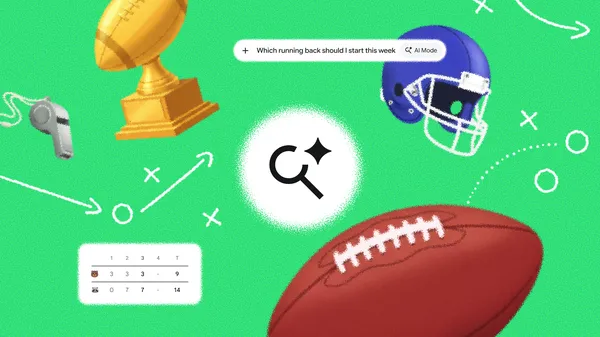 Track live game feeds, explore detailed stats, and get custom fantasy recommendations directly in Search this season.
 Discover how filmmakers and Google DeepMind used AI to recreate a couple's unrecorded past in the short film "Love, Rendered."
 Google invests €13B in Finland to boost digital infrastructure, clean energy, create jobs, and support local environmental initiatives.
 Today Google announced new local energy partnerships — including our first ever agreement for a nuclear plant life extension & uprate — to contribute to a resilient, aff…