Security Fixes and Rewards
Note: Access to bug details and links may be kept restricted until a majority of users are updated with a fix. We will also retain restrictions if the bug exists in a third party library that other projects similarly depend on, but haven’t yet fixed.
This update includes 74 security fixes. Below, we highlight fixes that were contributed by external researchers. Please see the Chrome Security Page for more information
[N/A][516501794] Critical CVE-2026-11628: Use after free in Ozone. Reported by Google on 2026-05-25
[N/A][516674532] Critical CVE-2026-11629: Use after free in Ozone. Reported by Google on 2026-05-26
[N/A][516677924] Critical CVE-2026-11630: Use after free in File Input. Reported by Google on 2026-05-26
[N/A][516691130] Critical CVE-2026-11631: Use after free in Aura. Reported by Google on 2026-05-26
[N/A][516707881] Critical CVE-2026-11632: Use after free in TabStrip. Reported by Google on 2026-05-26
[N/A][516963272] Critical CVE-2026-11633: Use after free in Bluetooth. Reported by Google on 2026-05-27
[N/A][516975148] Critical CVE-2026-11634: Use after free in Gamepad. Reported by Google on 2026-05-27
[N/A][516987814] Critical CVE-2026-11635: Use after free in Bluetooth. Reported by Google on 2026-05-27
[N/A][517023053] Critical CVE-2026-11636: Use after free in Autofill. Reported by Google on 2026-05-27
[N/A][517040438] Critical CVE-2026-11637: Use after free in Views. Reported by Google on 2026-05-27
[N/A][517047197] Critical CVE-2026-11638: Use after free in Printing. Reported by Google on 2026-05-27
[N/A][517227707] Critical CVE-2026-11639: Use after free in Compositing. Reported by Google on 2026-05-27
[N/A][517339758] Critical CVE-2026-11640: Integer overflow in libyuv. Reported by Google on 2026-05-28
[N/A][517418936] Critical CVE-2026-11641: Use after free in Bluetooth. Reported by Google on 2026-05-28
[N/A][517678820] Critical CVE-2026-11642: Use after free in Web Apps. Reported by Google on 2026-05-29
[N/A][518006379] Critical CVE-2026-11643: Use after free in Proxy. Reported by Google on 2026-05-29
[N/A][518043597] Critical CVE-2026-11644: Use after free in Views. Reported by Google on 2026-05-30
[$55000][506689381] High CVE-2026-11645: Out of bounds memory access in V8. Reported by 303f06e3 on 2026-04-27
[$500][517168239] High CVE-2026-11646: Use after free in ViewTransitions. Reported by Quac Tran on 2026-05-27
[N/A][502156940] High CVE-2026-11647: Use after free in Printing. Reported by Google on 2026-04-13
[N/A][506684534] High CVE-2026-11648: Use after free in FullScreen. Reported by Mihnea Nicolau on 2026-04-27
[N/A][511270083] High CVE-2026-11649: Use after free in V8. Reported by Google on 2026-05-08
[N/A][511279942] High CVE-2026-11650: Use after free in V8. Reported by Google on 2026-05-08
[N/A][511736002] High CVE-2026-11651: Use after free in Network. Reported by Google on 2026-05-10
[N/A][513156160] High CVE-2026-11652: Use after free in Extensions. Reported by Google on 2026-05-14
[N/A][513321171] High CVE-2026-11653: Insufficient validation of untrusted input in Extensions. Reported by Google on 2026-05-14
[N/A][513362710] High CVE-2026-11654: Use after free in CameraCapture. Reported by Google on 2026-05-15
[N/A][513396305] High CVE-2026-11655: Integer overflow in Media. Reported by Google on 2026-05-15
[N/A][513424000] High CVE-2026-11656: Use after free in ServiceWorker. Reported by Google on 2026-05-15
[N/A][513465272] High CVE-2026-11657: Use after free in Payments. Reported by Google on 2026-05-15
[N/A][513564337] High CVE-2026-11658: Insufficient validation of untrusted input in Extensions. Reported by Google on 2026-05-15
[N/A][513702971] High CVE-2026-11659: Insufficient validation of untrusted input in UI. Reported by Google on 2026-05-16
[N/A][513731890] High CVE-2026-11660: Insufficient validation of untrusted input in New Tab Page. Reported by Google on 2026-05-16
[N/A][513748868] High CVE-2026-11661: Use after free in Views. Reported by Google on 2026-05-16
[N/A][513773313] High CVE-2026-11662: Type Confusion in Bindings. Reported by Google on 2026-05-16
[N/A][513820666] High CVE-2026-11663: Use after free in Skia. Reported by Google on 2026-05-16
[N/A][513830374] High CVE-2026-11664: Use after free in Payments. Reported by Google on 2026-05-16
[N/A][513948465] High CVE-2026-11665: Out of bounds read in Dawn. Reported by Google on 2026-05-17
[N/A][514009323] High CVE-2026-11666: Insufficient validation of untrusted input in Input. Reported by Google on 2026-05-17
[N/A][514671098] High CVE-2026-11667: Out of bounds read in WebRTC. Reported by Google on 2026-05-19
[N/A][515419790] High CVE-2026-11668: Uninitialized Use in Codecs. Reported by Google on 2026-05-21
[N/A][515429352] High CVE-2026-11669: Integer overflow in Media. Reported by Google on 2026-05-21
[N/A][515469283] High CVE-2026-11670: Use after free in PDF. Reported by Google on 2026-05-21
[N/A][516608438] High CVE-2026-11671: Use after free in Navigation. Reported by Google on 2026-05-26
[N/A][516794471] High CVE-2026-11672: Out of bounds write in GPU. Reported by Google on 2026-05-26
[N/A][516902973] High CVE-2026-11673: Use after free in InterestGroups. Reported by Google on 2026-05-26
[N/A][516910450] High CVE-2026-11674: Use after free in Guest View. Reported by Google on 2026-05-27
[N/A][516915337] High CVE-2026-11675: Insufficient validation of untrusted input in Skia. Reported by Google on 2026-05-27
[N/A][516949298] High CVE-2026-11676: Insufficient validation of untrusted input in Dawn. Reported by Google on 2026-05-27
[N/A][516979551] High CVE-2026-11677: Race in Network. Reported by Google on 2026-05-27
[N/A][516986556] High CVE-2026-11678: Integer overflow in libyuv. Reported by Google on 2026-05-27
[N/A][516997135] High CVE-2026-11679: Use after free in Codecs. Reported by Google on 2026-05-27
[N/A][517004487] High CVE-2026-11680: Use after free in Media. Reported by Google on 2026-05-27
[N/A][517050585] High CVE-2026-11681: Use after free in Ozone. Reported by Google on 2026-05-27
[N/A][517103584] High CVE-2026-11682: Insufficient validation of untrusted input in Views. Reported by Google on 2026-05-27
[N/A][517129549] High CVE-2026-11683: Use after free in WebCodecs. Reported by Google on 2026-05-27
[N/A][517130229] High CVE-2026-11684: Insufficient policy enforcement in Network. Reported by Google on 2026-05-27
[N/A][517183713] High CVE-2026-11685: Insufficient data validation in MediaCapture. Reported by Google on 2026-05-27
[N/A][517247333] High CVE-2026-11686: Insufficient validation of untrusted input in Dawn. Reported by Google on 2026-05-27
[N/A][517303276] High CVE-2026-11687: Use after free in Dawn. Reported by Google on 2026-05-28
[N/A][517309206] High CVE-2026-11688: Object lifecycle issue in SVG. Reported by Google on 2026-05-28
[N/A][517486004] High CVE-2026-11689: Insufficient validation of untrusted input in Passwords. Reported by Google on 2026-05-28
[N/A][517533654] High CVE-2026-11690: Out of bounds read and write in Media. Reported by Google on 2026-05-28
[N/A][517585486] High CVE-2026-11691: Insufficient validation of untrusted input in New Tab Page. Reported by Google on 2026-05-28
[N/A][517607902] High CVE-2026-11692: Use after free in Read Anything. Reported by Google on 2026-05-28
[N/A][517644287] High CVE-2026-11693: Inappropriate implementation in Plugins. Reported by Google on 2026-05-28
[N/A][517705966] High CVE-2026-11694: Use after free in ServiceWorker. Reported by Google on 2026-05-29
[N/A][517762104] High CVE-2026-11695: Inappropriate implementation in Passwords. Reported by Google on 2026-05-29
[N/A][517993381] High CVE-2026-11696: Uninitialized Use in Video. Reported by Google on 2026-05-29
[N/A][518105731] High CVE-2026-11697: Insufficient validation of untrusted input in UI. Reported by Google on 2026-05-30
[N/A][518235412] High CVE-2026-11698: Use after free in Bluetooth. Reported by Google on 2026-05-30
[N/A][518237527] High CVE-2026-11699: Use after free in Bluetooth. Reported by Google on 2026-05-30
[N/A][511732085] Medium CVE-2026-11700: Use after free in Tracing. Reported by Google on 2026-05-10
[N/A][516413817] Medium CVE-2026-11701: Insufficient validation of untrusted input in Guest View. Reported by Google on 2026-05-25
Google is aware that an exploit for CVE-2026-11645 exists in the wild.
We would also like to thank all security researchers that worked with us during the development cycle to prevent security bugs from ever reaching the stable channel.
Many of our security bugs are detected using AddressSanitizer, MemorySanitizer, UndefinedBehaviorSanitizer, Control Flow Integrity, libFuzzer, or AFL.
Interested in switching release channels? Find out how here. If you find a new issue, please let us know by filing a bug. The community help forum is also a great place to reach out for help or learn about common issues.


 NotebookLM’s latest upgrades deliver new agentic capabilities and more advanced reasoning to tackle complex research projects.


 An overview from Google’s Trust & Safety teams on the most recent online scam trends.
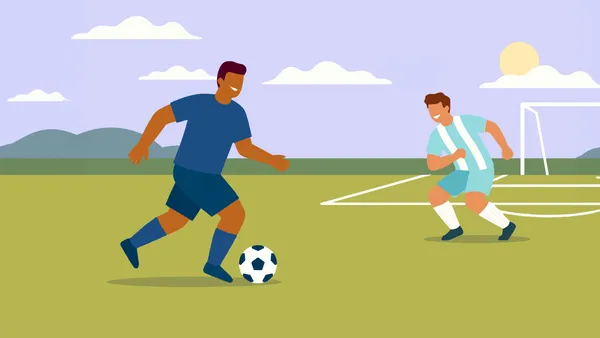 Google tools — like Maps, Gemini and AI Mode in Search — can help guide you from the first whistle to the final goal.