 Now you can get more intelligent speech-to-text transcription with Gemini 3.5 Transcribe.
Intelligent transcription with Gemini 3.5 Transcribe
Now you can get more intelligent speech-to-text transcription with Gemini 3.5 Transcribe.
Now you can get more intelligent speech-to-text transcription with Gemini 3.5 Transcribe.
 We’re rolling out a major productivity upgrade to Gemini Live so you can use your voice to delegate your to-dos without missing a beat.
The Beta channel has been updated to 153.0.8010.12 for Windows, Mac and Linux.
A partial list of changes is available in the Git log. Interested in switching release channels? Find out how. If you find a new issue, please let us know by filing a bug. The community help forum is also a great place to reach out for help or learn about common issues.
Chrome Release Team
Google Chrome
Hi, everyone! We've just released Chrome 152 (152.0.7977.64) for Android. It'll become available on Google Play over the next few days.
This release includes stability and performance improvements. You can see a full list of the changes in the Git log. If you find a new issue, please let us know by filing a bug.
 Spanning North America and Europe, the energy-focused, AI-driven startups were selected for the Google for Startups Accelerator.
Hi everyone! We've just released Chrome Beta 153 (153.0.8010.16) for iOS; it'll become available on App Store in the next few days.
You can see a partial list of the changes in the Git log. If you find a new issue, please let us know by filing a bug.
Chrome Release Team
Google Chrome
Hi everyone! We've just released Chrome Beta 153 (153.0.8010.11) for Android. It's now available on Google Play.
You can see a partial list of the changes in the Git log. For details on new features, check out the Chromium blog, and for details on web platform updates, check here.
If you find a new issue, please let us know by filing a bug.
Chrome Release Team
Google Chrome
The Beta channel is being updated to OS version 16765.31.0 (Browser version 152.0.7977.63) for most ChromeOS devices.
If you find new issues, please let us know one of the following ways:
Visit our ChromeOS communities
General: Chromebook Help Community
Beta Specific: ChromeOS Beta Help Community
Interested in switching channels? Find out how.
Luis Menezes
Google ChromeOS
Answering a research question often requires reading through several papers and figuring out how each of them might be useful. You need to track down what each paper says about your question, what methods the authors used to arrive at the relevant results, and what caveats to keep in mind to understand the boundaries.
Today, we are introducing Scholar Quick Read, to help you answer your research queries faster. Search results in Scholar Labs and Scholar search that discuss your question in depth now include a “Quick read” link.
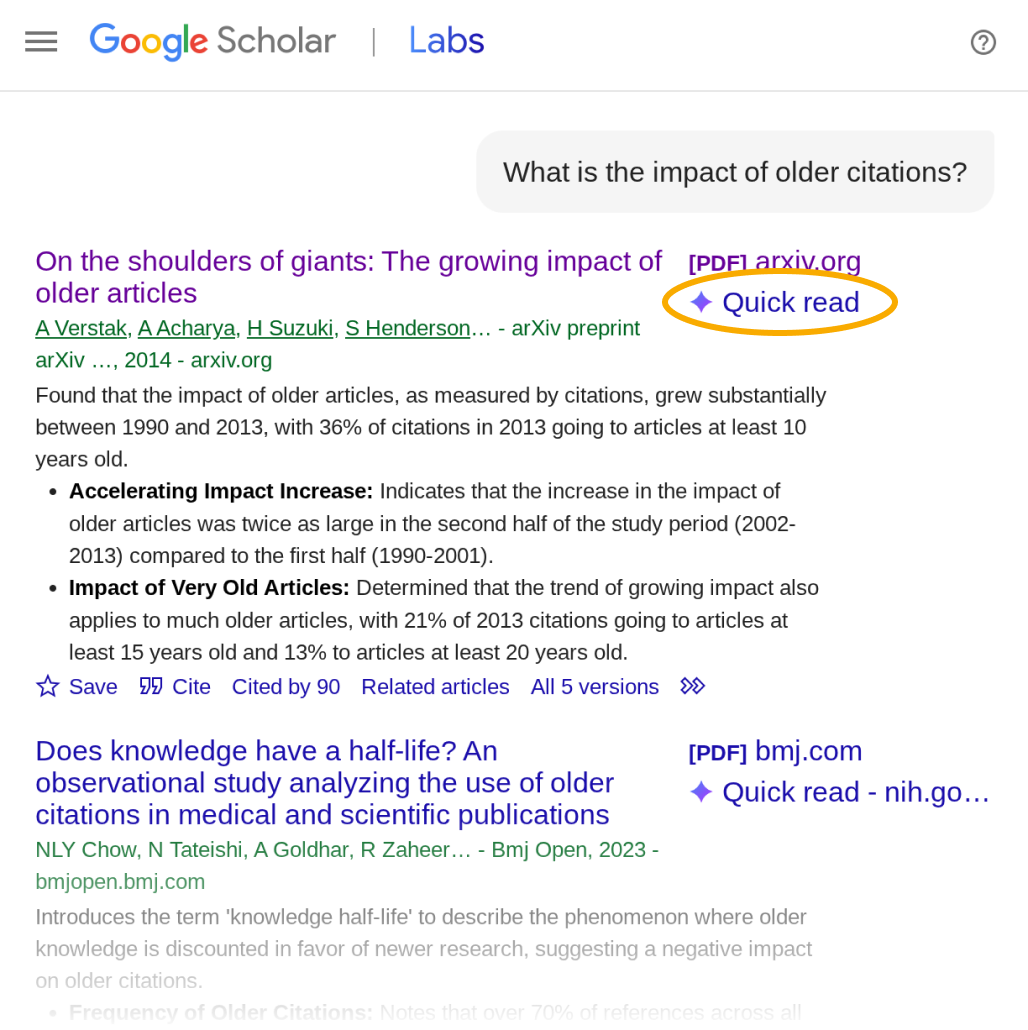
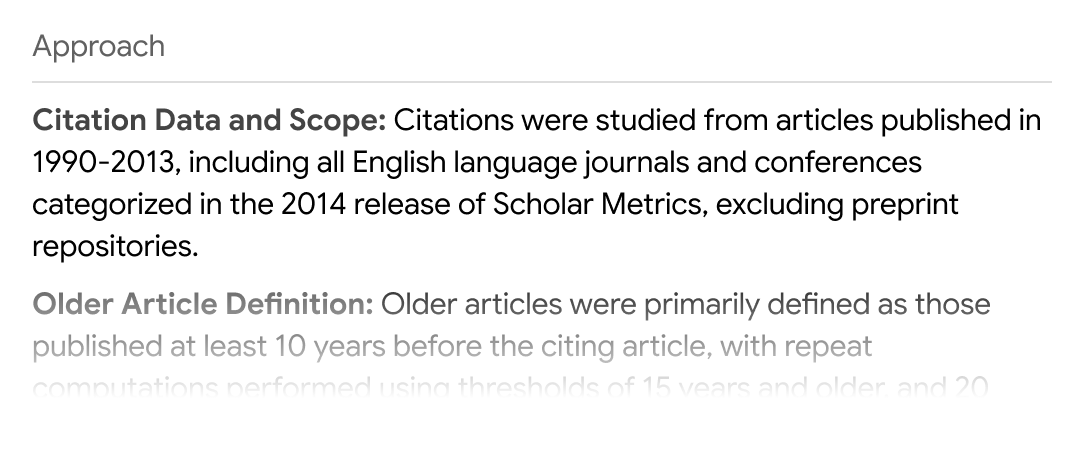
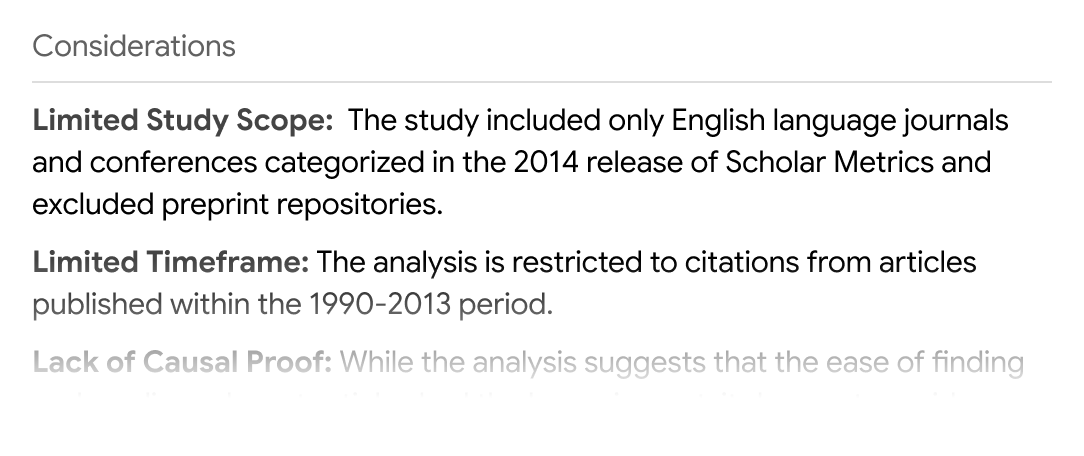
Click “Quick read” to read a short presentation of the paper focused specifically on your query. You’ll see an overview and three sections: Answers, Approach, and Considerations.
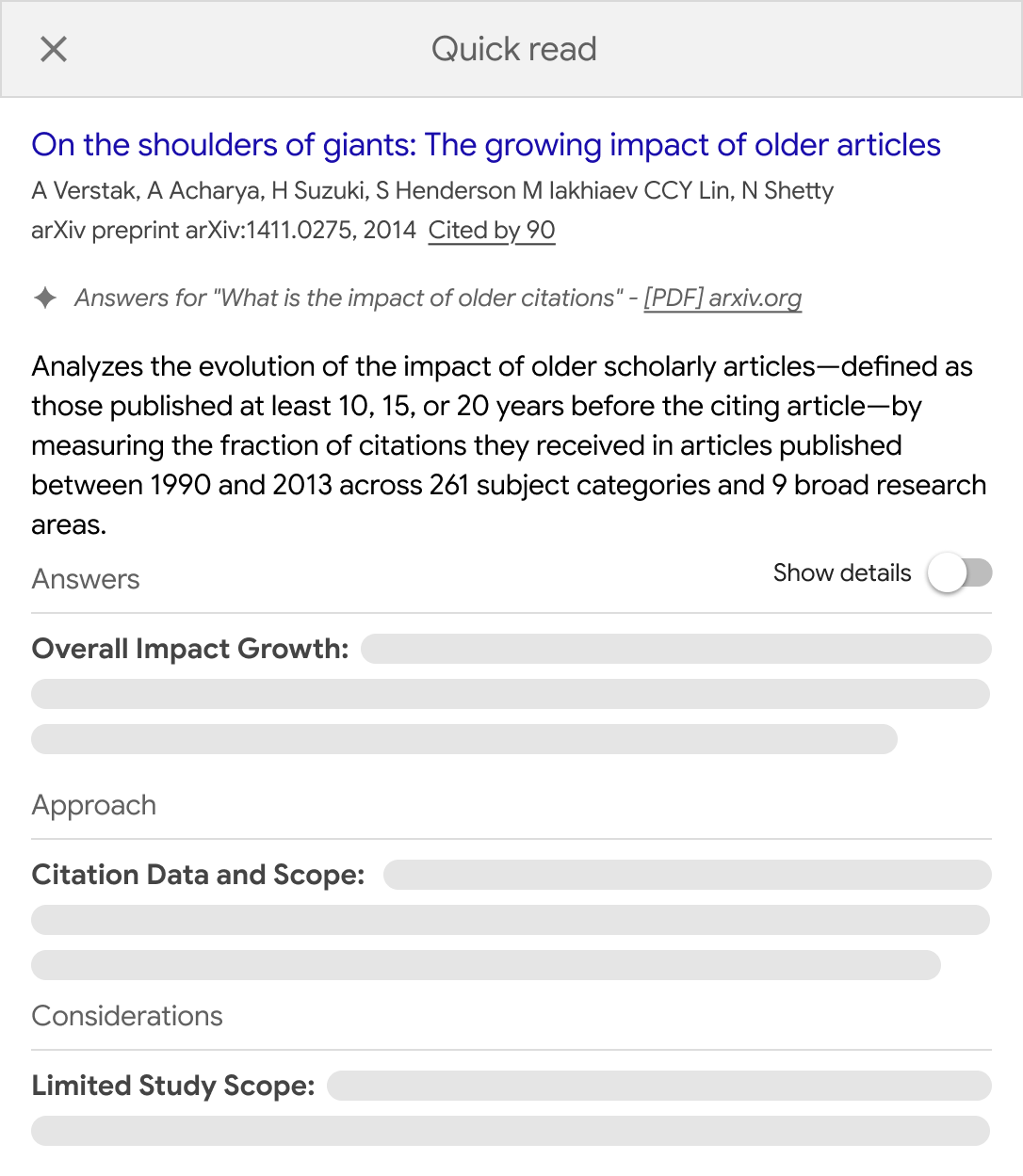
The Answers section presents an overview of what the paper says about your query as well as the supporting details for each of the points. Click “Show details” to view the details.
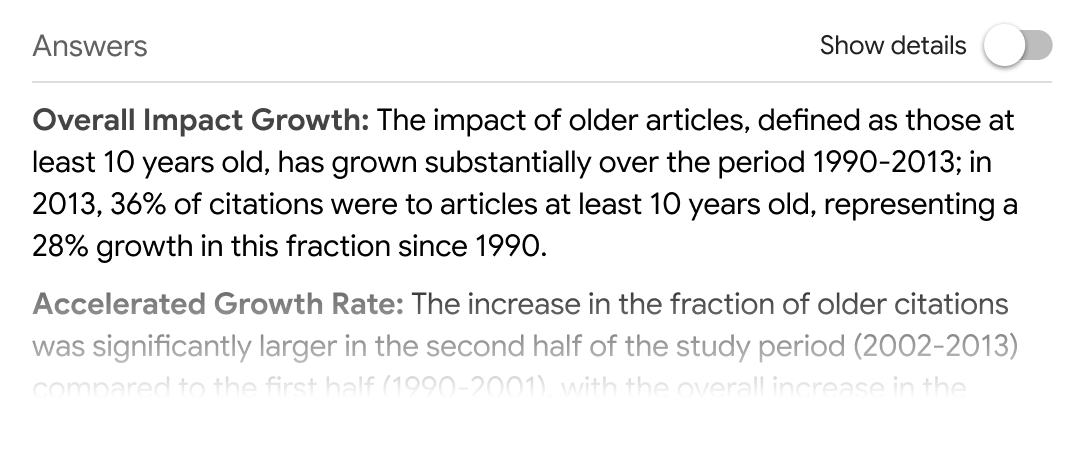
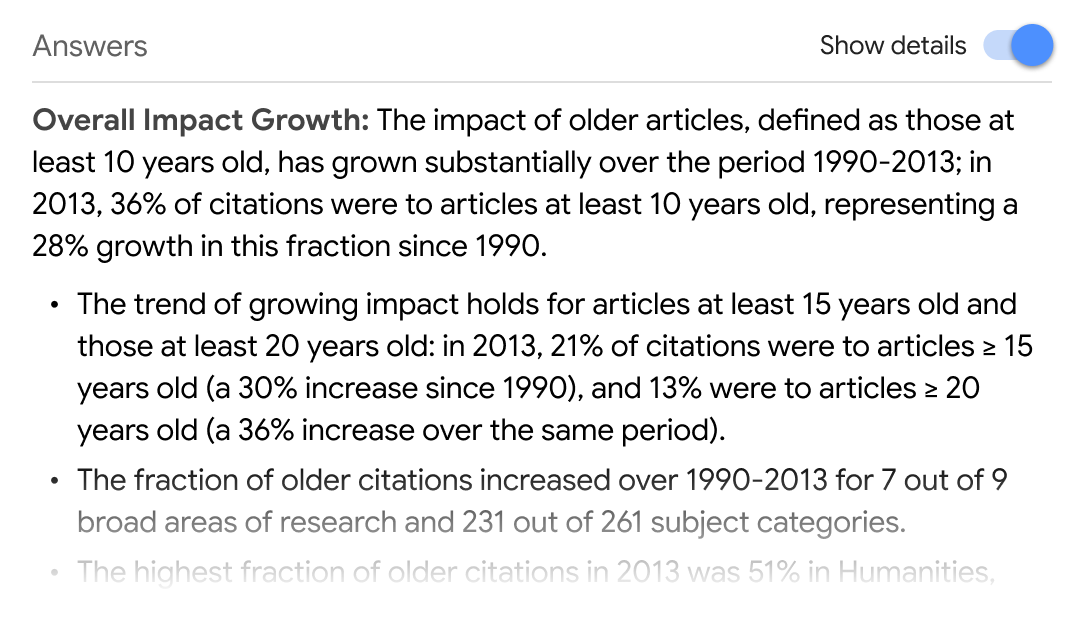
The Approach section describes the methods and techniques from the paper that are relevant to your question.
Finally, the Considerations section lists some caveats to keep in mind as you analyze the results.
Quick Read links appear only for papers that you have access to. We have worked with many of our scholarly publishing partners to enable them for your subscribed articles. We thank all our colleagues for joining us in this shared endeavor.
Quick Read is available for logged in users and is currently limited to English articles.
Here is hoping Quick Read helps find answers to your research questions in the ocean of knowledge.
 Read remarks from Kent Walker, President of Global Affairs for Google and Alphabet, to the Global Forum on Intellectual Property.