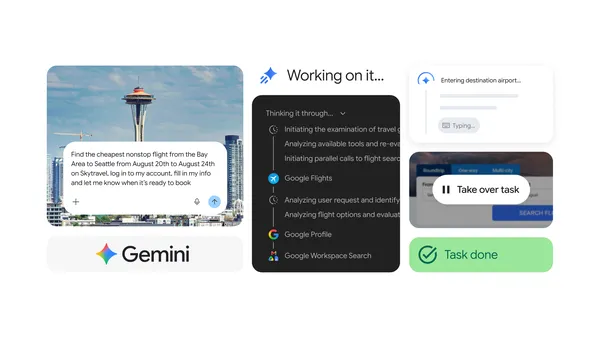
Gemini Spark now integrates with Chrome
An overview of the latest Gemini Spark updates, including new Chrome web browsing capabilities.
Source: The Official Google Blog
Use Gemini in Google Forms to quickly create a new quiz
Help me create in Google Forms now supports generating quizzes.
With this launch, you can quickly create a quiz by writing a specific prompt for Help me create describing the quiz you want to create. Your prompt can reference Google Drive files like Docs, Slides or PDFs to use as sources for the quiz, should you choose.
Gemini then generates a quiz incorporating details from any files you reference, with appropriate quiz settings, including correct answers for each question. Gemini supports different question types like multiple choice, grid, checkboxes, and grid question types.
You can preview the quiz after it's generated, and adjust the content of the generated quiz after inserting it, as needed.
Getting started
- Admins: To access Gemini in the side panel of Workspace apps, users need to have smart features and personalization turned on. Admins can turn on default personalization setting for their users in the Admin console. Visit the Help Center to learn more.
- End users: Visit the Help Center to learn more about creating a form or quiz with Gemini in Google Form.
![]() |
Users can create a quiz using a prompt and pdf file with Gemini in Google Forms |
Rollout pace
- Rapid Release domains: Gradual rollout (up to 15 days for feature visibility) started on July 24, 2026
- Scheduled Release domains: Gradual rollout (up to 15 days for feature visibility) starting on August 5, 2026
Availability
- Business: Business Standard, and Plus
- Enterprise: Enterprise Standard, and Plus
- Education: Education Plus
- Consumer: Google AI, Pro, and Ultra
- Education Add-ons: Google AI Pro for Education; Teaching and Learning
Resources
- Google Help: Create a form or quiz with Gemini in Google Forms
- Google Workspace Updates Blog: Use Gemini in Google Forms to quickly create a new form
Source: Google Workspace Updates
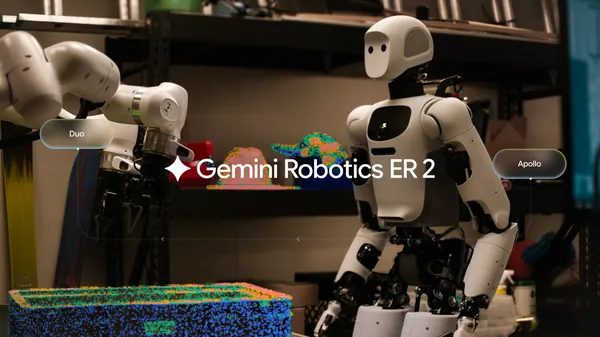
Introducing Gemini Robotics ER 2
Gemini Robotics ER 2 is a step change in video understanding, tool orchestration, and multi-robot collaboration for robotic applications.

Source: The Official Google Blog
Take a look at short films created by our latest group of artists in Google’s Flow Sessions program.
We’re sharing a look at the short films created by our latest group of artists in Google’s Flow Sessions program.
Source: The Official Google Blog
Chrome Beta for Desktop Update
The Chrome team is excited to announce the promotion of Chrome 152 to the Beta channel for Windows, Mac and Linux. Chrome 152.0.7977.8 contains our usual under-the-hood performance and stability tweaks, but there are also some cool new features to explore - please head to the Chromium blog to learn more!
A partial list of changes is available in the Git log. Interested in switching release channels? Find out how. If you find a new issue, please let us know by filing a bug. The community help forum is also a great place to reach out for help or learn about common issues.
Chrome Release Team
Google Chrome
Source: Google Chrome Releases
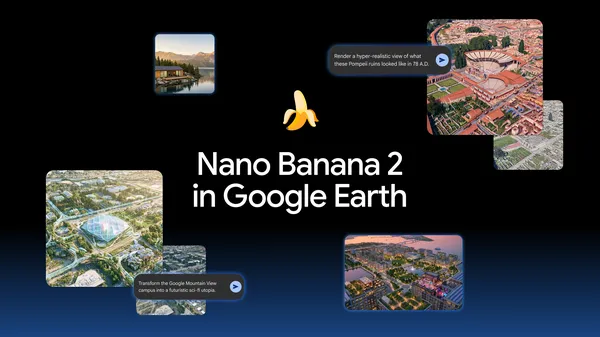
Transform any place with Nano Banana in Google Earth
Custom images — generated from Google Earth satellite, aerial, and 3D imagery — help you redesign any location.
Source: The Official Google Blog
Chrome for Android Update
Hi, everyone! We've just released Chrome 151 (151.0.7922.71) for Android. It'll become available on Google Play over the next few days.
This release includes stability and performance improvements. You can see a full list of the changes in the Git log. If you find a new issue, please let us know by filing a bug.
Source: Google Chrome Releases
Launching Structured Data Files v10.1
Today we’re announcing the general availability of Structured Data Files v10.1. All users can now use v10.1 when downloading and uploading SDFs in the Display & Video 360 interface.
SDF v10.1 includes the following changes:
- The ability to specify whether a YouTube video asset identified in a
Video IDorRelated Videoscolumn contains content that was created or edited with AI. Read more about AI labeling in ads using SDF. - Support for digital out-of-home Insertion Order and Line Item resources.
- New columns identifying the Display & Video 360 creatives in use by ads and ad groups.
- Updated options for the
Inventory Modecolumn of Line Item files.
See the release notes for the details on the changes in v10.1. If you are using a version previous to v10, it is now deprecated. Follow the instructions in our migration guide to migrate to v10 from any available version.
If you have any questions or want to discuss this post, please reach out to us on our “Google Advertising and Measurement Community” Discord server.
Source: Google Ads Developer Blog
Stable Channel Update for Desktop
The Stable channel has been updated to 151.0.7922.71/.72 for Windows and Mac and 151.0.7922.71 for Linux, which will roll out over the coming days/weeks. A full list of changes in this build is available in the Log
Interested in switching release channels? Find out how here. If you find a new issue, please let us know by filing a bug. The community help forum is also a great place to reach out for help or learn about common issues.
Krishna Govind
Google Chrome