 Here are Google’s latest AI updates from August 2026
The latest AI news we announced in August 2026
Here are Google’s latest AI updates from August 2026
Here are Google’s latest AI updates from August 2026
 We’re launching agentic video understanding across our latest Gemini models for improved accuracy and lower costs and token usage.
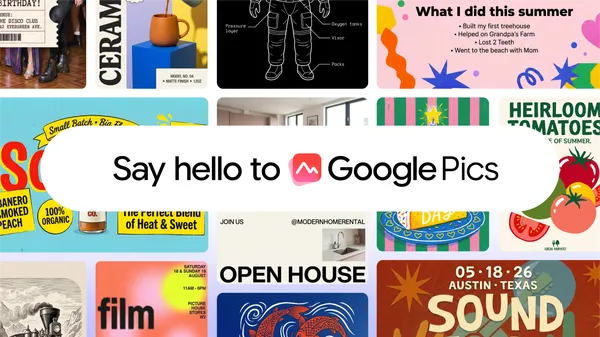 Built on our latest Nano Banana model, Google Pics — our image creation and editing tool — is now available.
Hi everyone! We've just released Chrome Stable 153 (153.0.8010.24) for iOS; it'll become available on App Store in the next few hours.
This release includes stability and performance improvements. You can see a full list of the changes in the Git log. If you find a new issue, please let us know by filing a bug.
Chrome Release Team
Google Chrome
We are updating our Google Ads Developer Policies formerly the “Google Ads API Policy”, to support developers in building robust, high-quality integrations as new AI capabilities continue to shape the advertising industry.
These updates establish clear frameworks for emerging technologies that are more secure and drive better outcomes for our shared customers.
To ensure a seamless transition to these updated standards, the Ads API Compliance team is actively reviewing existing integrations. Please check if your application requires updates by reviewing the policy. We will also reach out directly to developers who will need to transition with detailed guidance, technical resources and additional details.
As technology evolves, we periodically review our policies to make sure they reflect the current landscape. Historically, some integrations have relied on programmatic proxies, which bypass the verifiable and secure interface between end-users and Google. To help protect advertising partners against fraud and security risks, integrations now need to connect directly to Google Ads services using their own dedicated Google Cloud project.
This is critical to mitigate risks for customers, including:
For technical support issues, please reach out to Google Ads Developer Support.
 Nadine Wang, Advertising and Measurement APIs Team
 Gemini 3.7 Flash powers autonomous agent teams in Antigravity to solve open math problems, build CPU emulators, and optimize OSS.

Adaptive app development is fundamental on Android, but making sure everything looks good and every feature works the way it should require multiple tests on multiple devices. Or does it?
Well, yes… and no! While Android Studio is bundled with the Resizable Emulator to let you test layouts manually, there’s a faster, more streamlined way to control form factors directly from your terminal. By leveraging fire-and-forget console commands using the adb emu shortcut, you can execute commands that immediately return control to your invoking shell.
If you have multiple emulators running at the same time, you can target a specific virtual device by passing in the shortcut's serial:
adb -s <serial> emu <command> <parameter>To test foldable-specific user journeys and layout configurations, you can fold and unfold your emulated device programmatically.
adb emu foldIf your foldable emulator is unfolded, you can fold it to display its smaller screen configuration, powering on the (virtual) external display. To unfold the emulator and power on the internal display, simply run:
adb emu unfoldNow, you can instantly verify that your app preserves its state and that layouts appear exactly as they should on different display sizes.
Correctly handling orientation changes is a cornerstone of adaptive app development. You can trigger device rotations programmatically to test how well your app handles configuration changes, including state restoration. The following command rotates the device 90° clockwise:
adb emu rotateWhat about placing the emulator into a specific physical posture, like tabletop mode? The easiest approach is querying for the number of available positions with .
First, list all available sensors and their current status:
adb emu postureThis returns a list of positions similar to the following:
Usage: "posture <posture_id>" 1: closed 2: half-opened 3: opened …You can then invoke the tabletop posture by using the half-opened ID:
adb emu posture 2Note: Not all postures are supported by every virtual device. Standard AVD templates like the Pixel Fold or the Resizable AVD only support postures 1 , 2 , and 3 . Attempting to set 4 or 5 on these templates will return a KO: Failed to set posture error.
adb emu command, you can move it freely with one command. Before you can do any changes, querying for the available resize presets requires only one call:
adb emu resize-displayThis will return the list of available presents:
KO usage: "resize-display <index>" 0: phone 1: unfolded 2: tabletNow, invoking the resize-display parameter with the wanted ID will resize the emulator to the wanted size:
adb emu resize-display 1And that's it! By integrating fire-and-forget commands into your command-line workflow, you save a lot of time and resources compared to running multiple emulators simultaneously.
Now is the time to start experimenting. If you haven't used these console shortcuts before, open up your terminal, fire up your emulator, head over to the documentation, and get started today!
 The U.S. Geographic Names Information System (GNIS) has formally changed the name for "Lake Ontario" to "Lake America" in the United States. Since we update Google Maps …
On August 26, 2026, we are officially launching our updated user interface for Neat touch controllers and the Poly TC8. Overall, the design allows users to concentrate on their meetings rather than searching for controls, resulting in a more efficient and aesthetically pleasing experience. | Learn more.
Gemini can transform your questions and complex topics into custom, interactive visualizations — directly within your Gemini app chat. | Learn more.
Space owners and managers can now control who can view the full list of members in a Google Chat space, providing enhanced privacy and administrative control for sensitive, large-scale, or external collaboration spaces. | Learn more.
For enterprise organizations, migrating communication history and collaboration channels to a new platform can feel daunting and risk interrupting daily business operations. To make this transition smoother, we are excited to announce that migrating chat data from Microsoft Teams to Google Workspace for large scale workloads is now generally available in data import. | Learn more.
For enterprise organizations, migrating files along with their permissions to a new platform can feel daunting and risk interrupting daily business operations. To help simplify this transition, we are excited to announce general availability of Google Workspace data import (advanced mode) to support large-scale file migrations from Microsoft OneDrive. | Learn more.
Google Sheets now supports grouped field persistence for pivot tables. When you create custom groupings or work with grouped date, time, or numeric fields, these fields are now retained directly in the pivot table editor sidebar as reusable source fields. | Learn more.
On August 31, 2026, we’ll start rolling out the ability to start, stop, and manage the “Take notes for me” feature directly from the Google Meet Hardware touch controller for eligible meetings. This ensures in-room participants have direct control over Gemini note-taking without being in Companion mode. | Learn more.
We’re excited to introduce the ability to specify Context-Aware Access policies to control access to Google Classroom. This update allows Google Workspace administrators to set granular security parameters for Classroom access directly from the Admin console. | Learn more.
We are introducing improvements to Google Calendar that make it easier to join third-party video meetings, including Microsoft Teams, Zoom, and Cisco Webex, when collaborating across different calendar and email clients. | Learn more.
We’re introducing a new per-event setting in Google Calendar that allows meeting organizers or their delegates to decide whether or not to receive RSVP emails and automatic responses, such as out-of-office messages and vacation responders. | Learn more.
Previously, users needed to download encrypted non-native files to their local devices to view the contents. With this capability, authorized users can immediately preview encrypted content in their web browser without leaving Drive. | Learn more.
This feature leverages Gemini models to apply data classification labels to files in Google Drive. Previously, AI classification required admins to identify and manually label training files for the AI model to learn the types of data associated with each data classification level. | Learn more.
The announcements above were published on the Workspace Updates blog over the last week. Please refer to the original blog posts for complete details.
Gemini-powered AI classification in Google Drive is now available in open beta.
By automating file identification and labeling across Drive, AI classification helps organizations enforce granular data loss prevention (DLP) policies at scale, establish retention rules, and utilize label metadata during audit investigations. This also becomes a critical aspect in elevating an organization’s security posture in the agentic era, preventing agentic workflows from accessing and acting autonomously on sensitive data.
This feature leverages Gemini models to apply data classification labels to files in Google Drive. Previously, AI classification required admins to identify and manually label training files for the AI model to learn the types of data associated with each data classification level. With this new capability, Gemini models offer admins an alternative method for data classification that is faster and more efficient, eliminating the need for manual model training and replacing it with administrator-defined instructions.
 |
In the Admin console, Gemini models interpret instructions, evaluate files, and apply appropriate data classification labels. |
Administrators maintain full control of the Gemini-based data classification process. They select the label, provide Gemini with instructions, and scope the audience for the files being evaluated. For Gemini-labeled files, editors and owners of those files with the appropriate label permissions will have the opportunity to either review and accept, or modify the automatically-applied label. Audit logs capture when files are labeled, including any user acceptance or modification of a Gemini-applied label.
 |
In the Admin console, once enabled, Workspace Admins can see metrics on the labels applied to files by Gemini. |
Data classification is a critical activity for organizations that are conscious about data protection, compliance, and reporting. However, data classification can also be challenging to put into practice, particularly when it comes to accurately classifying files at scale. By using the new Gemini-based capabilities in AI classification for Drive, admins are able to achieve a higher degree of data classification accuracy at scale.
 Posted by Rob Orgiu, Developer Relations Engineer, Adaptive Apps, Android