
WhatsApp is the world's largest messaging platform, serving billions of users globally. It is the default communication tool for people across diverse regions, connecting users through private, reliable, and secure messaging.
"What excites me most is the sheer scale of WhatsApp's impact. Even a small improvement to WhatsApp touches billions of users worldwide," says Mayank Manuja, an Android Engineer on the WhatsApp Registration and Access team who led the design and implementation of passkey-based authentication for WhatsApp.
Building for an audience of this magnitude requires navigating a vast range of network conditions, device capabilities, and levels of digital literacy. Recognizing the potential early, WhatsApp committed to adopting passkeys in 2023, becoming one of the first major consumer apps to integrate the technology. By implementing passkeys, WhatsApp aimed to provide a fast, phishing-resistant option that significantly reduces user friction while providing robust protection against account takeovers and credential theft.
A user creating a passkey on WhatsApp for faster, more secure sign-ins.
The Decision to Adopt Passkeys
For WhatsApp, offering multiple access methods is key to making it easier for users to stay connected and regain access when needed. Passkeys offer users a streamlined, one-tap login experience that eliminates phishing risks and functions reliably even in regions where OTP message delivery can be inconsistent.
Underneath, passkeys leverage public-private key cryptography to replace manual entry with biometric or screen lock authentication. This workflow drastically improves sign-in speeds by reducing the process to a single tap via a unified, bottom-sheet interface that keeps users engaged within the app's context. The benefits are twofold: passkeys offer users a streamlined login experience while simultaneously providing robust, native protection against phishing attacks. Crucially, they function reliably even in regions where traditional SMS OTP delivery can be inconsistent.
 How passkeys are saved and used to authenticate using public-private key cryptography

Having robust and diverse account access methods ensures that users are never locked out of what matters most to them.
Client-Side Integration
From the WhatsApp developer perspective, the Credential Manager API provided a clean, unified interface that abstracted away the complexity of underlying credential providers. Once initial integration flows were mapped out, the API surface became straightforward, with credential creation and retrieval following well-defined request and response patterns. Find the implementation guide in the Android developer documentation.
While the happy path worked from the start, navigating a diverse user base across OEMs, multiple Android versions, and varied device configurations (such as PIN-only versus biometric, or Android 13 versus 14+) surfaced unprecedented edge cases. These included users without a screen lock, unexpected exception types, outdated Play Services, and inconsistent credential provider behavior.
To overcome these hurdles, the WhatsApp and Google teams collaborated deeply and tackled several challenges:
- Optimizing the credential lookup flow: The initial lookup flow exhibited poor latency, particularly for users who had not yet created a passkey. Since the majority of WhatsApp users fall under this bucket in early stages, this added noticeable delay to nearly every sign-in. By instrumenting the call path and identifying bottlenecks together, WhatsApp significantly fastened up the process, achieving performance gains that ultimately benefited the entire Android ecosystem.
- Handling transient states: WhatsApp built a comprehensive error-handling layer to navigate device-specific hurdles such as password manager availability, screen lock not configured, intermittent connectivity issues, incompatible hardware, outdated play services, categorizing exceptions into recoverable and terminal states. This allowed for graceful degradation, if a passkey flow could not complete, the system safely fell back to traditional authentication without leaving the user in a broken state.
- Navigating OS-specific exceptions: When telemetry revealed device-specific hurdles such as GetPublicKeyCredentialDomException (Failed to decrypt credential) on certain Android 13 devices, and CreatePublicKeyCredentialDomException (Unable to get sync account) during passkey creation on Android 14, Google and the WhatsApp team investigated the root causes and implemented platform-level improvements to ensure smoother creation flows. You can find the comprehensive error guide here which lists common error codes and descriptions related to Credential Manager, and provides some information about their causes.
Note: For further guidance, explore the Passkeys best practices blog to learn how to optimize the user experience when adopting passkeys.
Refining the User Experience
Because passkeys were an entirely new concept in early 2023, there were no established patterns for prompting their creation. Through extensive A/B testing, WhatsApp developed a contextual framework targeting users who would benefit most. This strategy continuously evolved: as Android OS flows matured into a streamlined, single-screen experience, WhatsApp simplified its own prompts to avoid redundant or confusing UI.
 WhatsApp's streamlined, single-screen passkey creation flow
Server-Side Architecture and Cross-Platform Hurdles
On the backend, WhatsApp's server implements the standard WebAuthn/FIDO2 ceremonies. The backend is written in Erlang and calls the Rust webauthn-rs library through a native interface. This Rust library handles signature verification and credential parsing, allowing the internal code to remain focused on orchestration, storage, and product rules like eligibility, rate-limiting, and credential lifecycle.
The server architecture orchestrates these core ceremonies through four primary entry points, paired into Begin and Finish sequences for both Registration and Authentication:
1. Passkey registration
This sequence handles issuing creation options to the client, verifying the attestation once the client acknowledges successful creation, and securely persisting the credential.
 The server & client interaction architecture during passkey registration
Erlang: Begin Registration
begin_registration(UserId) ->
    Existing = list_credentials(UserId),
    %% reuse the existing user handle, or mint a new one
    {UserHandle, IsNew} = user_handle(Existing),
    %% returns the client creation options and the server-side challenge state
    #{client_safe := CreationOptions, server_only := ChallengeState} =
        webauthn:start_registration(UserId, UserHandle, rp_config()),
    %% excludeCredentials: the user's existing credential IDs, so the device won't re-enroll one
    Options = with_exclude_credentials(CreationOptions, credential_ids(Existing)),
    store_challenge(UserId, ChallengeState),          %% short TTL
    IsNew andalso reserve_user_handle(UserId, UserHandle),
    Options.
- Identify the user: The server first checks for any existing credentials to either reuse an existing user handle or generate a new one.
- Generate options and challenge: It calls the WebAuthn library to generate the creation options for the client and a secure challenge state for the server.
- Prevent duplicates: It explicitly excludes the user's existing credential IDs so that the device does not accidentally re-enroll a passkey that is already registered.
- Store challenge: The server temporarily stores the challenge with a short time-to-live (TTL) and sends the options back to the client device.
Erlang: Finish Registration
finish_registration(UserId, Attestation) ->
    ChallengeState = get_challenge(UserId),          %% must exist and be unexpired
    #{credential_id := CredId, public_key := PubKey} =
        webauthn:finish_registration(Attestation, ChallengeState, rp_config()),
    ok = index_credential(CredId, UserId),            %% map credential_id -> account
    case multi_passkey_enabled(UserId) of
        true  -> add_credential(UserId, CredId, PubKey);      %% append (oldest evicted past the cap)
        false -> replace_credential(UserId, CredId, PubKey)   %% single-passkey mode
    end,
    notify_client(UserId, {passkey_created, CredId}),
    ok.
- Retrieve challenge: The server retrieves the stored challenge, ensuring it still exists and hasn't expired.
- Verify attestation: It passes the client's response (Attestation) and the challenge to the WebAuthn library to verify the request and extract the new credential ID and public key.
- Index the credential: The new credential ID is mapped directly to the user's account for fast lookup later.
- Save and manage limits: Depending on whether the multi-passkey feature is enabled, the server will either append the new credential to the user's list (evicting the oldest if a cap is reached) or replace the existing one in single-passkey mode.
2. Credential Authentication
Similar to creation, the app server handles the authentication flow by orchestrating the login sequence. This includes verifying the assertion after successful client authentication, and dynamically updating stored credentials whenever WebAuthn signals a refresh is necessary.
Erlang: Begin Authentication
begin_authentication(UserId) ->
    Credentials = list_valid_credentials(UserId),
    #{client_safe := RequestOptions, server_only := ChallengeState} =
        webauthn:start_authentication(Credentials, rp_config()),
    store_challenge(UserId, ChallengeState),          %% short TTL
    RequestOptions.
- Fetch valid credentials: The server looks up all currently valid credentials associated with the user.
- Generate challenge: It uses those credentials to build request options for the client and generates a new server-side challenge.
- Store and return: Just like in registration, the challenge is saved temporarily, and the request options are passed to the client app.
Erlang: Finish Authentication
finish_authentication(UserId, Assertion) ->
    ChallengeState = get_challenge(UserId),
    Credentials = list_valid_credentials(UserId),
    case webauthn:finish_authentication(Credentials, Assertion, ChallengeState) of
        #{user_verified := true, credential_id := CredId, needs_update := NeedsUpdate} = Result ->
            %% webauthn tells us when the stored credential should be refreshed
            NeedsUpdate andalso refresh_credential(UserId, CredId, Result),
            mark_credential_used(UserId, CredId),
            {ok, CredId};
        _ ->
            {error, not_allowed}
    end.
- Verify assertion: The server retrieves the stored challenge and valid credentials, then asks the WebAuthn library to verify the client's Assertion.
- Refresh if needed: If the user is successfully verified, the server checks a needs_update flag. The WebAuthn library uses this flag to signal if the stored credential state needs to be refreshed on the server.
- Finalize: The server marks the credential as used and successfully completes the login process.
 The step-by-step passkey login experience on the WhatsApp app.
To know more about server registration, follow the integration guide here.
Advanced Architectural Considerations
Implementing passkeys on the server at scale presented unique challenges, particularly concerning account architecture and device synchronization. Ashish Choudhary from the WhatsApp backend team highlighted the primary hurdles they faced:
- Migrating to multiple passkeys per account: WhatsApp's legacy server logic was deeply intertwined with the assumption of a single credential per user. To support modern multi-device realities, they engineered a bounded list system that intelligently evicts the oldest credential once a limit is reached. To ensure absolute stability, this major structural shift was rolled out gradually through rigorous experimentation.
- Balancing the credential lifecycle: Managing credential validity required a delicate touch. Invalidating credentials too aggressively forces needless re-enrollments, while being too lenient lets stale credentials pile up. WhatsApp solved this by implementing balanced lifecycle states to maintain tight security without frustrating users, complemented by automated background cleanup for inactive passkeys.
Rethinking Cross-Device Synchronization
This robust multi-passkey architecture also allowed WhatsApp to completely rethink cross-platform usability. The standard WebAuthn cross-device flow requires scanning a QR code on one device and authenticating over Bluetooth on another. However, WhatsApp found the Bluetooth dependency unreliable, and users often confused the new QR codes with the existing WhatsApp Web linking process.
Instead of forcing a fragile cross-device transport mechanism, WhatsApp allows users to hold passkeys natively across multiple ecosystems such as Google Password Manager on Android and iCloud Keychain on iOS. When users migrate to a new platform, they simply generate a fresh passkey during their next sign-in. This approach is completely frictionless for the user and operates seamlessly on top of the new multi-passkey server infrastructure.
Looking Ahead
Since launching passkeys, WhatsApp has witnessed robust organic adoption across its vast user base. By transforming the traditional multi-step sign-in process into a single, frictionless biometric gesture, the app has dramatically improved the user experience. Building on this momentum, WhatsApp is now expanding passkey utility beyond initial sign-ins, exploring seamless in-app re-authentication for sensitive account actions like passkey-encrypted backups.
Looking ahead, WhatsApp is actively collaborating with platform partners to pioneer lower-friction credential creation paths, anticipating that barriers to entry will naturally diminish as device biometric capabilities expand.
Recommendation for Developers Building at Scale
For developers preparing to integrate passkeys at scale, the WhatsApp team shares these critical recommendations:
- Invest in an error taxonomy early: Categorize the wide variety of Credential Manager exceptions into recoverable versus terminal states, and define clear, graceful fallback paths for each scenario.
- Understand your eligibility funnel: Instrument device capability checks such as screen lock presence, biometric hardware, and Play Services versions and design flows to proactively exclude ineligible users rather than failing mid-flow.
- Prepare your app for fallback: Use passkeys as an optimal primary authentication method for capable devices, but always retain traditional methods as a reliable, universal fallback.
- Plan for OS version fragmentation: Passkey behavior can differ across operating systems. Test thoroughly on Android 13, 14, and 15+, and account for OEM-specific variations in the credential selection UI.
- Upsell contextually and educate: Present passkey creation naturally during security-relevant actions. Clearly emphasize the value proposition (speed and security) using accessible language to drive user adoption.
- Monitor proactively: The ecosystem evolves with every OS update. Continuously track latency and error patterns to stay ahead of shifting device landscapes.

Get Started with Passkeys and Credential Manager
Get hands on with passkeys and Credential Manager on Android using our integration guide and public sample code.
If you have any questions or issues, you can share with us through the Android Credentials issues tracker.


 Gemini Omni 1.1 Flash brings a new suite of creative controls and generative video capabilities to developers.
 Interactive visual aids and teacher-controlled practice materials — both built with Gemini — are launching for the new school year.
 Drive high-quality leads and acquire customers with new messaging, travel, and creative features in YouTube’s August Demand Gen Drop.
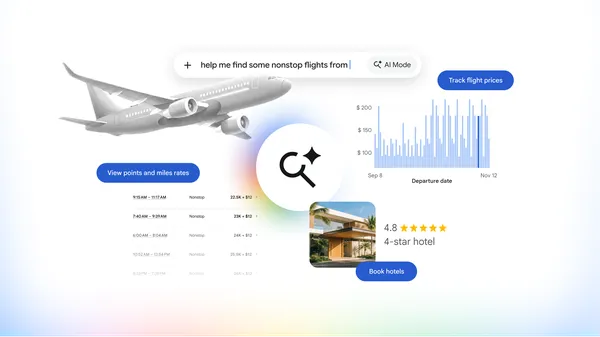 Book hotels and track airfares, plus view miles and rewards with AI Mode in Google Search.
 At Google I/O, we launched Gemini Omni Flash in Google Flow, bringing new video editing capabilities to creatives. Today we’re rolling out updates via Gemini Omni 1.1 Fl…
 Level up your sleep routine with the Fitbit Air Special Edition Pokémon Sleep, which makes tracking your sleep more fun.